







Question: Please help me code the following in: JAVA Please use many COMMENTS and read the task THOROUGHLY Full points will be awarded, thanks in advance!
Please help me code the following in: JAVA
Please use many COMMENTS and read the task THOROUGHLY
Full points will be awarded, thanks in advance! 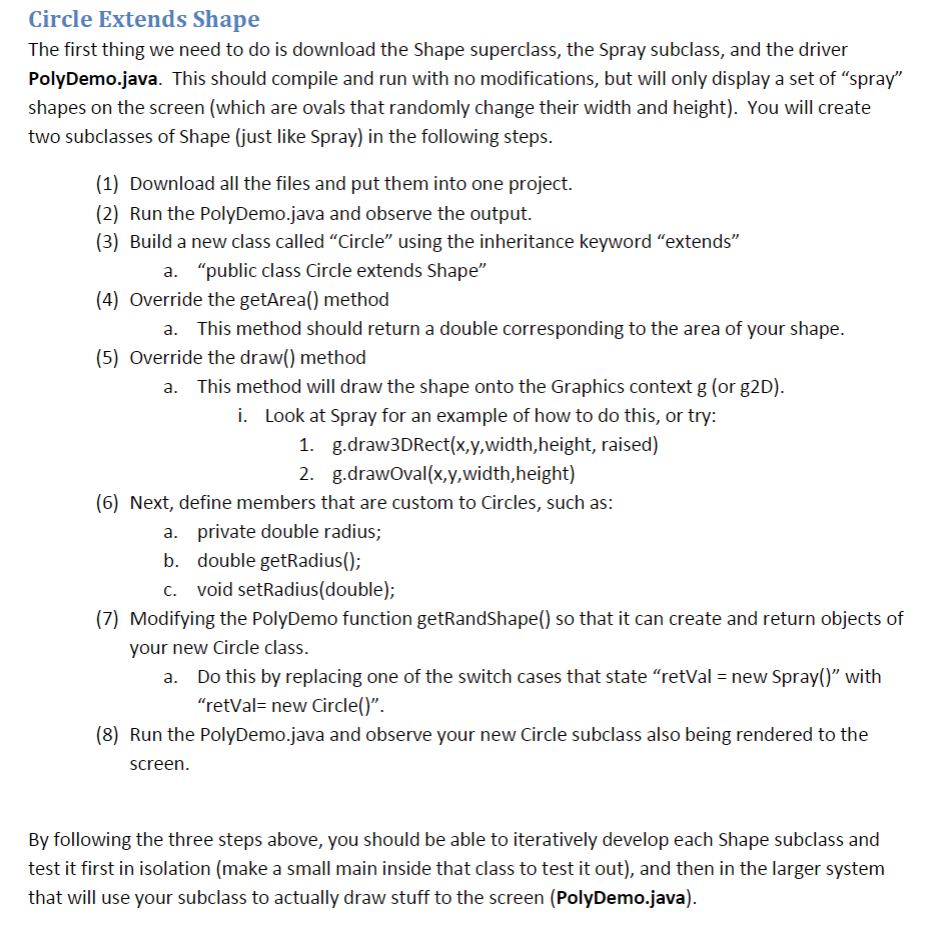 Shape class:
 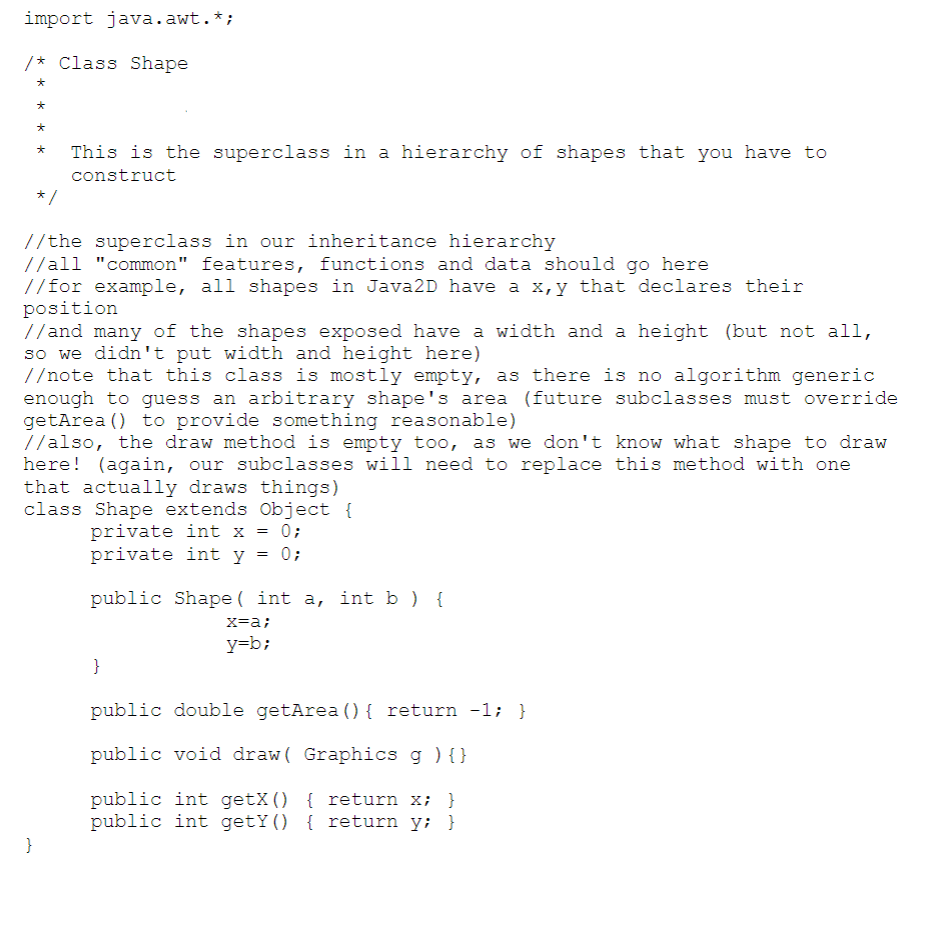 Spray class:
 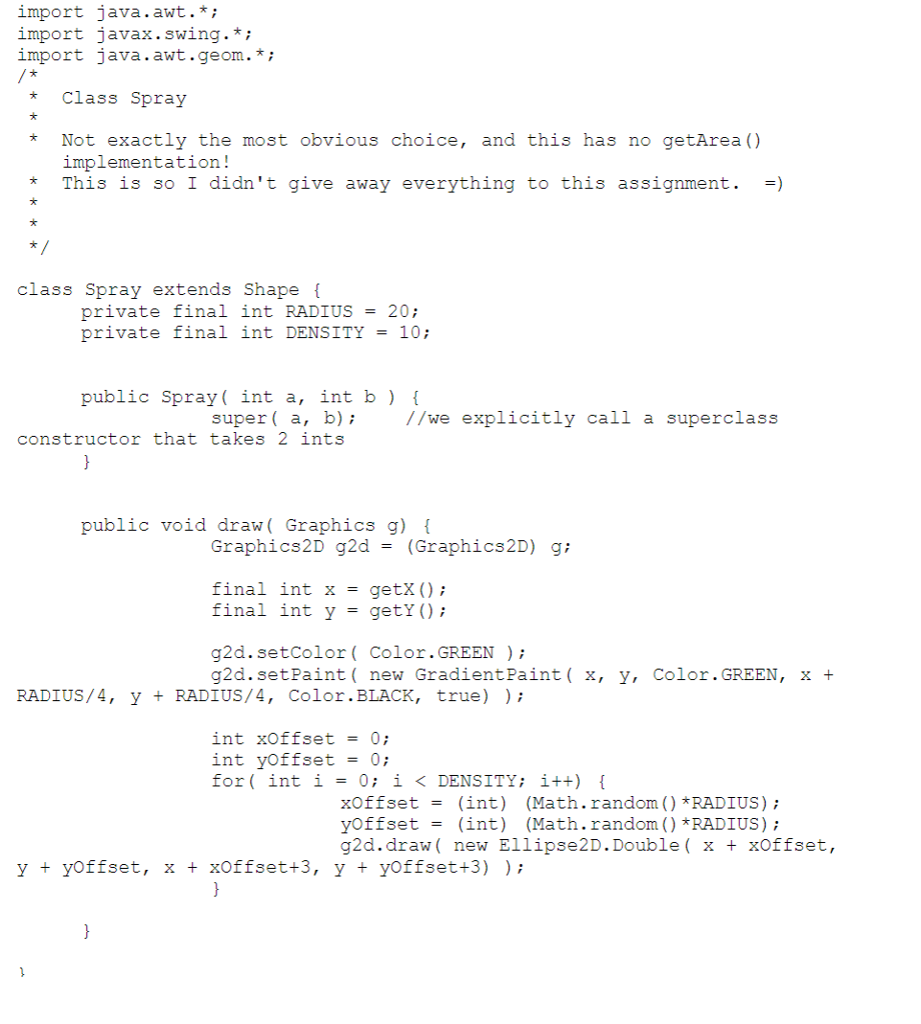 PolyDemo class:
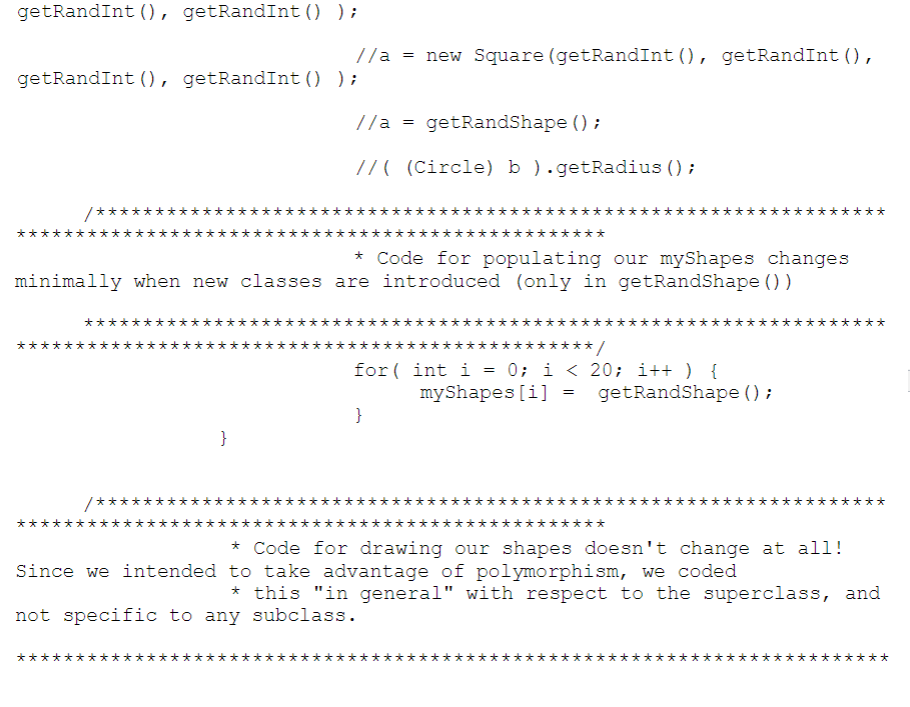
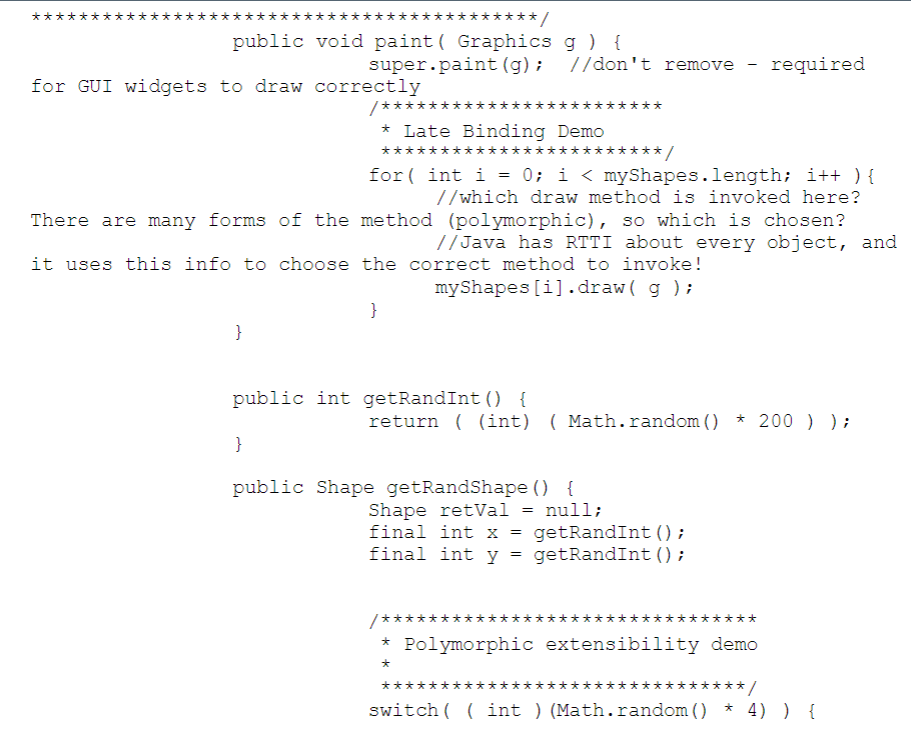
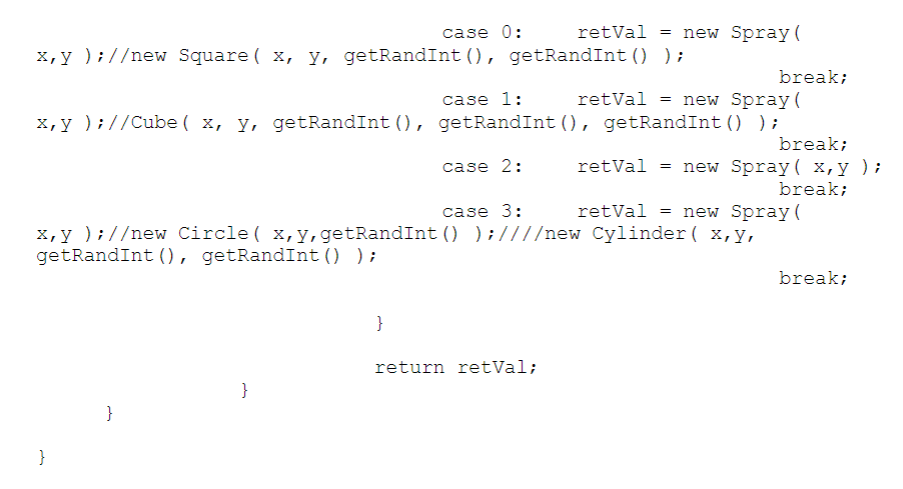
Circle Extends Shape The first thing we need to do is download the Shape superclass, the Spray subclass, and the driver PolyDemo.java. This should compile and run with no modifications, but will only display a set of "spray" shapes on the screen (which are ovals that randomly change their width and height). You will create two subclasses of Shape (just like Spray) in the following steps. (1) Download all the files and put them into one project. (2) Run the PolyDemo.java and observe the output. (3) Build a new class called "Circle" using the inheritance keyword "extends" a. "public class Circle extends Shape" (4) Override the getArea) method a. This method should return a double corresponding to the area of your shape (5) Override the draw() method This method will draw the shape onto the Graphics context g (or g2D) i. Look at Spray for an example of how to do this, or try 1. g.draw3DRect(x,y,width,height, raised) a. 2. g.drawOval(x,y,width,height) (6) Next, define members that are custom to Circles, such as: a. private double radius; b. double getRadius(); c. void setRadius(double); (7) Modifying the PolyDemo function getRandShape() so that it can create and return objects of your new Circle class. a. Do this by replacing one of the switch cases that state "retVal new Spray()" with "retVal- new Circle()". (8) Run the PolyDemo.java and observe your new Circle subclass also being rendered to the screen By following the three steps above, you should be able to iteratively develop each Shape subclass and test it first in isolation (make a small main inside that class to test it out), and then in the larger system that will use your subclass to actually draw stuff to the screen (PolyDemo.java) Circle Extends Shape The first thing we need to do is download the Shape superclass, the Spray subclass, and the driver PolyDemo.java. This should compile and run with no modifications, but will only display a set of "spray" shapes on the screen (which are ovals that randomly change their width and height). You will create two subclasses of Shape (just like Spray) in the following steps. (1) Download all the files and put them into one project. (2) Run the PolyDemo.java and observe the output. (3) Build a new class called "Circle" using the inheritance keyword "extends" a. "public class Circle extends Shape" (4) Override the getArea) method a. This method should return a double corresponding to the area of your shape (5) Override the draw() method This method will draw the shape onto the Graphics context g (or g2D) i. Look at Spray for an example of how to do this, or try 1. g.draw3DRect(x,y,width,height, raised) a. 2. g.drawOval(x,y,width,height) (6) Next, define members that are custom to Circles, such as: a. private double radius; b. double getRadius(); c. void setRadius(double); (7) Modifying the PolyDemo function getRandShape() so that it can create and return objects of your new Circle class. a. Do this by replacing one of the switch cases that state "retVal new Spray()" with "retVal- new Circle()". (8) Run the PolyDemo.java and observe your new Circle subclass also being rendered to the screen By following the three steps above, you should be able to iteratively develop each Shape subclass and test it first in isolation (make a small main inside that class to test it out), and then in the larger system that will use your subclass to actually draw stuff to the screen (PolyDemo.java)
Step by Step Solution
There are 3 Steps involved in it

Get step-by-step solutions from verified subject matter experts
 Study Help