







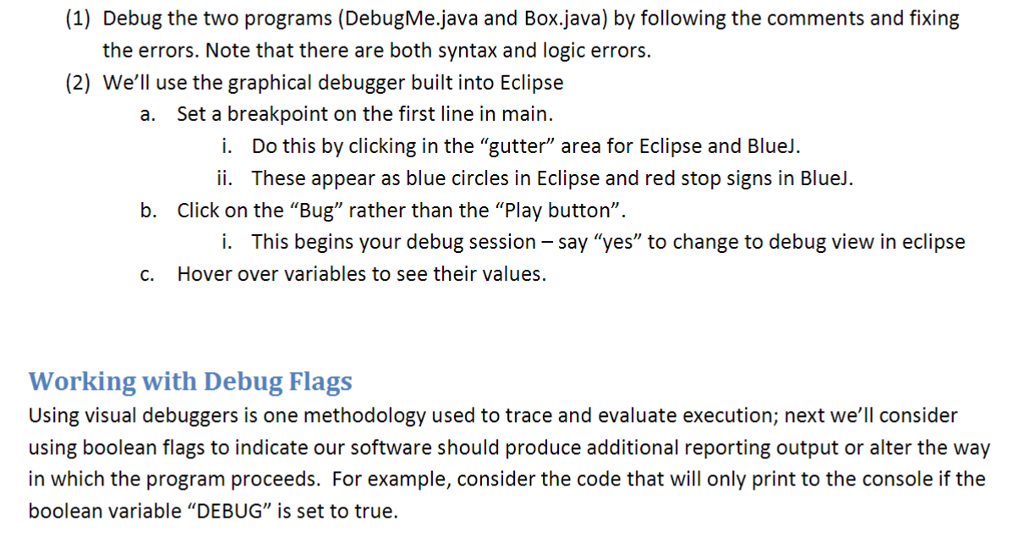
Question: Please help me code the following in JAVA! Box class: Debugme class: (1) Debug the two programs (DebugMe.java and Box.java) by following the comments and
Please help me code the following in JAVA!

Box class: 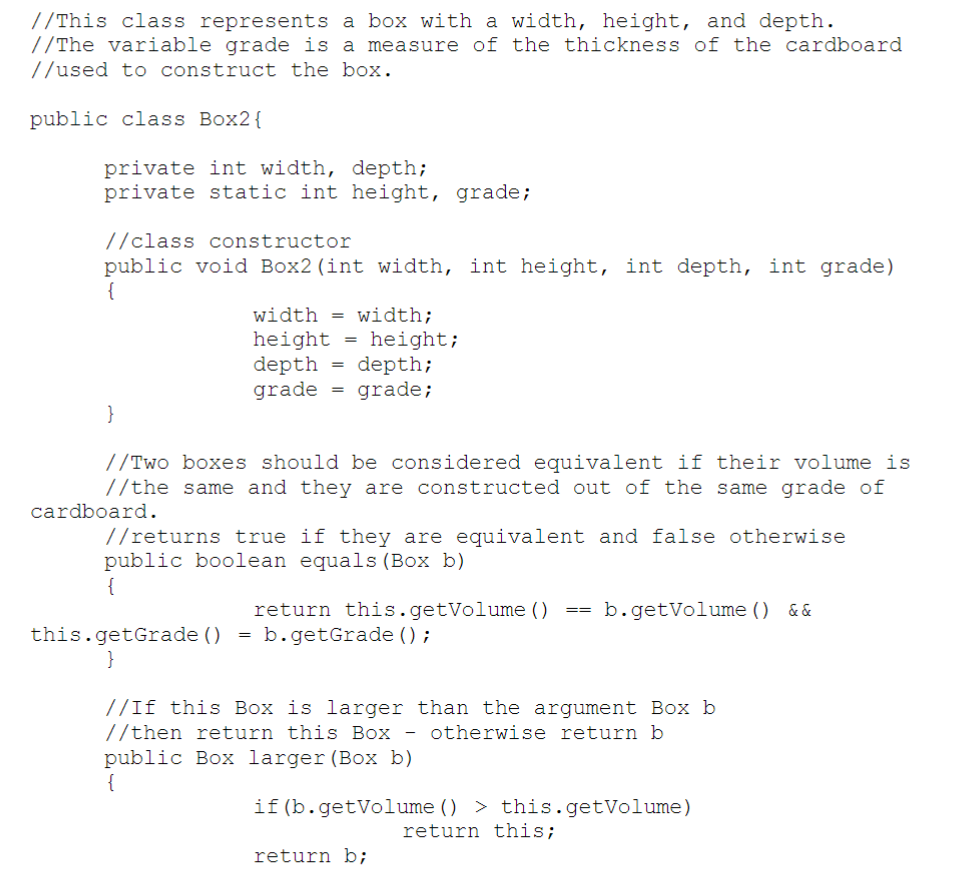
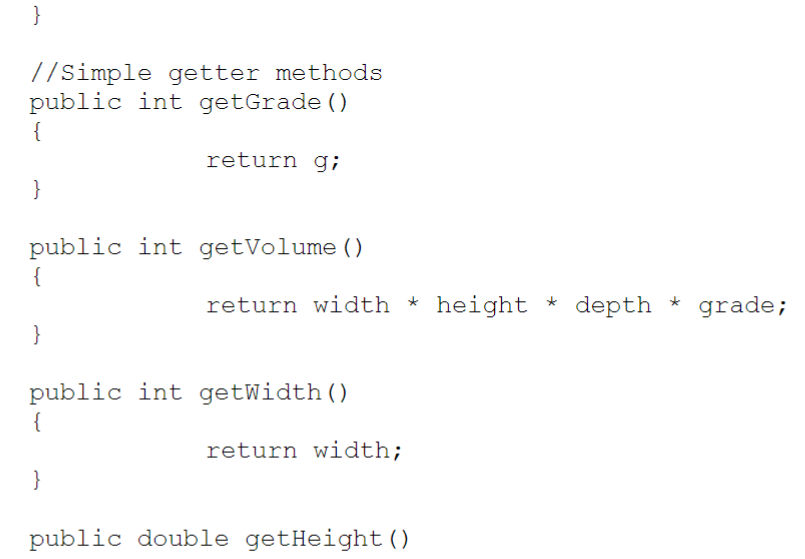
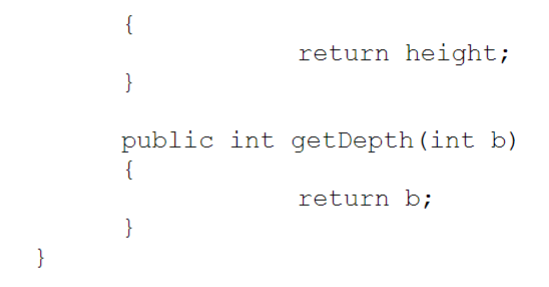 Debugme class: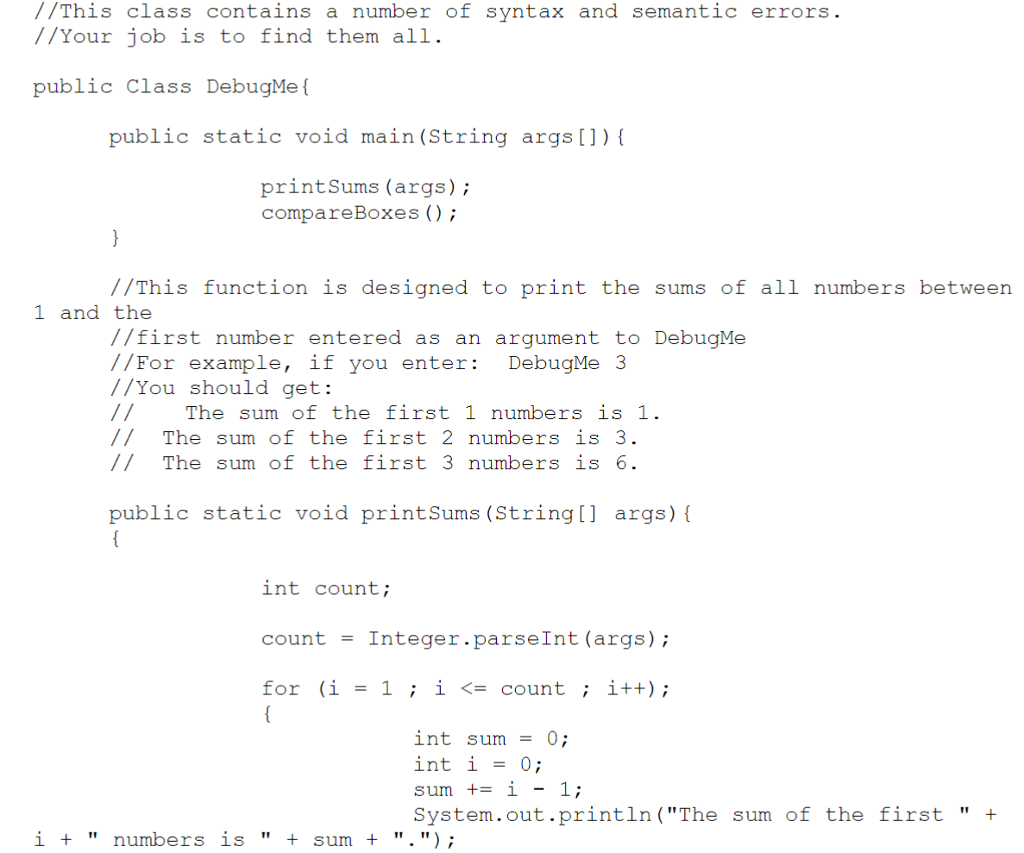
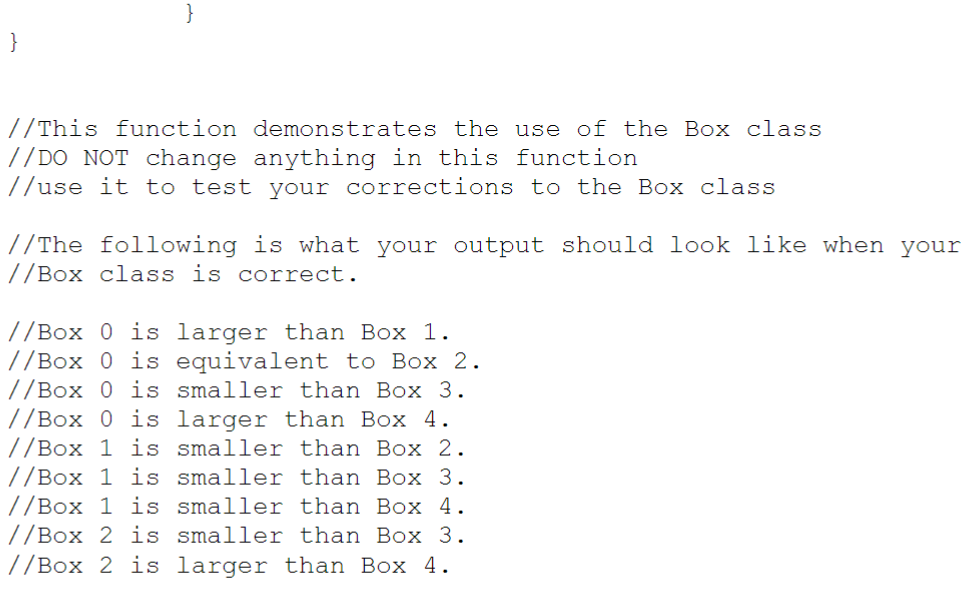
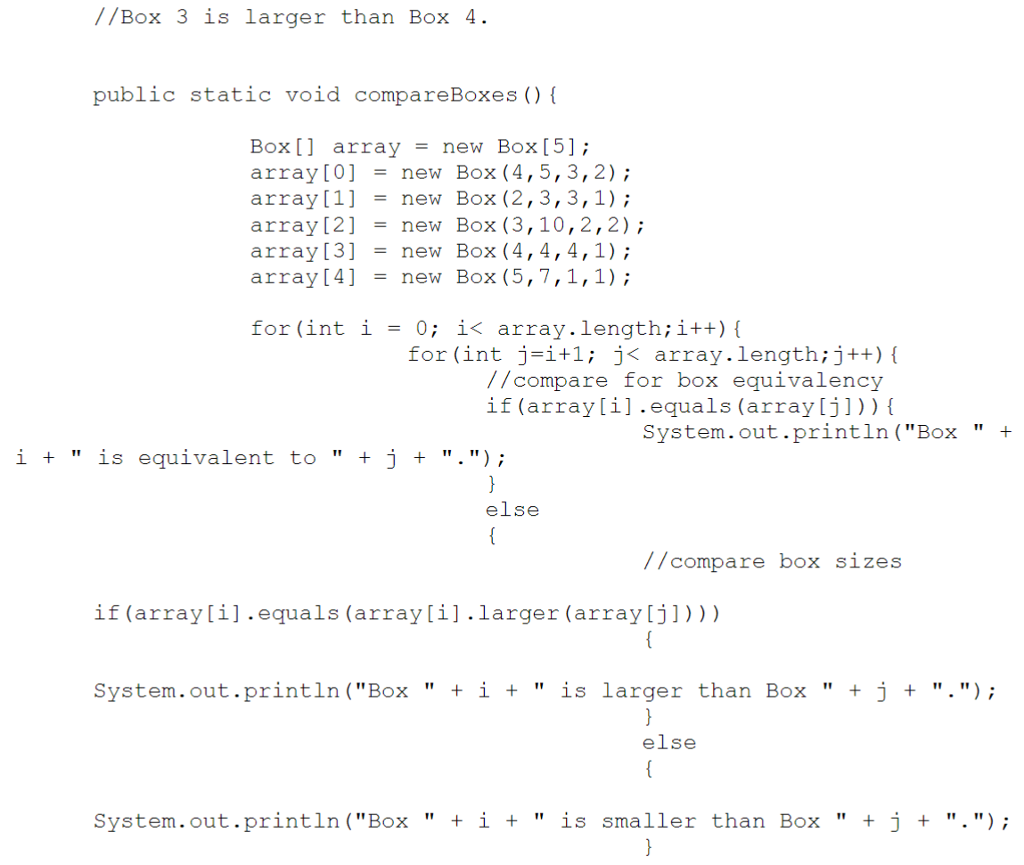
(1) Debug the two programs (DebugMe.java and Box.java) by following the comments and fixing the errors. Note that there are both syntax and logic errors. (2) We'll use the graphical debugger built into Eclipse a. Set a breakpoint on the first line in main i. Do this by clicking in the "gutter" area for Eclipse and Bluel. ii. These appear as blue circles in Eclipse and red stop signs in Blue. b. Click on the "Bug" rather than the "Play button" i. This begins your debug session -say "yes" to change to debug view in eclipse C. Hover over variables to see their values. Working with Debug Flags Using visual debuggers is one methodology used to trace and evaluate execution; next we'll consider using boolean flags to indicate our software should produce additional reporting output or alter the way in which the program proceeds. For example, consider the code that will only print to the console if the boolean variable "DEBUG" is set to true
Step by Step Solution
There are 3 Steps involved in it

Get step-by-step solutions from verified subject matter experts
 Study Help