







Question: please help me code this on microbit site Module 4 Mini Discussion 1: Communicate with 1s and Os Refer to the video/slides for more information
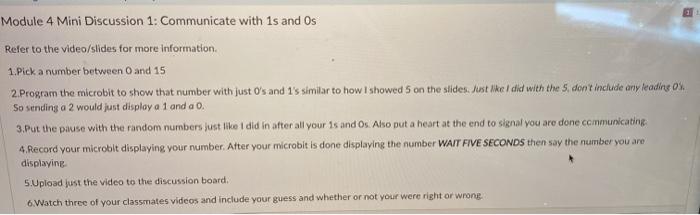
Module 4 Mini Discussion 1: Communicate with 1s and Os Refer to the video/slides for more information 1. Pick a number between 0 and 15 2. Program the microbit to show that number with just O's and 1's similar to how I showed 5 on the sides. Just like I did with the 5. don't include any reading ox So sending a 2 would just display a 1 and a 0. 3.Put the pause with the random numbers just like I did in after all your is and Os. Ako put a heart at the end to signal you are done communicating 4 Record your microbit displaying your number. Atter your microbit is done displaying the number WAIT FIVE SECONDS then say the number you are displaying 5.Upload just the video to the discussion board. 6.Watch three of your classmates videos and include your guess and whether or not your were right or wrong. Module 4 Mini Discussion 1: Communicate with 1s and Os Refer to the video/slides for more information 1. Pick a number between 0 and 15 2. Program the microbit to show that number with just O's and 1's similar to how I showed 5 on the sides. Just like I did with the 5. don't include any reading ox So sending a 2 would just display a 1 and a 0. 3.Put the pause with the random numbers just like I did in after all your is and Os. Ako put a heart at the end to signal you are done communicating 4 Record your microbit displaying your number. Atter your microbit is done displaying the number WAIT FIVE SECONDS then say the number you are displaying 5.Upload just the video to the discussion board. 6.Watch three of your classmates videos and include your guess and whether or not your were right or wrong
Step by Step Solution
There are 3 Steps involved in it

Get step-by-step solutions from verified subject matter experts
 Study Help