







Question: Please help me do this LC - 3 Assembly program. It is to be run through PENNSIM and the instructions are as follows. We must
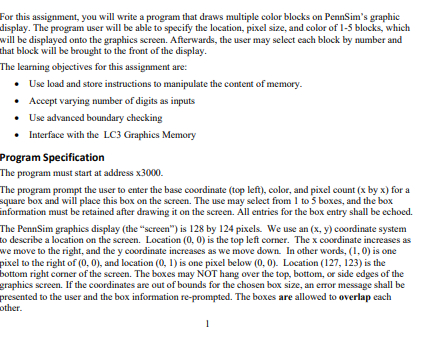
Please help me do this LC Assembly program. It is to be run through PENNSIM and the instructions are as follows. We must use at least subroutines. For this assignment, you will write a program that draws multiple color blocks on PennSim's graphic
display. The program user will be able to specify the location, pixel size, and color of blocks, which
will be displayed onto the graphics sereen. Afterwards, the user may select each block by number and
that block will be brought to the front of the display.
The learning objectives for this assignment are:
Use load and store instructions to manipulate the content of memory.
Acoept varying number of digits as inputs
Use advanced boundary checking
Interface with the LC Graphics Memory
Program Specification
The program must start at address
The program prompt the user to enter the base coordinate top left color, and pixel count by for a
square box and will place this box on the screen. The use may select from to boxes, and the box
information must be retained after drawing it on the sereen. All entries for the box entry shall be echoed.
The PennSim graphics display the "screen" is by pixels. We use an coordinate system
to describe a location on the screen. Location is the top left corner. The coordinate increases as
we move to the right, and the coordinate increases as we move down. In other words, is one
pixel to the right of and location is one pixel below Location is the
bottom right comer of the screen. The boxes may NOT hang over the top, bottom, or side edges of the
graphics screen. If the coordinates are out of bounds for the chosen box size, an error message shall be
presented to the user and the box information reprompted. The boxes are allowed to overlap each
other. While entering the box information the user shall use only integer values Any other
character or number shall be ignored. The user should always press the ENTER key xA to
signify their integer number is complete.
The first prompt will be for the x coordinate of the box origin. Followed by ENTER.
The second prompt will be for the y coordinate of the box origin. Followed by ENTER.
The third prompt will be for the number of pixels on both the horizontal and vertical sides.
Followed by ENTER.
The fourth prompt will be for the color and shall be a single letter representing the following
colors. Followed by ENTER.
Command
Character Action
r Set color to Red.
g Set color to Green.
b Set color to Blue.
y Set color to Yellow.
w Set color to White.
This information MUST be saved in memory for each of the possible boxes.
At any time if the user enters the character nnext the program will stop requesting box data
and will proceed to the redisplay phase. The program will present the user the opportunity to
draw up to boxes. After this the program will automatically enter the redisplay phase.
During the redisplay stage the prompt is shown to the user to select a box number This box
is redrawn from memory on top of the other boxes. The ENTER key is not required here. This is
repeated until the user hits the q quit key.
There are two additional commands:
Command
Character Action
c
Clear the screen.
Paint all pixels black. Program execution return to the start. Existing stored block data
is cleared.
q
Quit.
The program shall display a newline and message Thank you for playing then
HALT. The screen remains as it is it is not cleared.
Step by Step Solution
There are 3 Steps involved in it
1 Expert Approved Answer
Step: 1 Unlock

Question Has Been Solved by an Expert!
Get step-by-step solutions from verified subject matter experts
Step: 2 Unlock
Step: 3 Unlock
 Study Help