







Question: PLEASE HELP ME !!!! Employee Database user interface with encrypted data storage with user password authentication Background Encryption and Hashing In the data security field,
PLEASE HELP ME !!!!
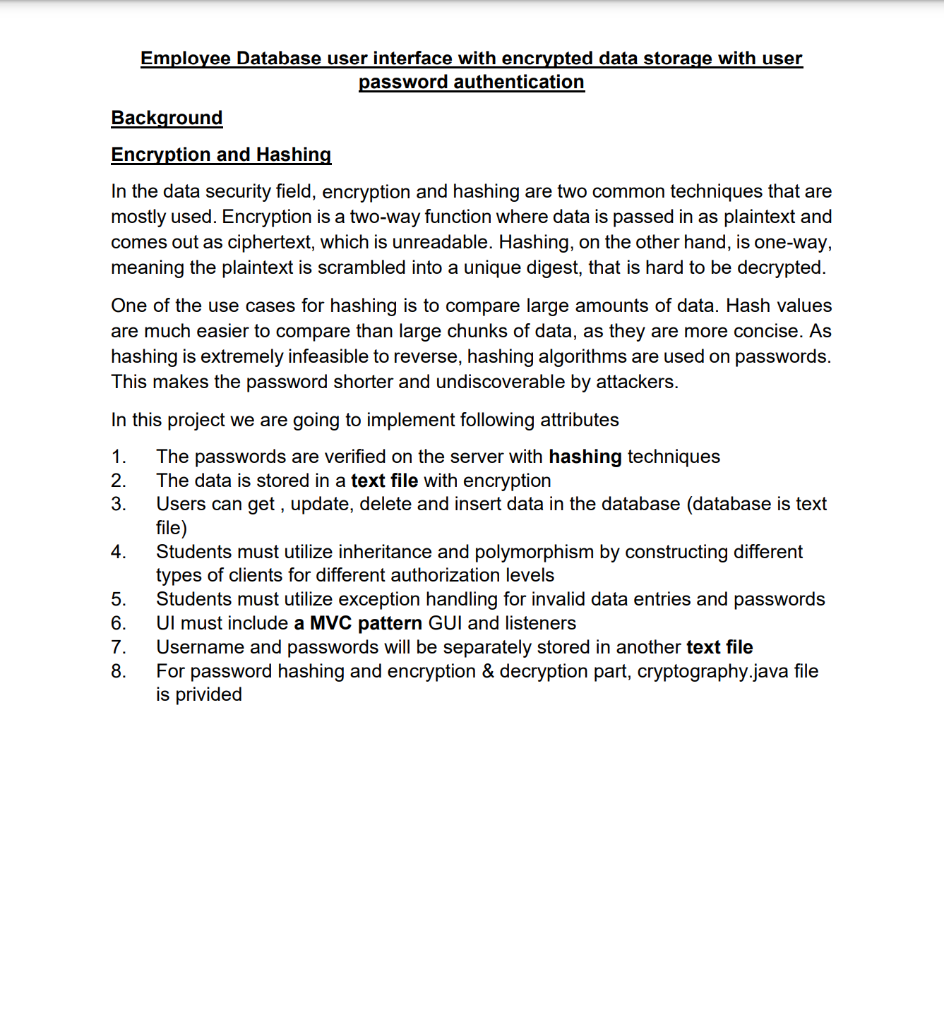
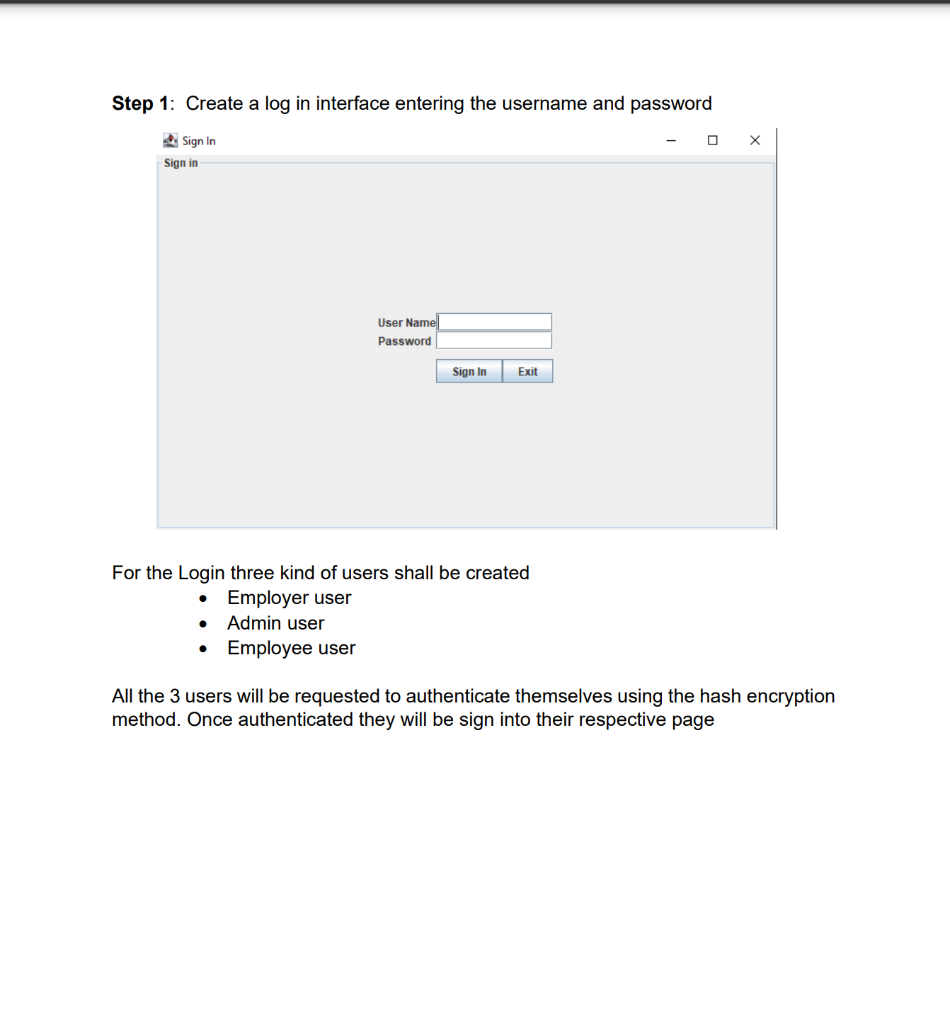
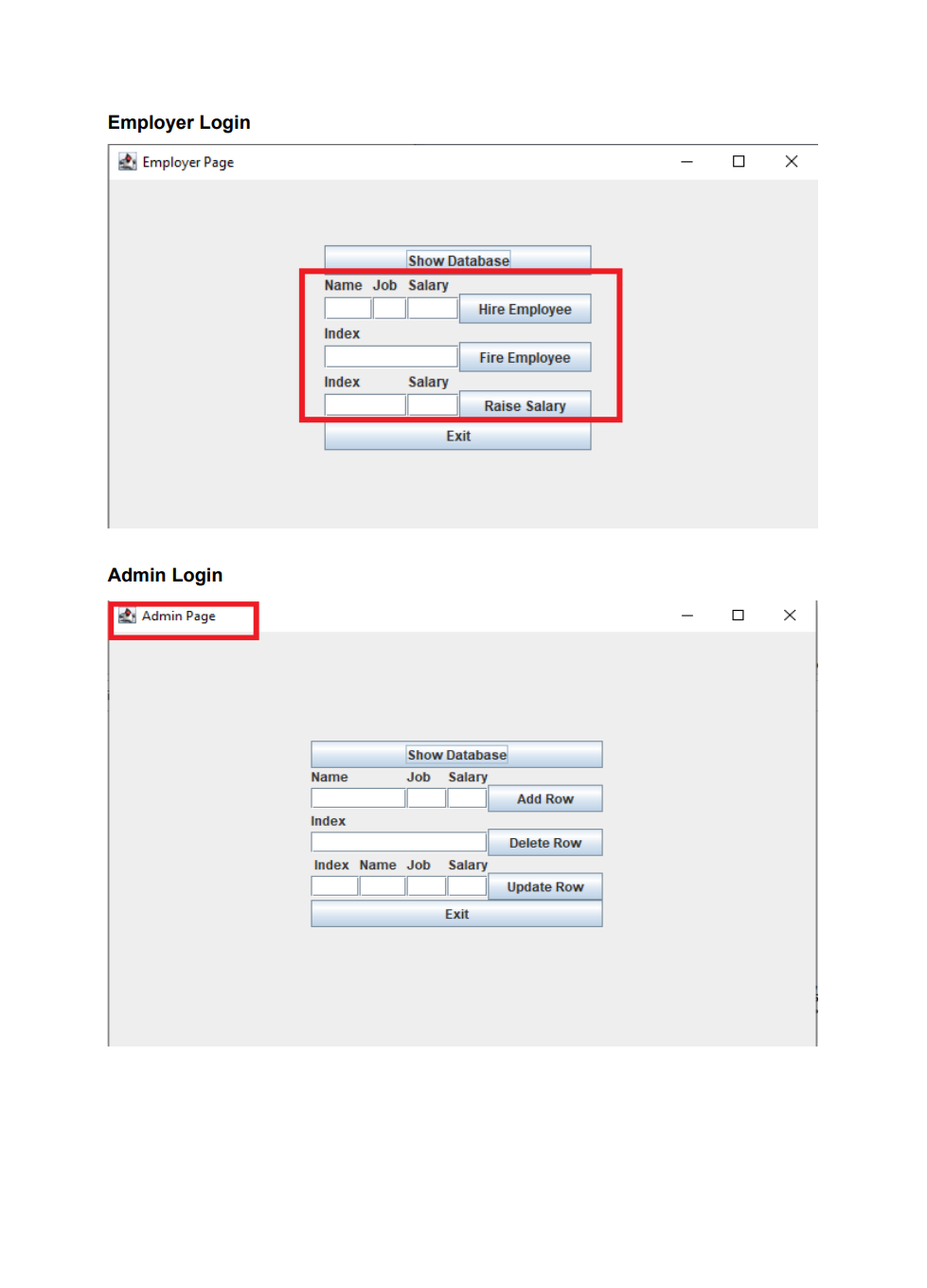
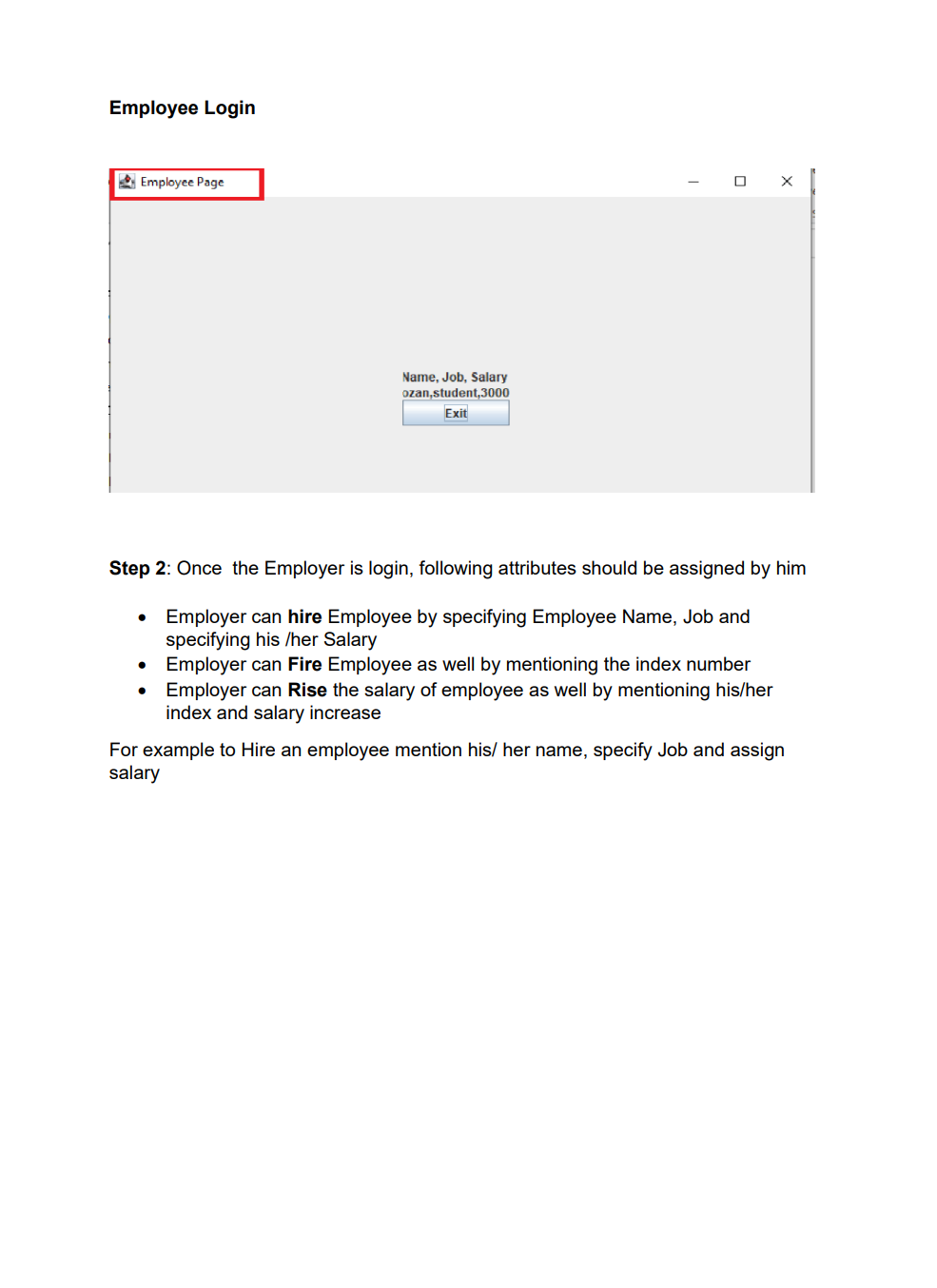
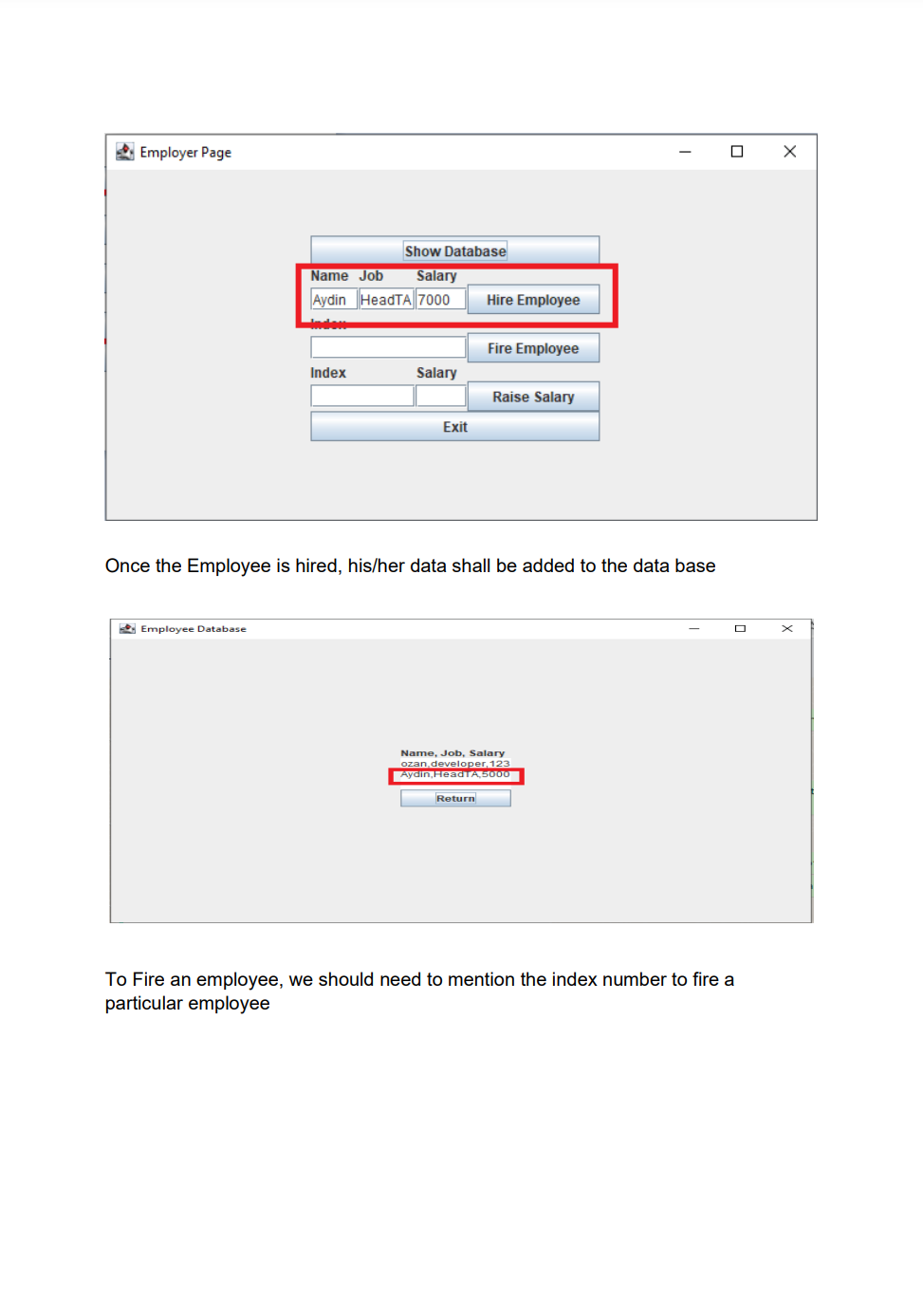
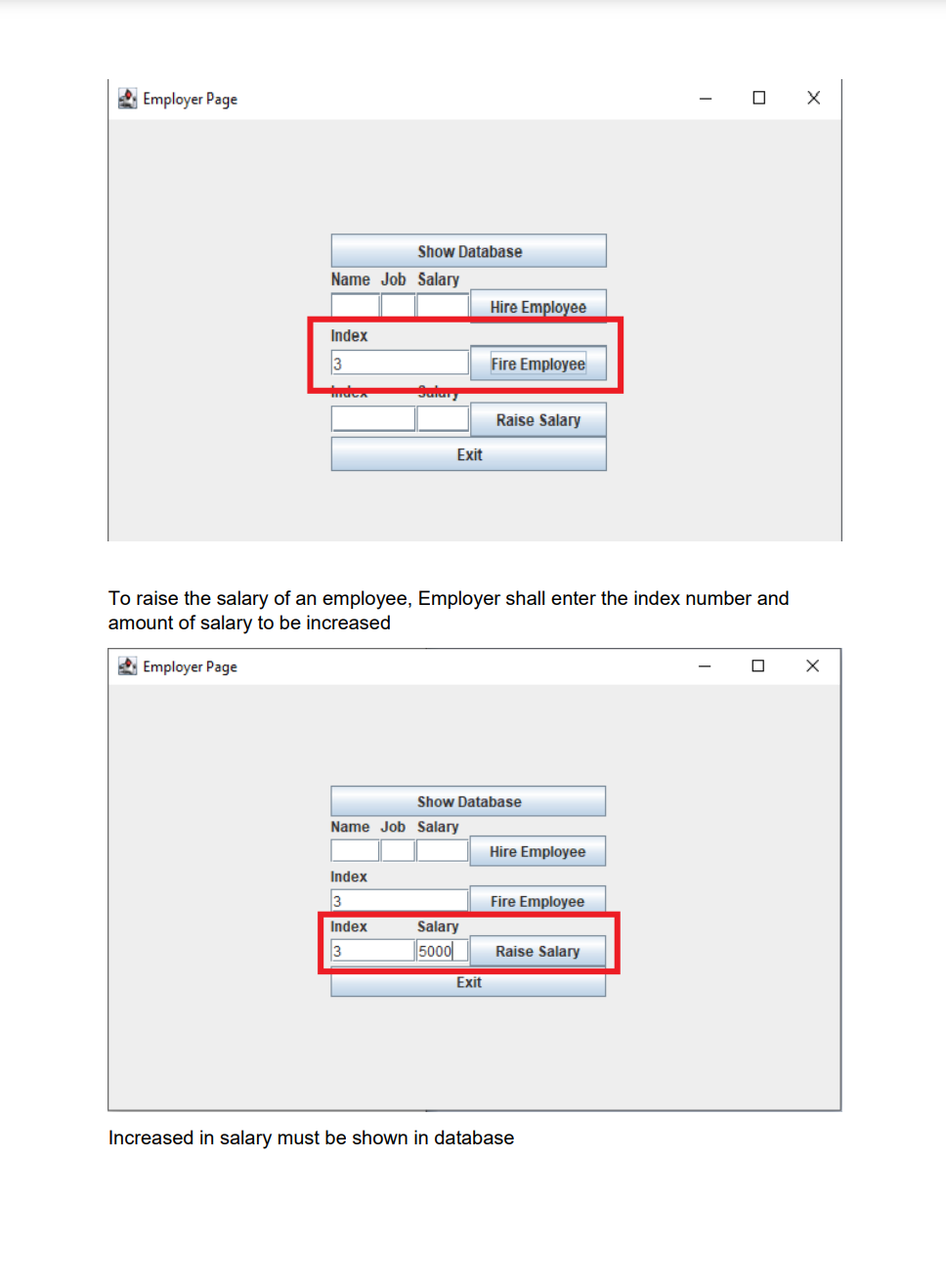
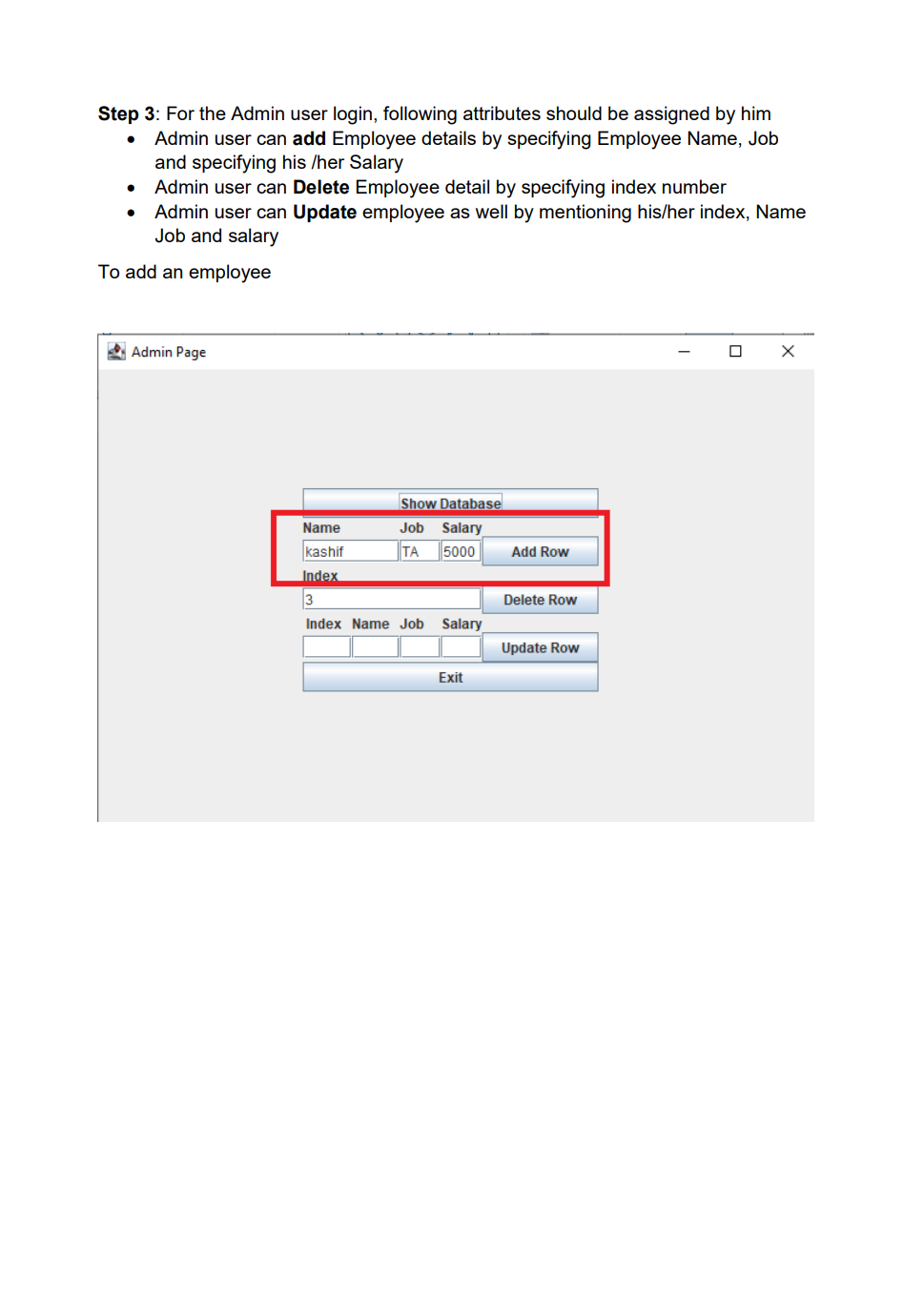
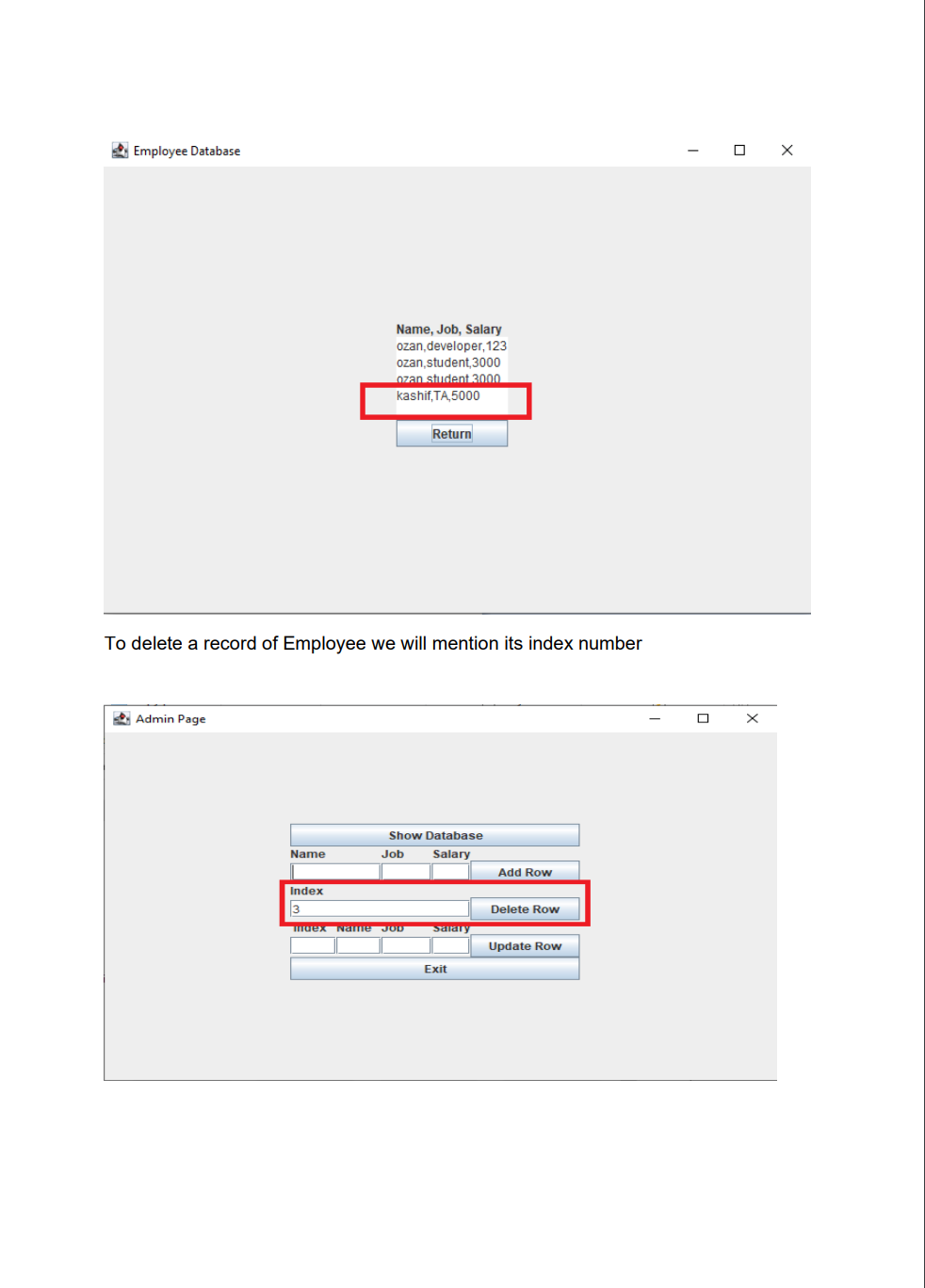
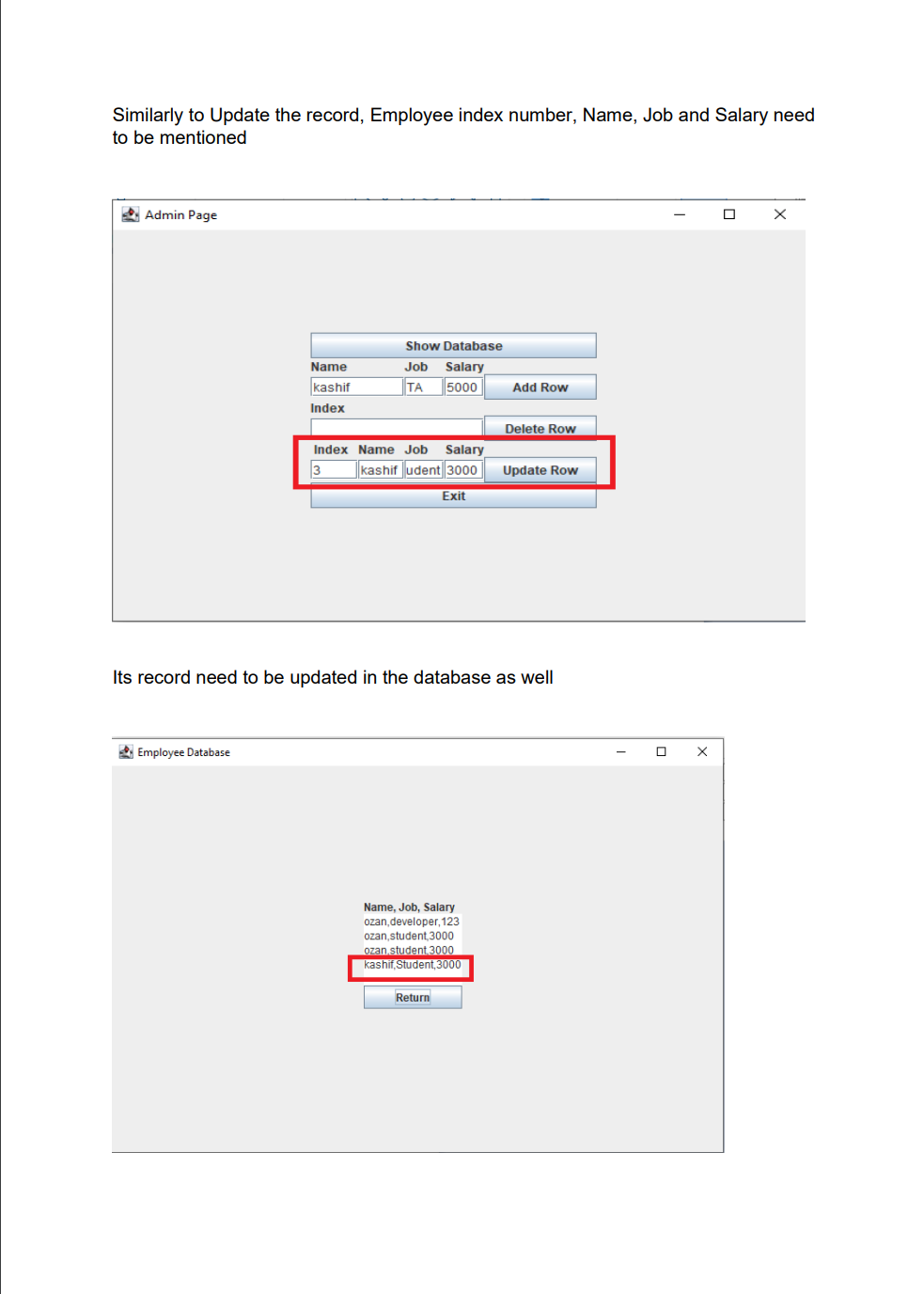
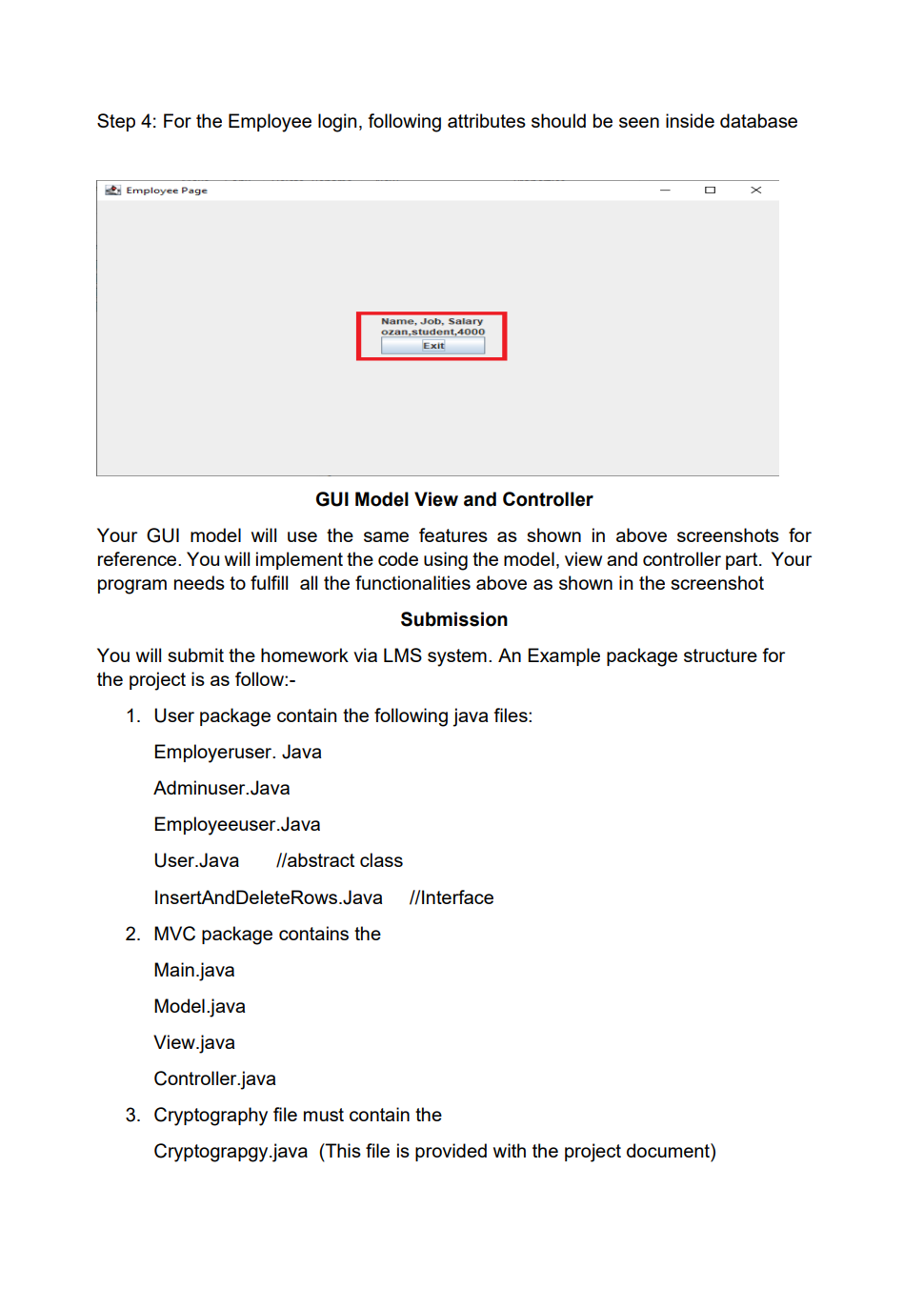
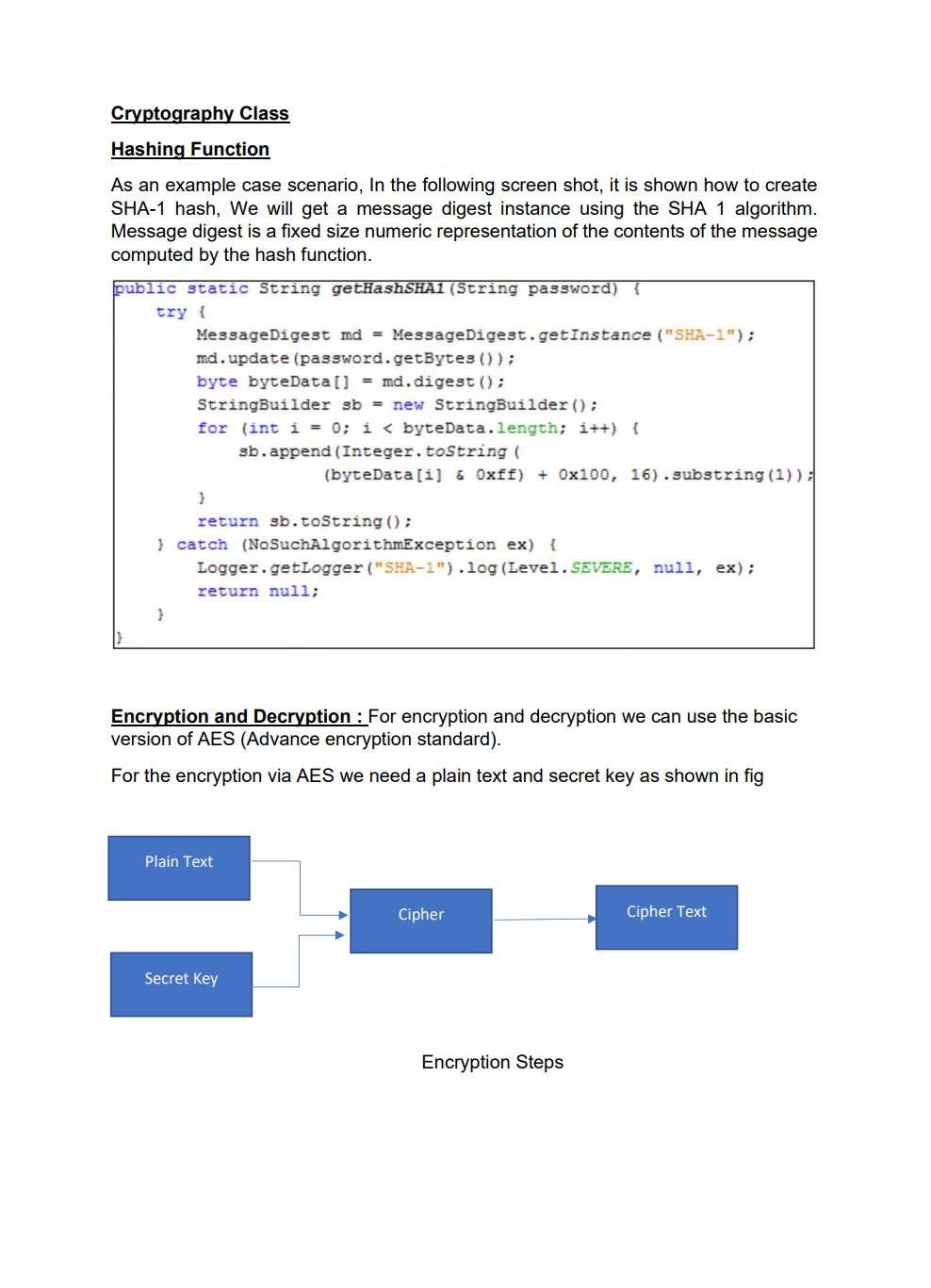
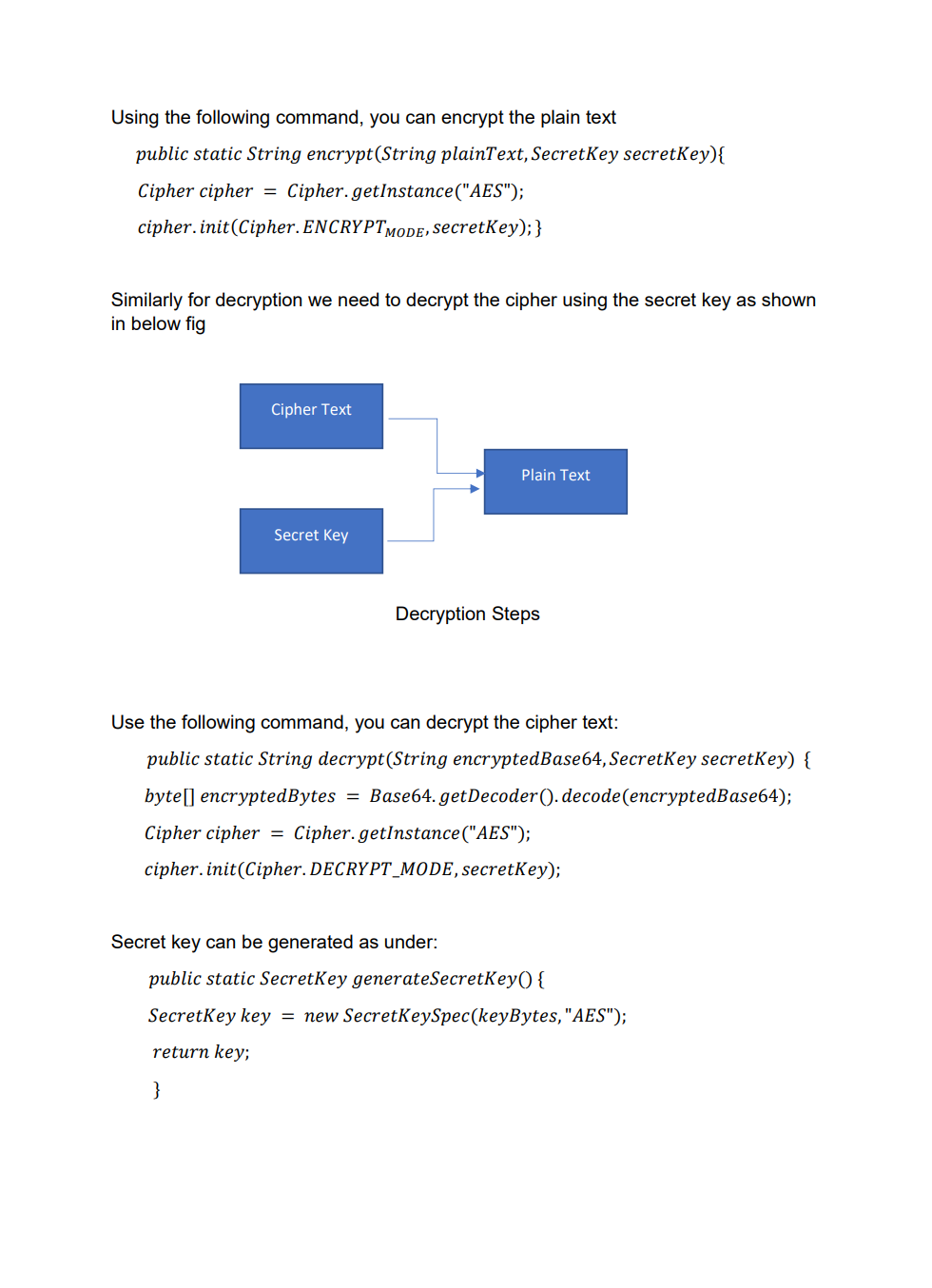
Employee Database user interface with encrypted data storage with user password authentication Background Encryption and Hashing In the data security field, encryption and hashing are two common techniques that are mostly used. Encryption is a two-way function where data is passed in as plaintext and comes out as ciphertext, which is unreadable. Hashing, on the other hand, is one-way, meaning the plaintext is scrambled into a unique digest, that is hard to be decrypted. One of the use cases for hashing is to compare large amounts of data. Hash values are much easier to compare than large chunks of data, as they are more concise. As hashing is extremely infeasible to reverse, hashing algorithms are used on passwords. This makes the password shorter and undiscoverable by attackers. In this project we are going to implement following attributes 1. The passwords are verified on the server with hashing techniques 2. The data is stored in a text file with encryption 3. Users can get, update, delete and insert data in the database (database is text file) 4. Students must utilize inheritance and polymorphism by constructing different types of clients for different authorization levels 5. Students must utilize exception handling for invalid data entries and passwords 6. UI must include a MVC pattern GUI and listeners 7. Username and passwords will be separately stored in another text file 8. For password hashing and encryption \& decryption part, cryptography.java file is privided Step 1: Create a log in interface entering the username and password 2. Sign In Sign in User Name Password For the Login three kind of users shall be created - Employer user - Admin user - Employee user All the 3 users will be requested to authenticate themselves using the hash encryption method. Once authenticated they will be sign into their respective page Employer Login Employee Login Step 2: Once the Employer is login, following attributes should be assigned by him - Employer can hire Employee by specifying Employee Name, Job and specifying his /her Salary - Employer can Fire Employee as well by mentioning the index number - Employer can Rise the salary of employee as well by mentioning his/her index and salary increase For example to Hire an employee mention his/ her name, specify Job and assign salary Once the Employee is hired, his/her data shall be added to the data base To Fire an employee, we should need to mention the index number to fire a particular employee To raise the salary of an employee, Employer shall enter the index number and amount of salary to be increased Employer Page Increased in salary must be shown in database Step 3: For the Admin user login, following attributes should be assigned by him - Admin user can add Employee details by specifying Employee Name, Job and specifying his /her Salary - Admin user can Delete Employee detail by specifying index number - Admin user can Update employee as well by mentioning his/her index, Name Job and salary To add an employee To delete a record of Employee we will mention its index number Similarly to Update the record, Employee index number, Name, Job and Salary need to be mentioned 2. Admin Page Its record need to be updated in the database as well Step 4: For the Employee login, following attributes should be seen inside database GUI Model View and Controller Your GUl model will use the same features as shown in above screenshots for reference. You will implement the code using the model, view and controller part. Your program needs to fulfill all the functionalities above as shown in the screenshot Submission You will submit the homework via LMS system. An Example package structure for the project is as follow:- 1. User package contain the following java files: Employeruser. Java Adminuser.Java Employeeuser.Java User.Java //abstract class InsertAndDeleteRows.Java I/Interface 2. MVC package contains the Main.java Model.java View.java Controller.java 3. Cryptography file must contain the Cryptograpgy.java (This file is provided with the project document) Cryptography Class Hashing Function As an example case scenario, In the following screen shot, it is shown how to create SHA-1 hash, We will get a message digest instance using the SHA 1 algorithm. Message digest is a fixed size numeric representation of the contents of the message computed by the hash function. Encryption and Decryption : For encryption and decryption we can use the basic version of AES (Advance encryption standard). For the encryption via AES we need a plain text and secret key as shown in fig Encryption Steps Using the following command, you can encrypt the plain text public static String encrypt(String plainText, SecretKey secretKey)\{ Cipher cipher = Cipher.getInstance("AES"); cipher.init(Cipher. ENCRYPT TMODE, secretKey); \} Similarly for decryption we need to decrypt the cipher using the secret key as shown in below fig Use the following command, you can decrypt the cipher text: public static String decrypt(String encryptedBase64, SecretKey secretKey) \{ byte[] encryptedBytes = Base64. getDecoder () decode ( encryptedBase64 ); Cipher cipher = Cipher.getInstance("AES"); cipher.init(Cipher. DECRYPT_MODE, secretKey); Secret key can be generated as under: public static SecretKey generateSecretKey() \{ SecretKey key = new SecretKeySpec ( keyBytes, "AES"); return key; \}
Step by Step Solution
There are 3 Steps involved in it

Get step-by-step solutions from verified subject matter experts
 Study Help