







Question: Please help me make an equation after my INSERT statement that will import the relevant, formatted, and 1NF ILIIncidence data. Use the ILIIncidence worksheet to
Please help me make an equation after my INSERT statement that will import the relevant, formatted, and 1NF ILIIncidence data. Use the ILIIncidence worksheet to formulate equations in my SQL worksheet so that I can copy the content of the SQL worksheet into my SQL database.
THERE ARE OVER 30,000 ROWS SO PLEASE RESPOND WITH AN EQUATION (that might include =IF(LEN) or VLOOKUP) rather than, for example, ('Alabama', 2010, 40, 249, 11664).
This is my Excel SQL Worksheet where the equation needs to be: 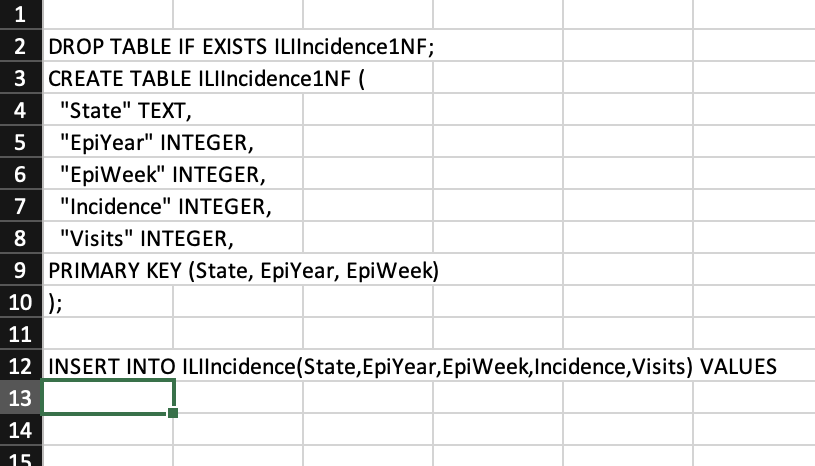
This is my Excel ILIIncidence worksheet where you get the data from: 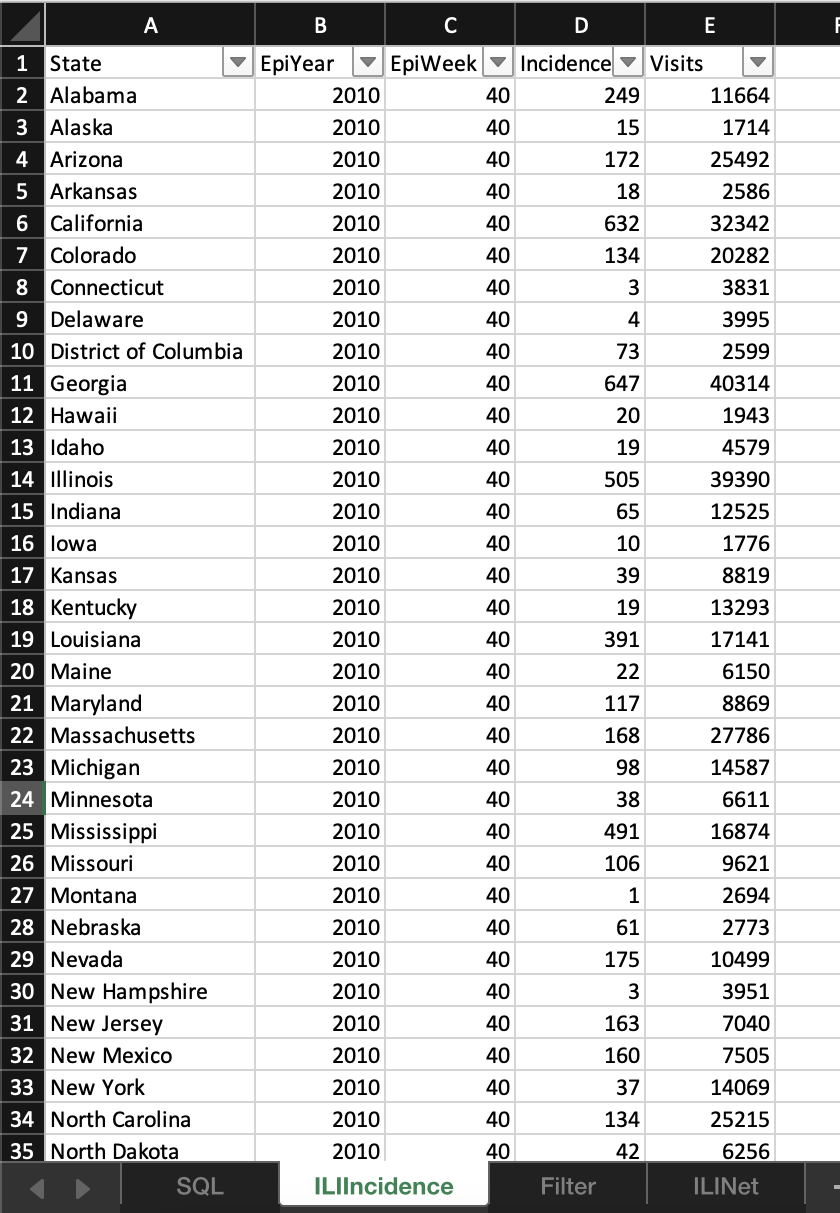
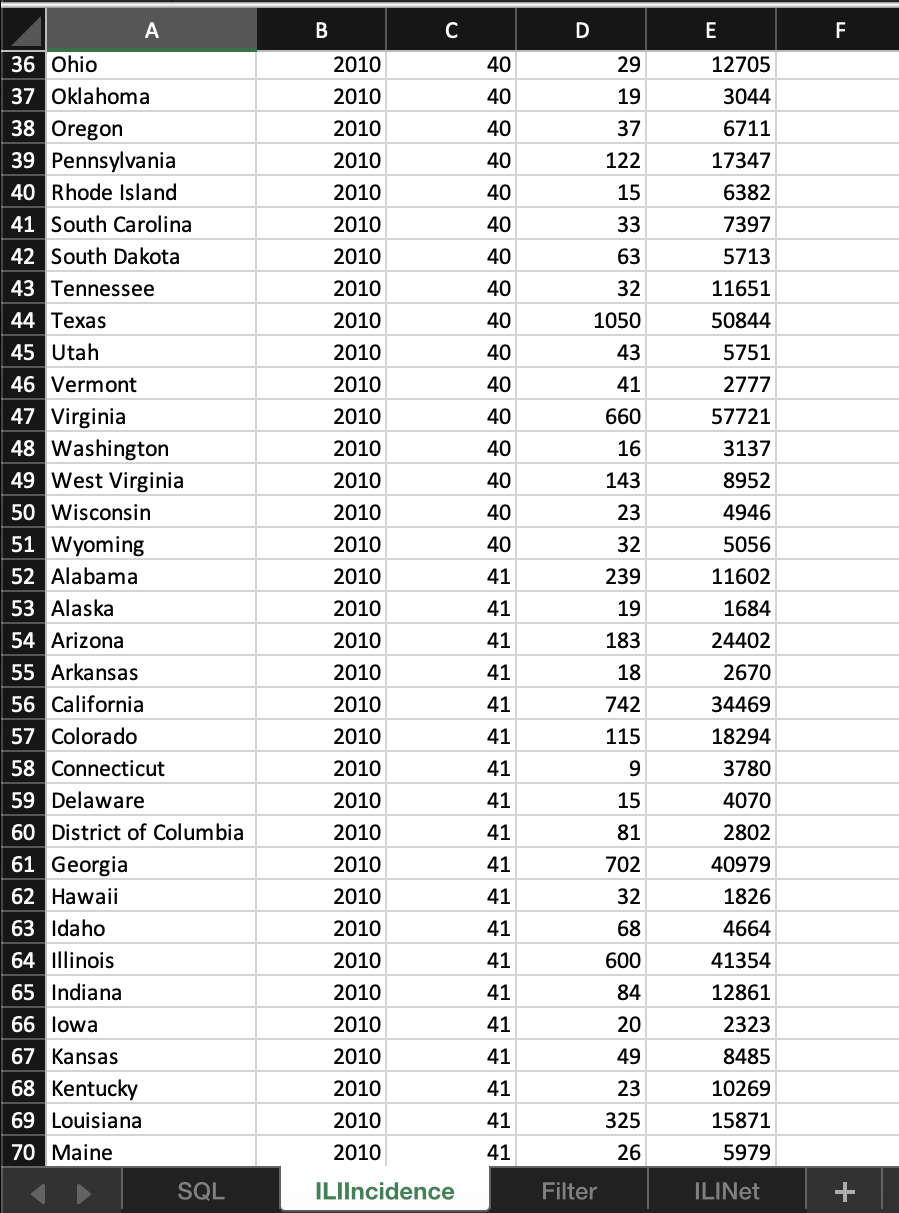
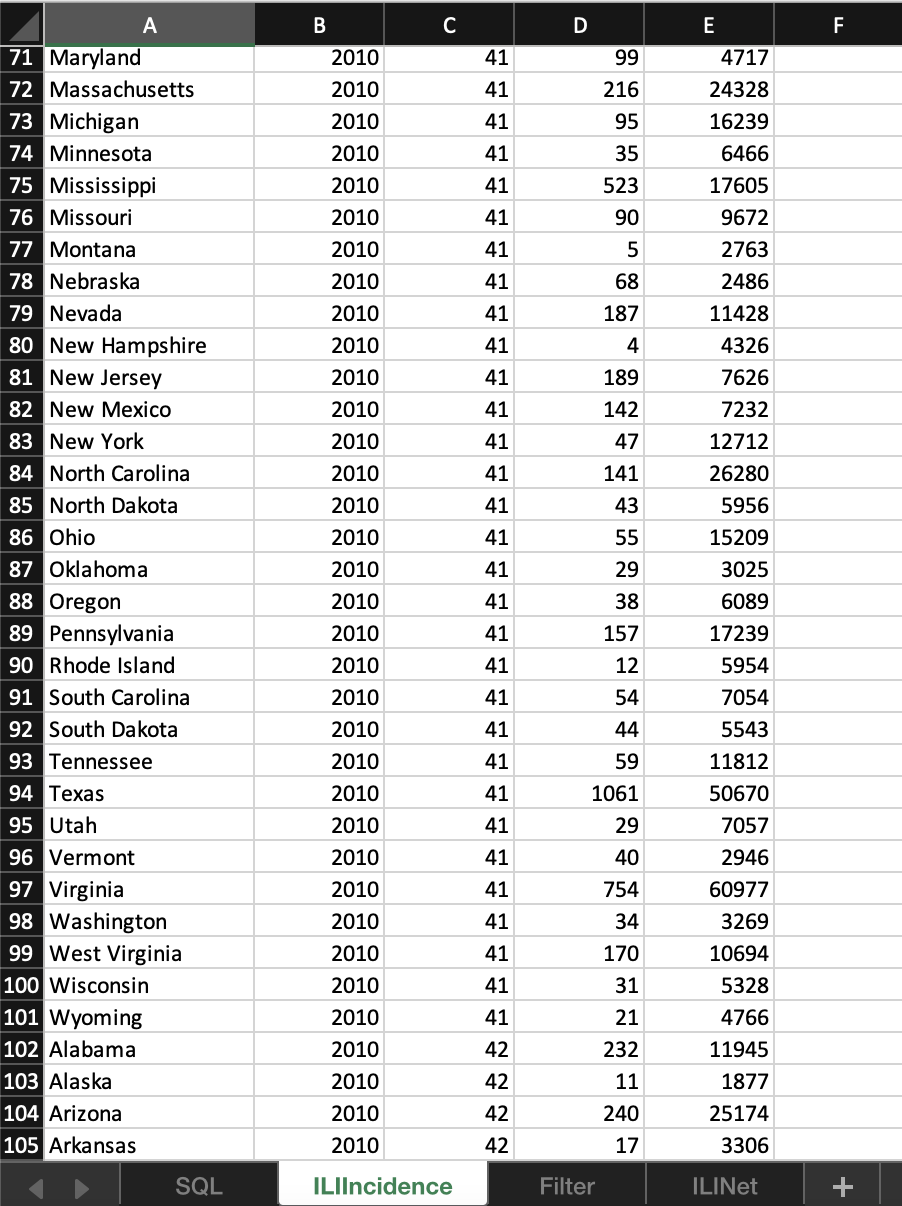
and many more rows of data
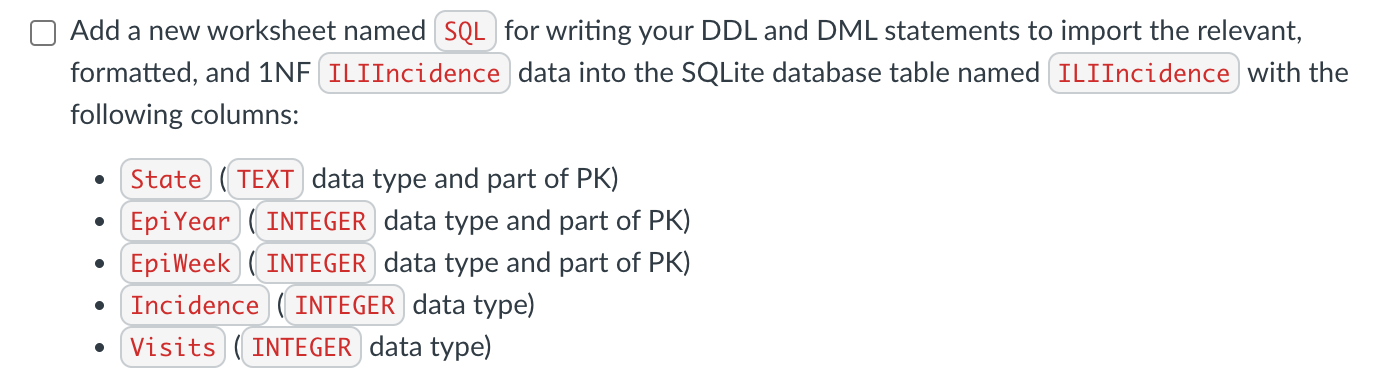
Add a new worksheet named SQL for writing your DDL and DML statements to import the relevant, formatted, and 1NF data into the SQLite database table named with the following columns: - (TEXT data type and part of PK) 2 DROP TABLE IF EXISTS ILIIncidence1NF; 3 CREATE TABLE ILIIncidence1NF ( "State" TEXT, "EpiYear" INTEGER, "EpiWeek" INTEGER, "Incidence" INTEGER, "Visits" INTEGER, PRIMARY KEY (State, EpiYear, EpiWeek) ); INSERT INTO ILIIncidence(State,EpiYear,EpiWeek,Incidence,Visits) VALUES Add a new worksheet named SQL for writing your DDL and DML statements to import the relevant, formatted, and 1NF data into the SQLite database table named with the following columns: - (TEXT data type and part of PK) 2 DROP TABLE IF EXISTS ILIIncidence1NF; 3 CREATE TABLE ILIIncidence1NF ( "State" TEXT, "EpiYear" INTEGER, "EpiWeek" INTEGER, "Incidence" INTEGER, "Visits" INTEGER, PRIMARY KEY (State, EpiYear, EpiWeek) ); INSERT INTO ILIIncidence(State,EpiYear,EpiWeek,Incidence,Visits) VALUES
Step by Step Solution
There are 3 Steps involved in it

Get step-by-step solutions from verified subject matter experts
 Study Help