







Question: I'm on the step: Add a new worksheet named SQL for writing your DDL and DML statements to import the relevant, formatted, and 1NF ILIIncidence
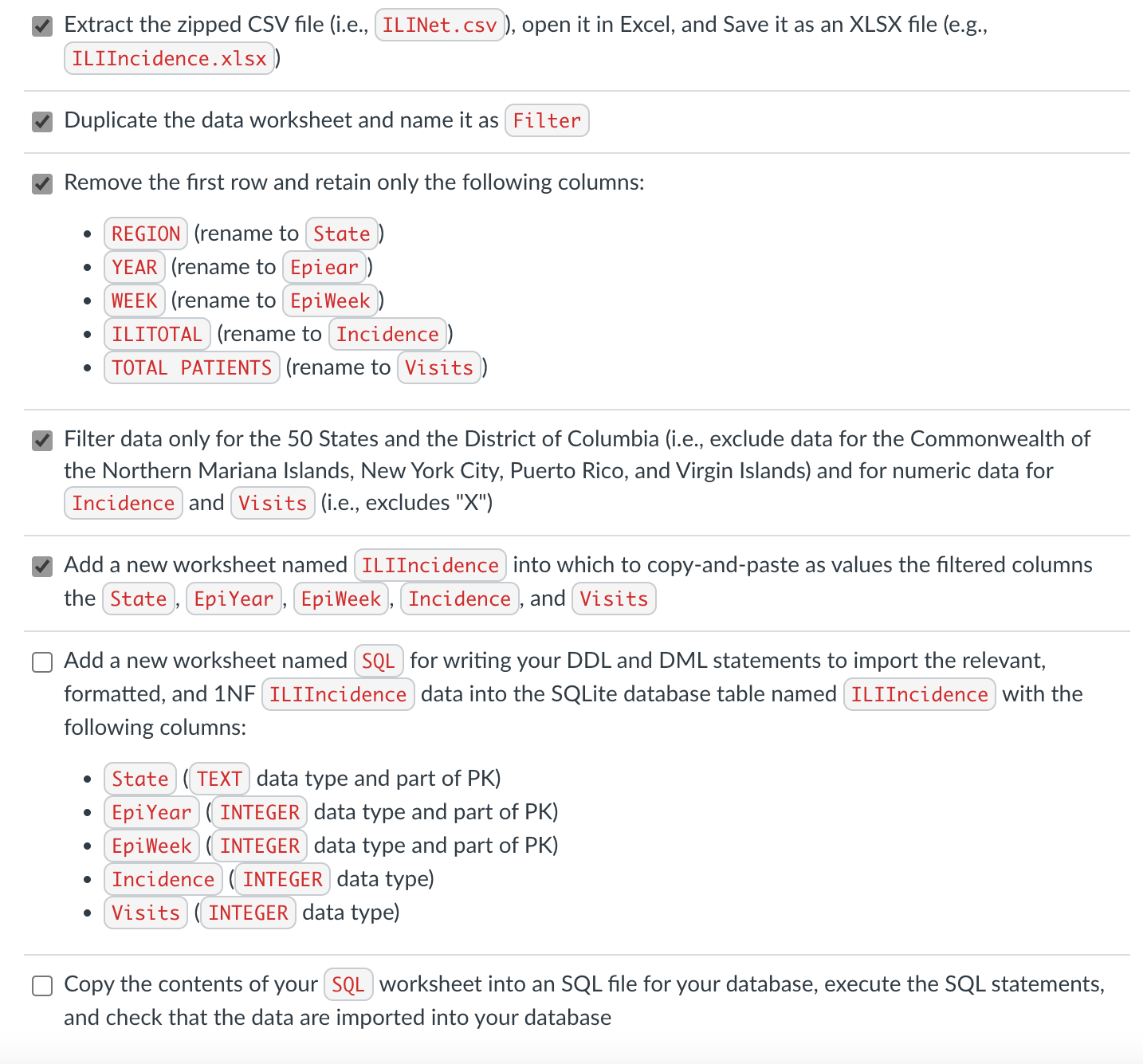
I'm on the step:
Add a new worksheet named SQL for writing your DDL and DML statements to import the relevant, formatted, and 1NF ILIIncidence data into the SQLite database table named ILIIncidence with the following columns:
-
State(TEXTdata type and part of PK) -
EpiYear(INTEGERdata type and part of PK) -
EpiWeek(INTEGERdata type and part of PK) -
Incidence(INTEGERdata type) -
Visits(INTEGERdata type)
I must import the relevant, formatted, and 1NF ILIIncidence data SQL using INSERT ILIIncidence(State, EpiYear, EpiWeek, Incidence, Visits) VALUES. Still, I'm having difficulty creating an equation after the INSERT statement to copy into my SQL database.
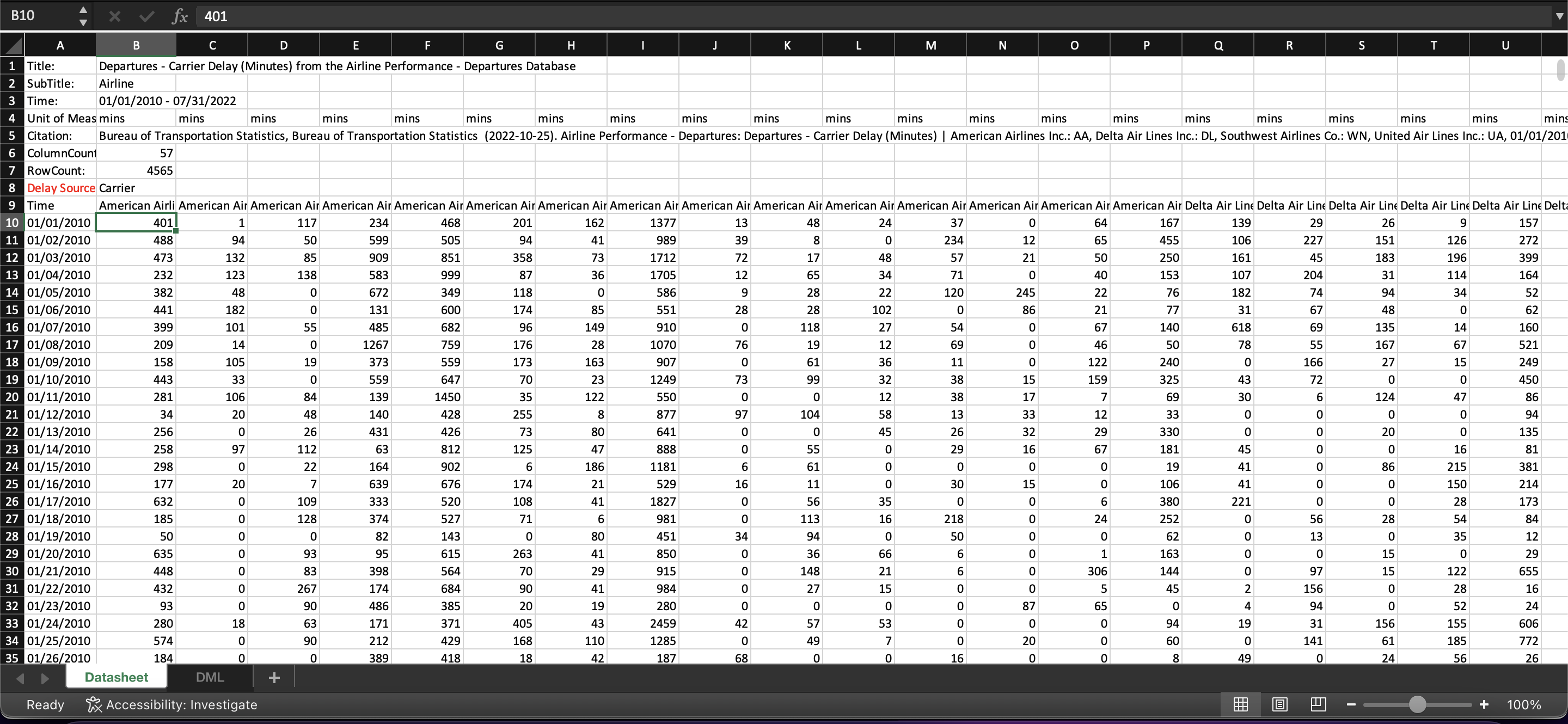
Here's a screenshot of my Excel file so far:
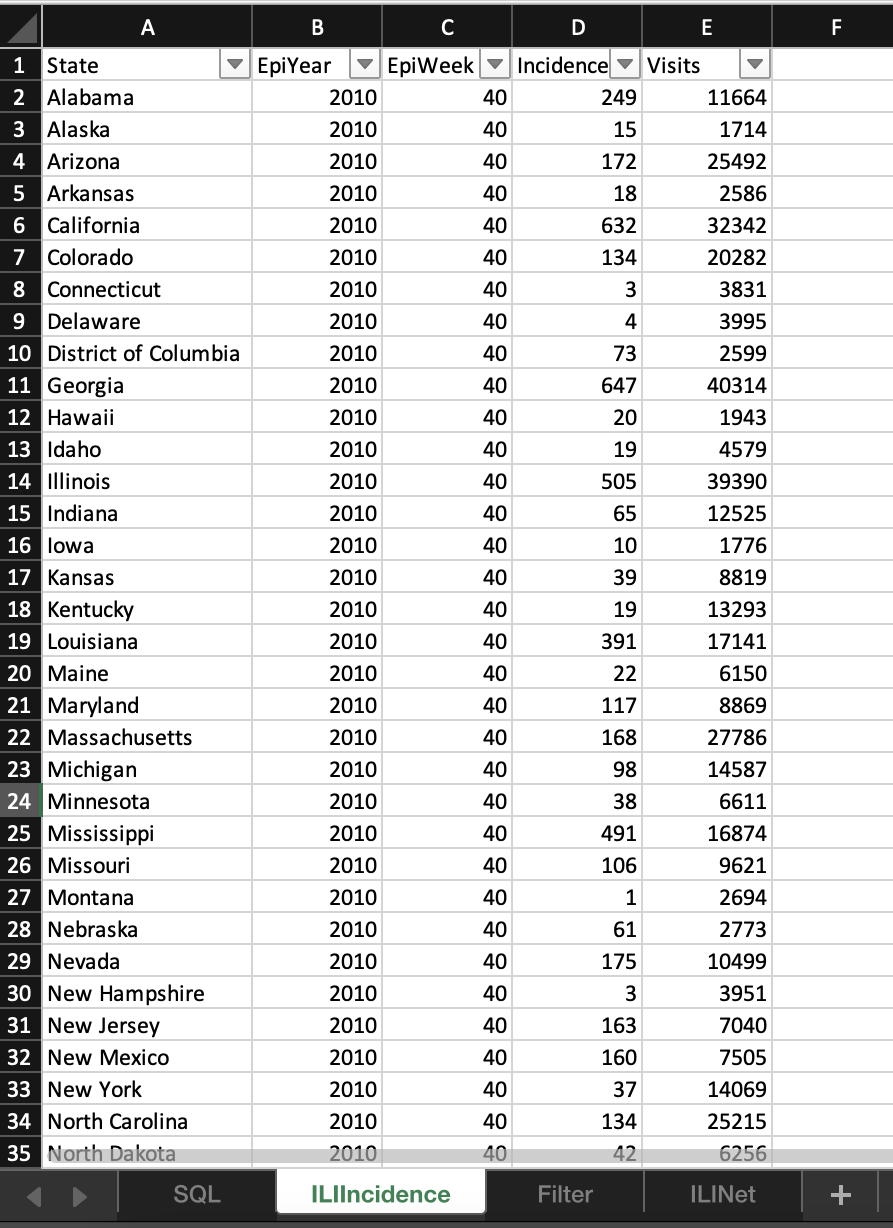
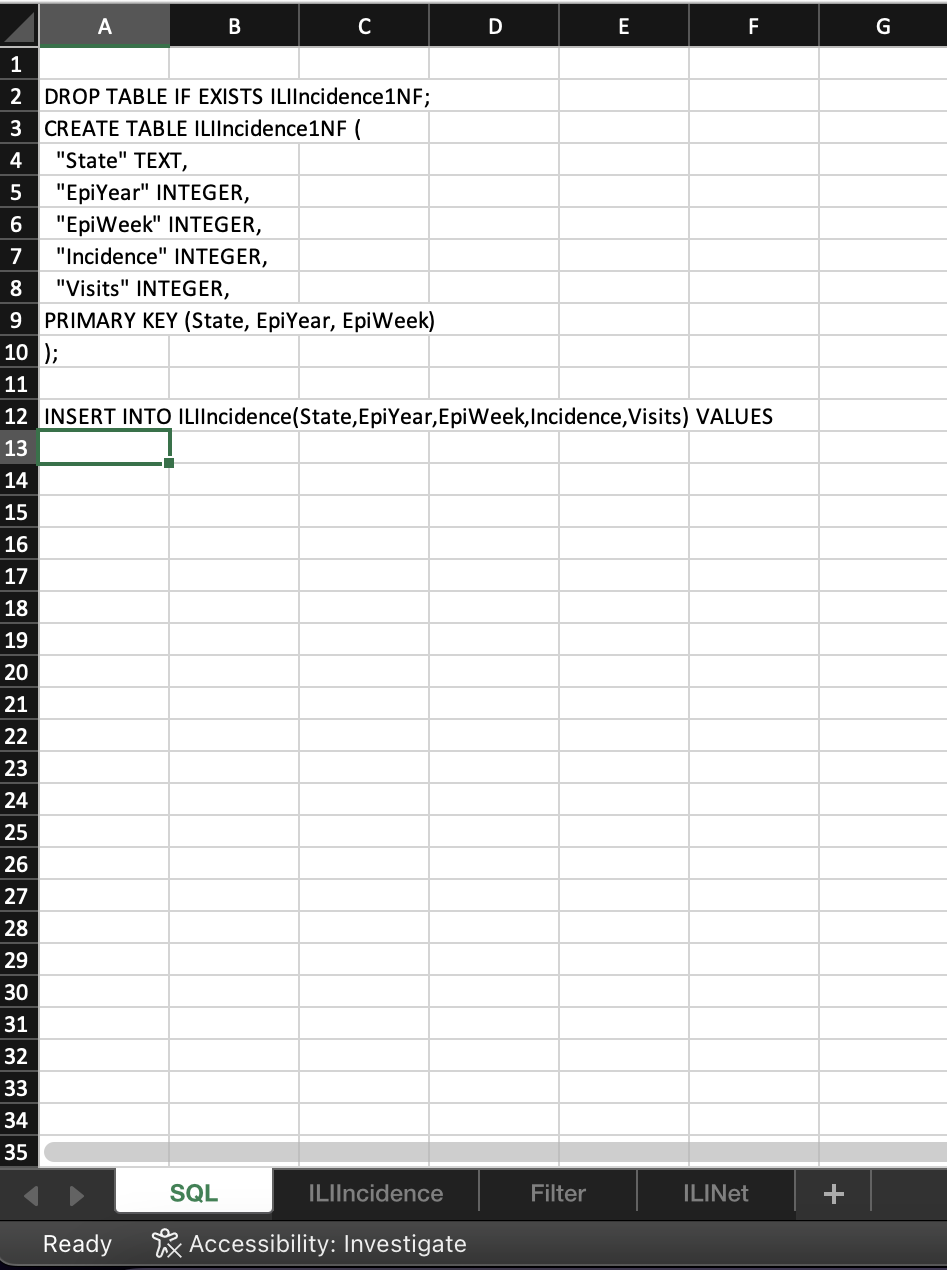
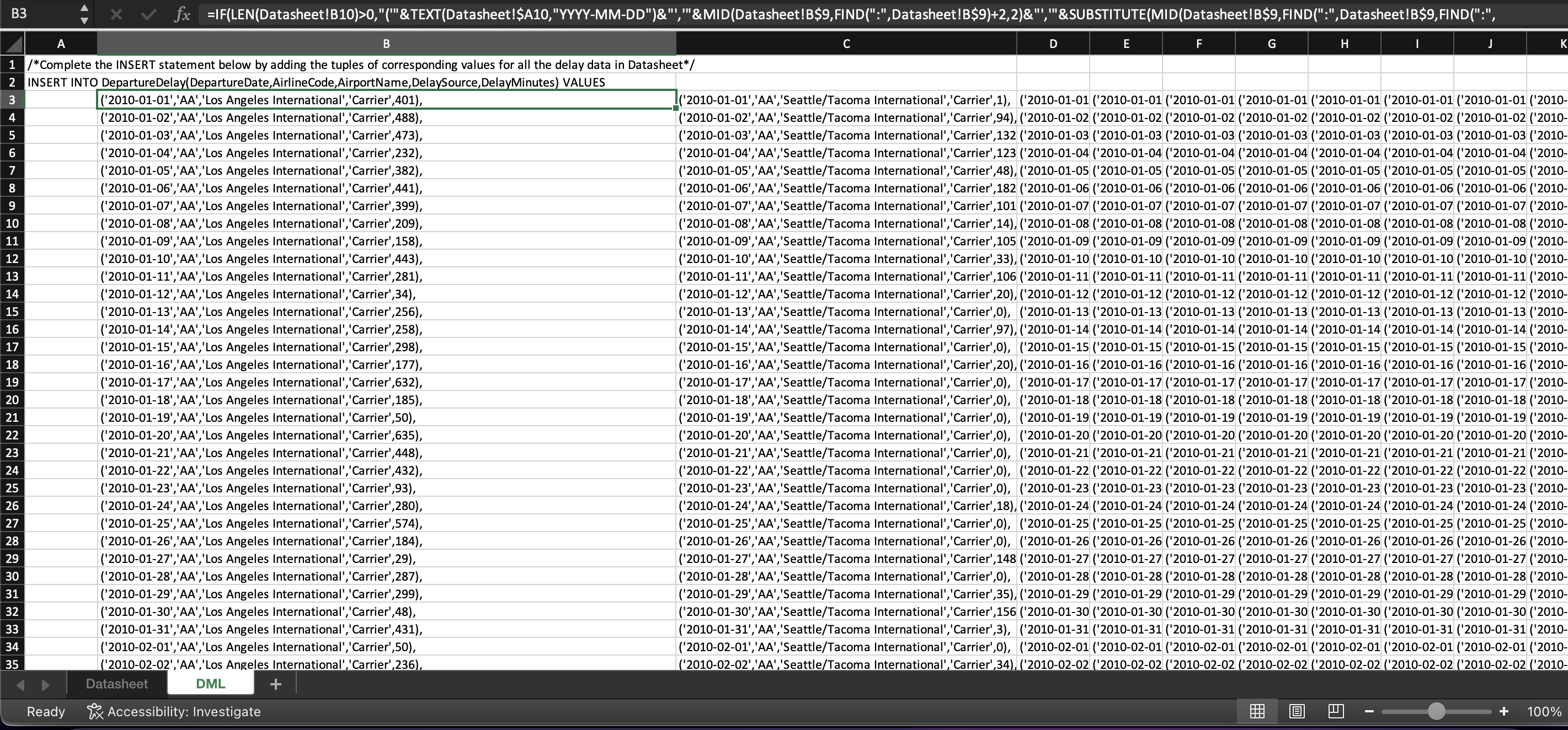
This is an example of an equation I need to use to get the data into my INSERT statement:
=IF(LEN(Datasheet!B10)>0,"('"&TEXT(Datasheet!$A10,"YYYY-MM-DD")&"','"&MID(Datasheet!B$9,FIND(":",Datasheet!B$9)+2,2)&"','"&SUBSTITUTE(MID(Datasheet!B$9,FIND(":",Datasheet!B$9,FIND(":",Datasheet!B$9)+1)+2,LEN(Datasheet!B$9)-FIND(":",Datasheet!B$9,FIND(":",Datasheet!B$9)+1)-8),"'","''")&"','"&MID(Datasheet!$B$8,1,LEN(Datasheet!$B$8))&"',"&MID(Datasheet!B10,1,LEN(Datasheet!B10))&")"&IF(LEN(Datasheet!$A11)+LEN(Datasheet!C$9)>0,",",";"),"")
Extract the zipped CSV file (i.e., I, open it in Excel, and Save it as an XLSX file (e.g., Duplicate the data worksheet and name it as Remove the first row and retain only the following columns: ----(renameto(renameto(renameto(renameto(renameto) Filter data only for the 50 States and the District of Columbia (i.e., exclude data for the Commonwealth of the Northern Mariana Islands, New York City, Puerto Rico, and Virgin Islands) and for numeric data for and (i.e., excludes "X") Add a new worksheet named into which to copy-and-paste as values the filtered columns the , , , and Add a new worksheet named for writing your DDL and DML statements to import the relevant, formatted, and 1NF data into the SQLite database table named with the following columns: Copy the contents of your worksheet into an SQL file for your database, execute the SQL statements, and check that the data are imported into your database A B C D E F G DROP TABLE IF EXISTS ILIIncidence1NF; CREATE TABLE ILIIncidence1NF ( "State" TEXT, "EpiYear" INTEGER, "EpiWeek" INTEGER, "Incidence" INTEGER, "Visits" INTEGER, PRIMARY KEY (State, EpiYear, EpiWeek) ); INSERT INTO ILIIncidence(State,EpiYear,EpiWeek,Incidence,Visits) VALUES Extract the zipped CSV file (i.e., I, open it in Excel, and Save it as an XLSX file (e.g., Duplicate the data worksheet and name it as Remove the first row and retain only the following columns: ----(renameto(renameto(renameto(renameto(renameto) Filter data only for the 50 States and the District of Columbia (i.e., exclude data for the Commonwealth of the Northern Mariana Islands, New York City, Puerto Rico, and Virgin Islands) and for numeric data for and (i.e., excludes "X") Add a new worksheet named into which to copy-and-paste as values the filtered columns the , , , and Add a new worksheet named for writing your DDL and DML statements to import the relevant, formatted, and 1NF data into the SQLite database table named with the following columns: Copy the contents of your worksheet into an SQL file for your database, execute the SQL statements, and check that the data are imported into your database A B C D E F G DROP TABLE IF EXISTS ILIIncidence1NF; CREATE TABLE ILIIncidence1NF ( "State" TEXT, "EpiYear" INTEGER, "EpiWeek" INTEGER, "Incidence" INTEGER, "Visits" INTEGER, PRIMARY KEY (State, EpiYear, EpiWeek) ); INSERT INTO ILIIncidence(State,EpiYear,EpiWeek,Incidence,Visits) VALUES
Step by Step Solution
There are 3 Steps involved in it

Get step-by-step solutions from verified subject matter experts
 Study Help