







Question: please help me please please * you are not allowed to use _delay_ms and _delay_us or similar blocking functions. * you are not allowed to
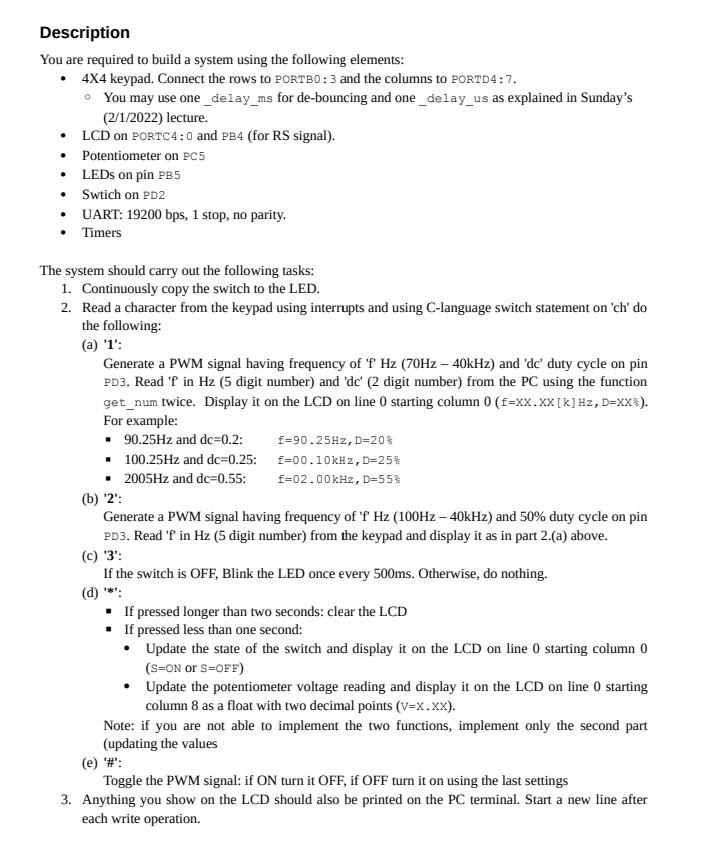
please help me please please * you are not allowed to use _delay_ms and _delay_us or similar blocking functions. * you are not allowed to use bitset, bitclr, bittgl, bittst and bit2bit.
Description You are required to build a system using the following elements: 4X4 keypad. Connect the rows to PORTBO: 3 and the columns to PORTD4:7. You may use one_delay_ms for de-bouncing and one_delay_us as explained in Sunday's (2/1/2022) lecture. LCD on PORTC4:0 and PB4 (for RS signal). Potentiometer on PCS LEDs on pin PB5 Swtich on PD2 UART: 19200 bps, 1 stop, no parity. Timers The system should carry out the following tasks: 1. Continuously copy the switch to the LED. 2. Read a character from the keypad using interrupts and using C-language switch statement on 'ch' do the following: (a) '1': Generate a PWM signal having frequency of 'T' Hz (70Hz - 40kHz) and 'dc' duty cycle on pin PD3. Read 'f in Hz (5 digit number) and 'dc' (2 digit number) from the PC using the function get_num twice. Display it on the LCD on line 0 starting column 0 (E=XX.XX[k] Hz, D=XX3). For example: . 90.25Hz and dc=0.2: f=90.25Hz, D=20% 100.25Hz and de=0.25: {=00.10kHz, D=258 2005Hz and dc=0.55: f=02.00 kHz, D=558 (b) '2': Generate a PWM signal having frequency of 'f' Hz (100Hz - 40kHz) and 50% duty cycle on pin PD3. Read 'fin Hz (5 digit number) from the keypad and display it as in part 2. (a) above. (c) '3': If the switch is OFF, Blink the LED once every 500ms. Otherwise, do nothing. (d) If pressed longer than two seconds: clear the LCD . If pressed less than one second: Update the state of the switch and display it on the LCD on line 0 starting column 0 (SEON or S=OFF) Update the potentiometer voltage reading and display it on the LCD on line 0 starting column 8 as a float with two decimal points (v=x.xx). Note: if you are not able to implement the two functions, implement only the second part (updating the values (e) '#': Toggle the PWM signal: if ON turn it OFF, if OFF turn it on using the last settings 3. Anything you show on the LCD should also be printed on the PC terminal. Start a new line after each write operation
Step by Step Solution
There are 3 Steps involved in it

Get step-by-step solutions from verified subject matter experts
 Study Help