



Question: Please help me with my Caeser Cipher in JavaFX! I need it to do this-- Your user interface must include the following: Professional layout; the
Please help me with my Caeser Cipher in JavaFX!
I need it to do this--
- Your user interface must include the following:
- Professional layout; the precise design is up to you.
- A drop-down to select the Key. The Key must be an integer in the range -3..+3; zero is an acceptable Key value.
- A TextField (TF1) in which the user enters the message to be translated.
- A read-only TextField (TF2), where the translated message will be displayed.
- A Translate button that causes the translation to take place, using the TF1 message for input, translating the message, and displaying the result in TF2.
- A Copy Up button that causes the contents of TF2 to be copied to TF1, and then clearing TF2. This makes it easy to translate a message, copy the message, and untranslate the message.
- A Clear button that clears the Key selection, TF1, and TF2.
- If the Translate button is pressed when no Key has been selected, an appropriate alert should display, informing the user that a Key must be selected before a translation can take place.
- You should use the translate() method that you built for Week 1s assignment to perform the Caesar Cipher translation. (Note that translate both encodes (key > 0) and decodes key
- Take sufficient screenshots to demonstrate that your program meets all requirements.
- Include the execution output of your program to convince a reader that it functions properlyboth encoding and decoding messages.
- Test your program with both positive and negative Key values, and text strings containing both alphabetic and nonalphabetic characters.
- One test must show the alert that results when a Key has not been selected.
- For your final test, you use must use a Key value of -2 and the message Qpeg wrqp c vkog - c nqpi, nqpi vkog ciq . . .
Here is my code:
package testweek8;
import java.awt.BorderLayout; import java.awt.Color; import java.awt.event.ActionListener; import javax.swing.BoxLayout; import javax.swing.JButton; import javax.swing.JFrame; import javax.swing.JPanel; import java.io.*; import java.util.List;
public class TestWeek8 { private static int constant; private static String alphabet;
public static void main (String[]args) { displayMenu(); getPhrase(); }
private Static ActionListener; myActionListener;
public void loadData(){ char[] alphabet; for (char c = 'a';c
JTextField(" "); System.out.printlnfield.getText()); }
public String encodeMessage(String field) { int coded; int temp; StringBuffer s = new StringBuffer(); String Field; field = field.toLowerCase();
for(int index = 0; index temp = findNum(field.charAt(index)); if(temp! = -1) { coded multi = findNum(field.charAt(index))+constant; if(coded>25) { temp = coded/26; coded = coded-(temp*26);}
When I try and run it, it does this: 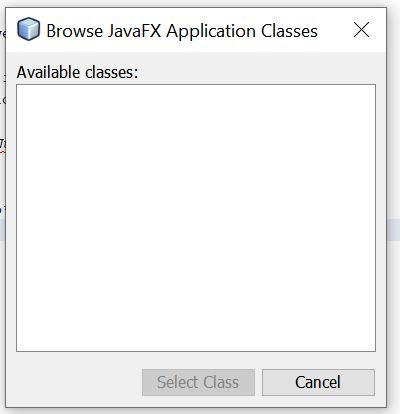
Here is the code that I used for my previous assignment, please note that it runs:
package TestProjectWeek7;
import java.util.Scanner;
public class TestProjectWeek7 {
public static void main(String[] args) {
Scanner in = new Scanner(System.in);
System.out.println("Caesar Cipher Implementation"); int key = 0; String text = "";
while (true) { text = "";
try { System.out .println("Enter the key and text seperated by space: "); // reading key first, as an integer key = in.nextInt(); // reading rest of the line as the text to encode/decode text = in.nextLine().trim();
// exiting if key is less than -3 or greater than 3 if (key > 3 || key
} } in.close(); }
// corrected code. public static String translate(String inText, int key) { String outText = ""; // looping through inText for (int i = 0; i
} // checking if it is lower case else if (Character.isLowerCase(inText.charAt(i))) { //repeating the same, with 'a' instead of 'A' int diff = c - 'a'; diff = (diff + key) % 26; if (diff
} return outText; } }
Browse JavaFX Application Classes Available classes: Select Class Cancel Browse JavaFX Application Classes Available classes: Select Class Cancel
Step by Step Solution
There are 3 Steps involved in it

Get step-by-step solutions from verified subject matter experts