







Question: Please help me with the full code . Solve this for C++. Write a program that manages the keys owned by the individual employees of
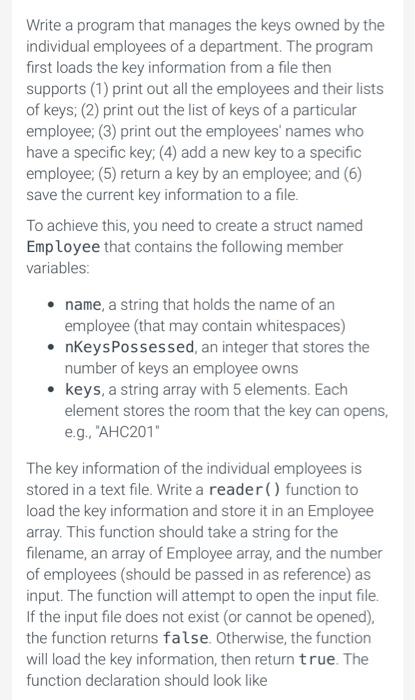
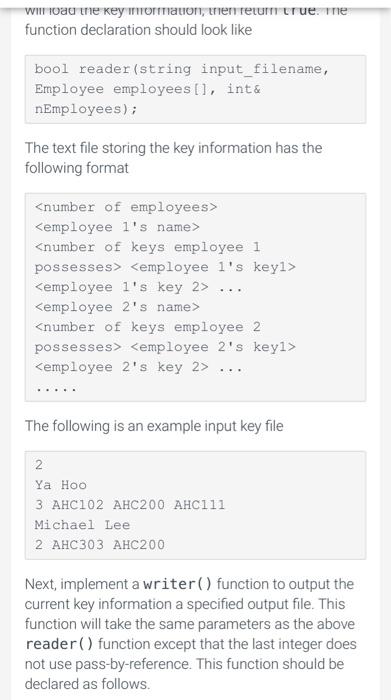
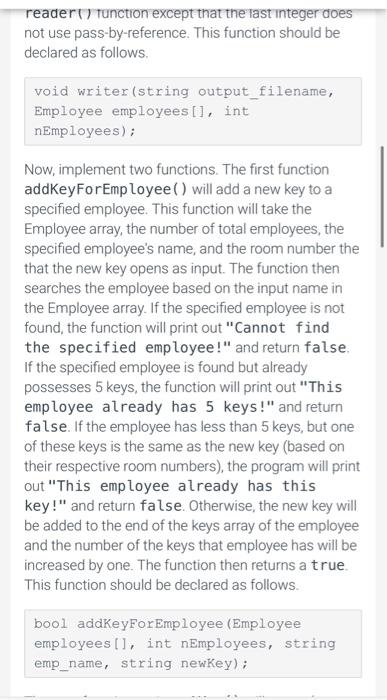
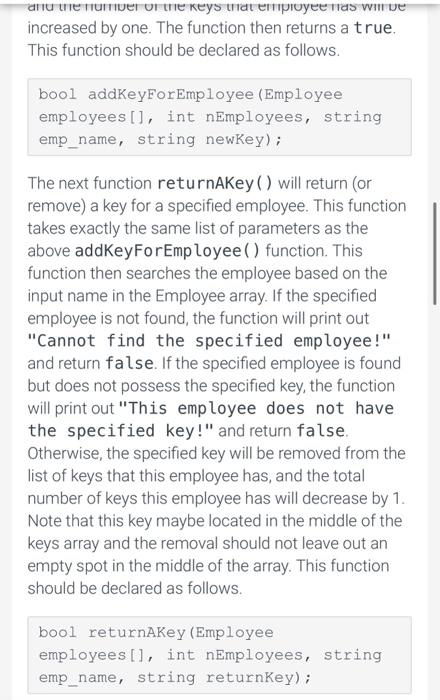
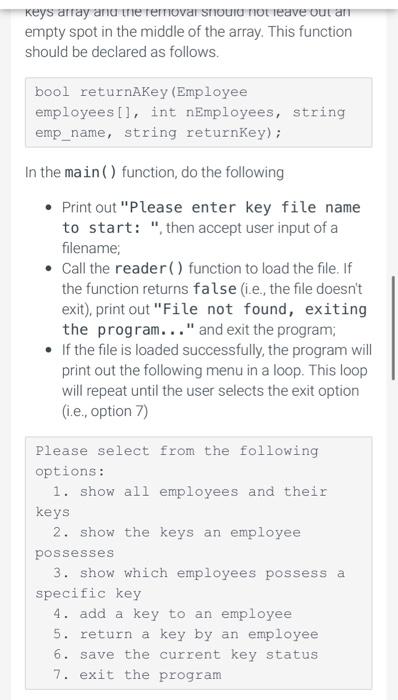
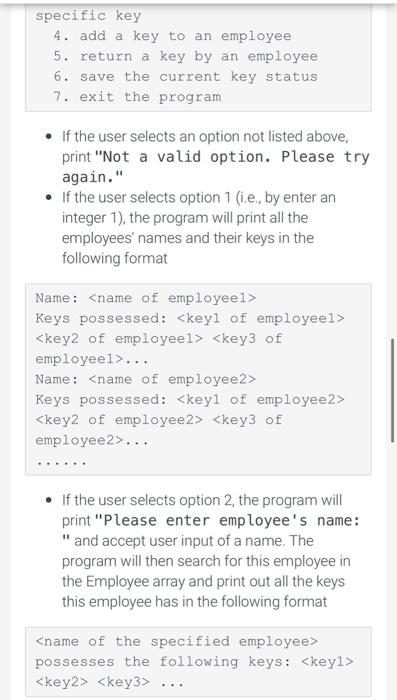
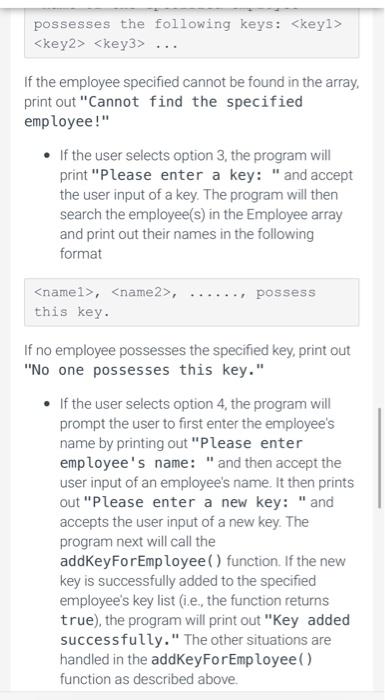
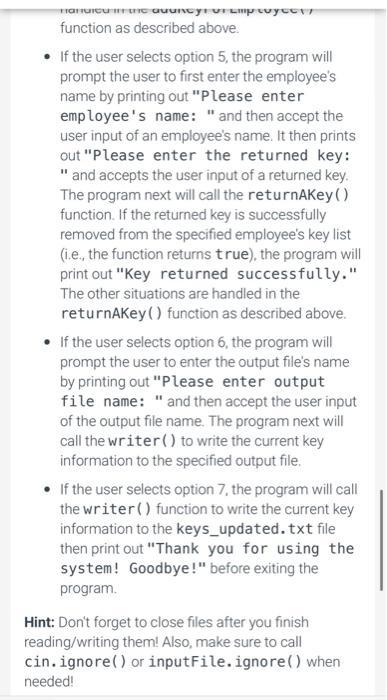
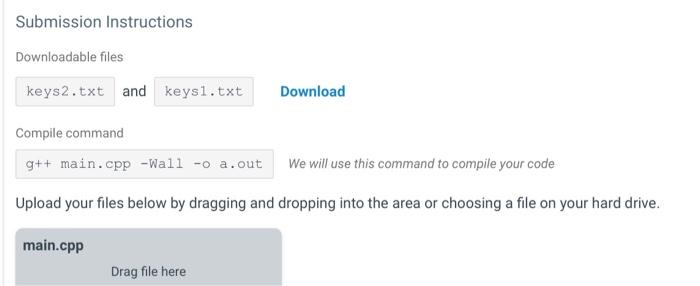
Write a program that manages the keys owned by the individual employees of a department. The program first loads the key information from a file then supports (1) print out all the employees and their lists of keys; (2) print out the list of keys of a particular employee; (3) print out the employees' names who have a specific key; (4) add a new key to a specific employee; (5) return a key by an employee; and (6) save the current key information to a file. To achieve this, you need to create a struct named Employee that contains the following member variables: - name, a string that holds the name of an employee (that may contain whitespaces) - nKeysPossessed, an integer that stores the number of keys an employee owns - keys, a string array with 5 elements. Each element stores the room that the key can opens, e.g., "AHC201" The key information of the individual employees is stored in a text file. Write a reader ( ) function to load the key information and store it in an Employee array. This function should take a string for the filename, an array of Employee array, and the number of employees (should be passed in as reference) as input. The function will attempt to open the input file. If the input file does not exist (or cannot be opened), the function returns false. Otherwise, the function will load the key information, then return true. The function declaration should look like wil ioad tne key mormation, tnent return tr ue. Ine function declaration should look like bool reader (string input filename, Employee employees [], int \& nEmployees); The text file storing the key information has the following format The following is an example input key file 2 Ya HoO 3 AHClO2 AHC200 AHCI 11 Michael Lee 2 AHC303 AHC200 Next, implement a writer ( ) function to output the current key information a specified output file. This function will take the same parameters as the above reader ( ) function except that the last integer does not use pass-by-reference. This function should be declared as follows. reader () tunction except that the last integer does not use pass-by-reference. This function should be declared as follows. void writer(string output_filename, Employee employees[], int nEmployees); Now, implement two functions. The first function addKeyForEmp loyee () will add a new key to a specified employee. This function will take the Employee array, the number of total employees, the specified employee's name, and the room number the that the new key opens as input. The function then searches the employee based on the input name in the Employee array. If the specified employee is not found, the function will print out "Cannot find the specified employee!" and return false. If the specified employee is found but already possesses 5 keys, the function will print out "This employee already has 5 keys!" and return false. If the employee has less than 5 keys, but one of these keys is the same as the new key (based on their respective room numbers), the program will print out "This employee already has this key!" and return false. Otherwise, the new key will be added to the end of the keys array of the employee and the number of the keys that employee has will be increased by one. The function then returns a true. This function should be declared as follows. bool addKeyForEmployee (Employee employees[l, int nEmployees, string emp_name, string newkey); and me tuminer of me keys that empioyee mas win ve increased by one. The function then returns a true. This function should be declared as follows. bool addKeyForEmployee (Employee employees [], int nEmployees, string emp_name, string newKey); The next function returnAKey ( ) will return (or remove) a key for a specified employee. This function takes exactly the same list of parameters as the above addKeyForEmployee ( ) function. This function then searches the employee based on the input name in the Employee array. If the specified employee is not found, the function will print out "Cannot find the specified employee!" and return false. If the specified employee is found but does not possess the specified key, the function will print out "This employee does not have the specified key!" and return false. Otherwise, the specified key will be removed from the list of keys that this employee has, and the total number of keys this employee has will decrease by 1 . Note that this key maybe located in the middle of the keys array and the removal should not leave out an empty spot in the middle of the array. This function should be declared as follows. bool returnAKey (Employee employees [], int nEmployees, string emp_name, string returnKey); keys array anu the rernovar snouru not leave vut an empty spot in the middle of the array. This function should be declared as follows. bool returnAKey (Employee employees[], int nEmployees, string emp_name, string returnKey); In the main () function, do the following - Print out "Please enter key file name to start: ", then accept user input of a filename; - Call the reader( ) function to load the file. If the function returns false (i.e., the file doesn't exit), print out "File not found, exiting the program..." and exit the program; - If the file is loaded successfully, the program will print out the following menu in a loop. This loop will repeat until the user selects the exit option (i.e., option 7) Please select from the following options: 1. show all employees and their keys 2. show the keys an employee possesses 3. show which employees possess a specific key 4. add a key to an employee 5. return a key by an employee 6. save the current key status 7. exit the program specific key 4. add a key to an employee 5. return a key by an employee 6. save the current key status 7. exit the program - If the user selects an option not listed above, print "Not a valid option. Please try again." - If the user selects option 1 (i.e., by enter an integer 1), the program will print all the employees' names and their keys in the following format Name: Keys possessed:
Step by Step Solution
There are 3 Steps involved in it

Get step-by-step solutions from verified subject matter experts
 Study Help