







Question: Please help me with this problem and please create four java files in ecclipse Thanks PART 2 - Requirement -Create a project named SP2019 LAB1PART2
Please help me with this problem and please create four java files in ecclipse
Thanks
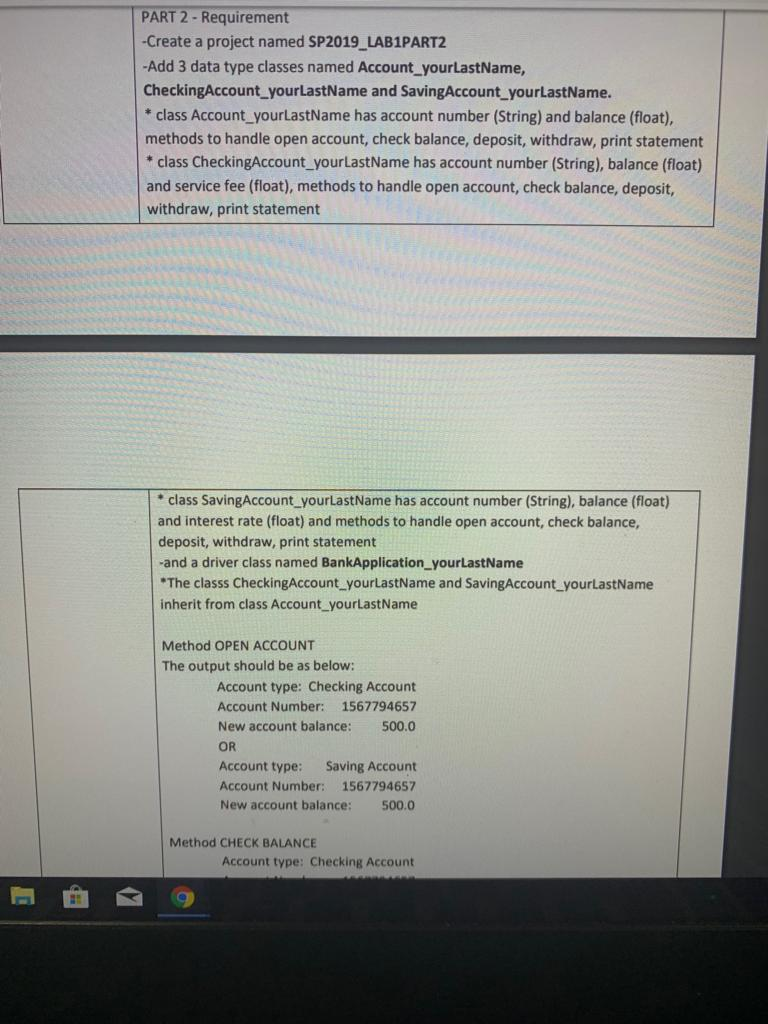
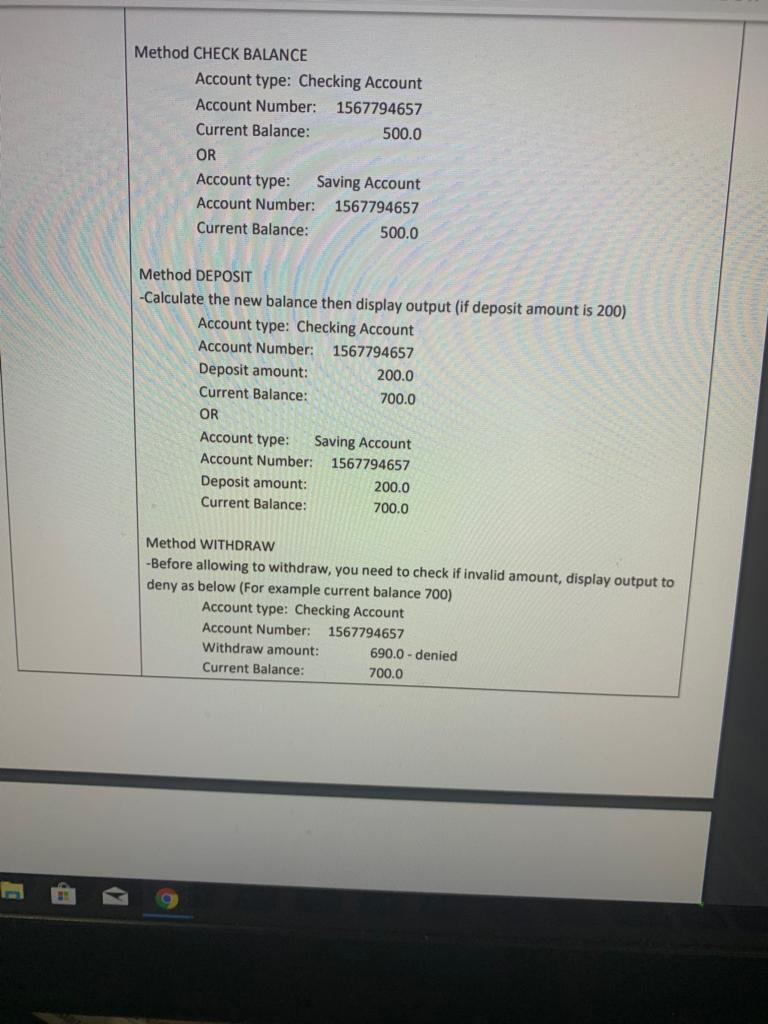
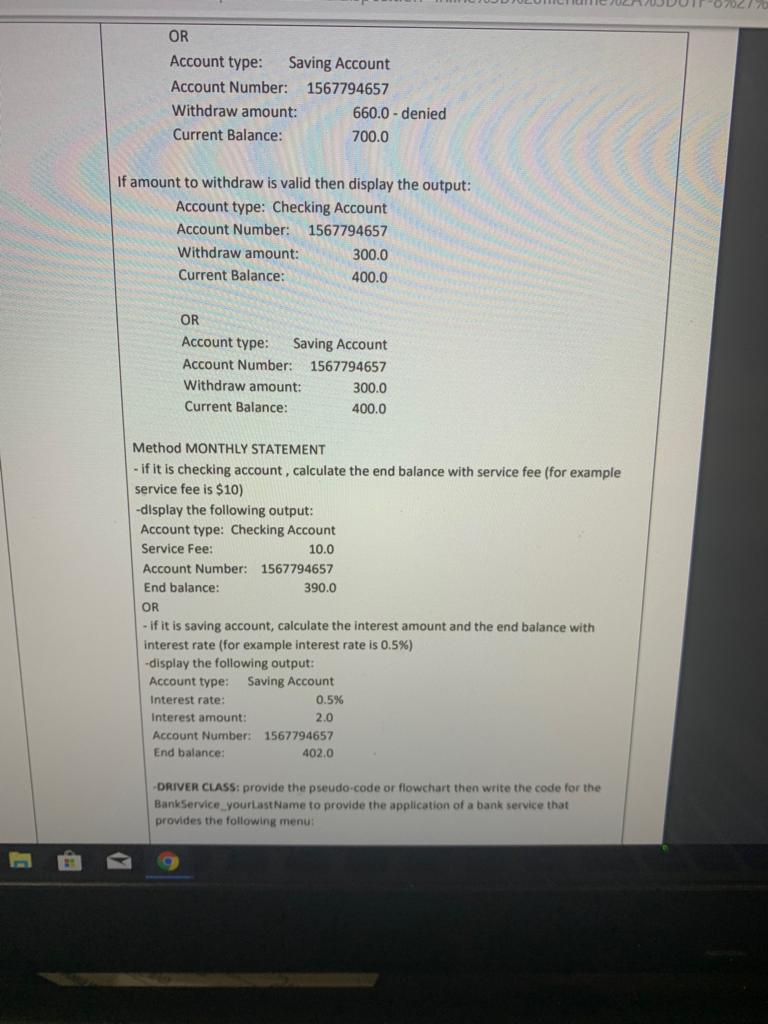
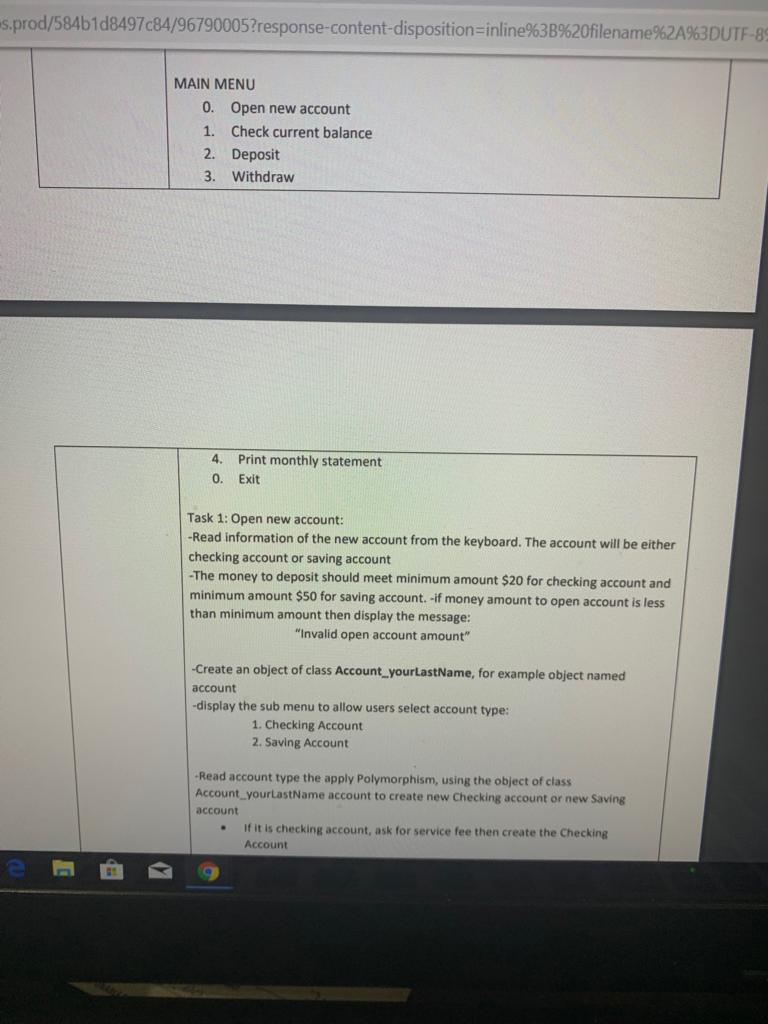
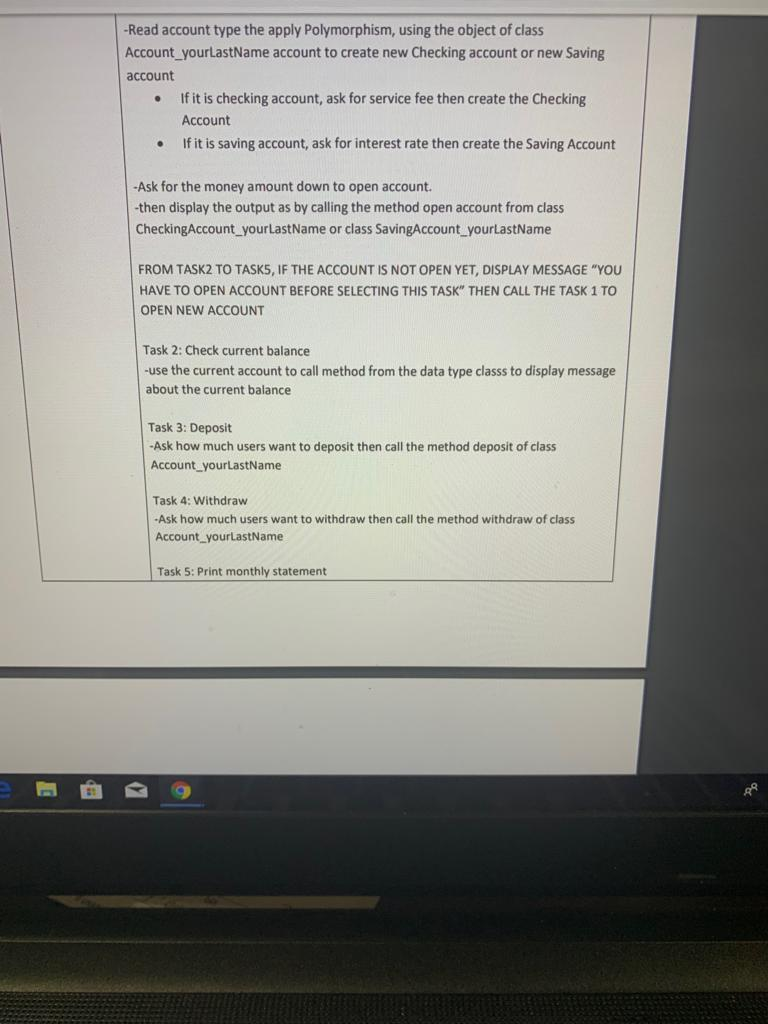
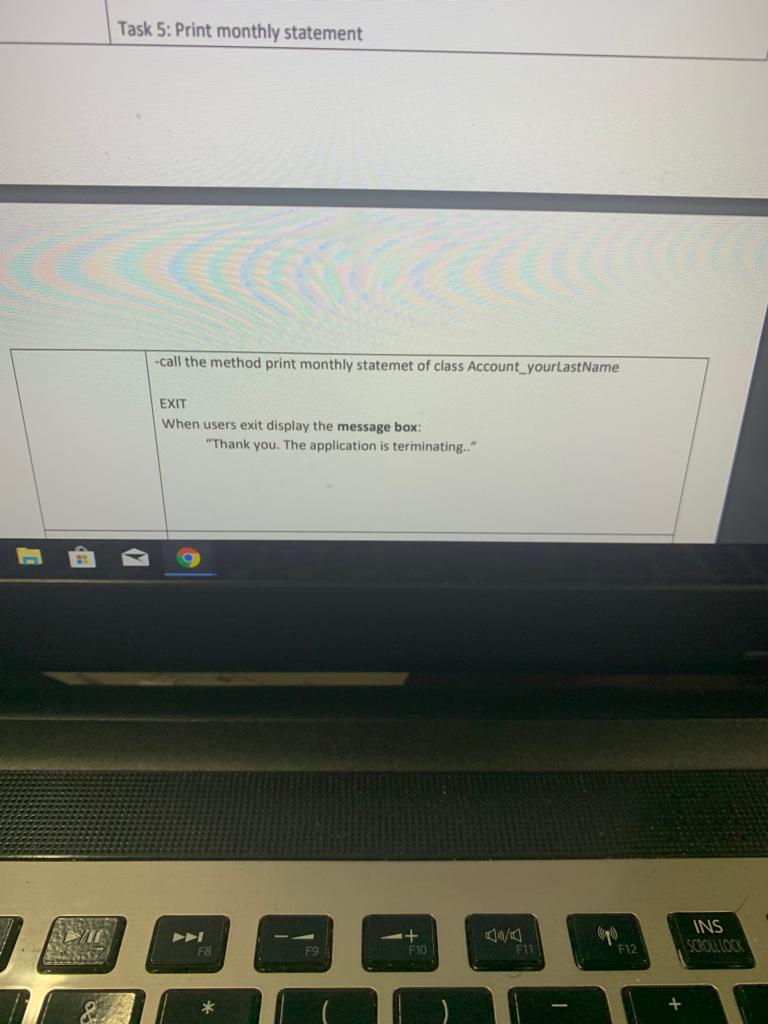
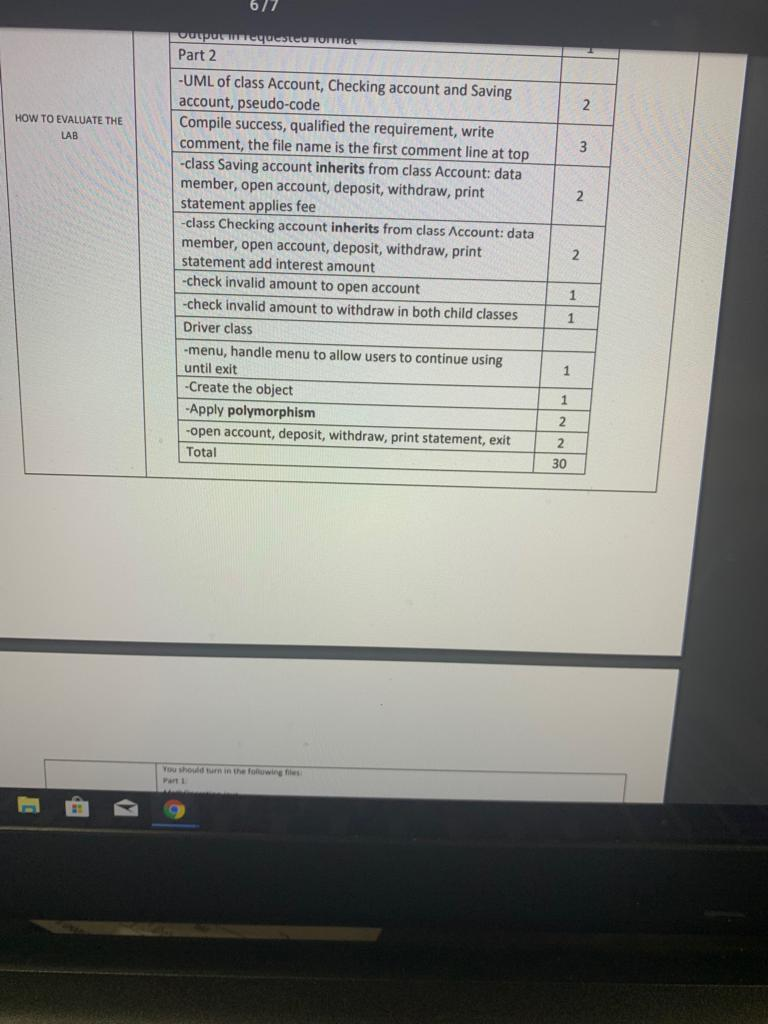
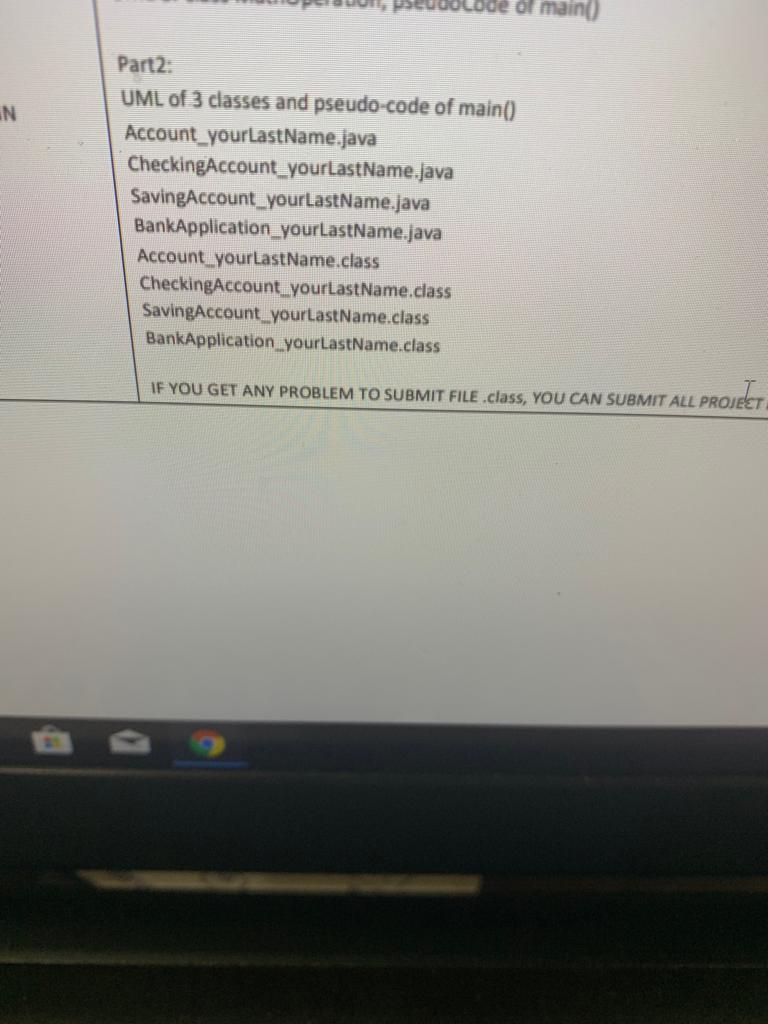
PART 2 - Requirement -Create a project named SP2019 LAB1PART2 -Add 3 data type classes named Account yourLastName CheckingAccount_yourLastName and SavingAccount yourLastName. class Account yourLastName has account number (String) and balance (float), methods to handle open account, check balance, deposit, withdraw, print statement class CheckingAccount_yourLastName has account number (String), balance (float) and service fee (float), methods to handle open account, check balance, deposit, withdraw, print statement class SavingAccount_yourLastName has account number (String), balance (float) and interest rate (float) and methods to handle open account, check balance deposit, withdraw, print statement and a driver class named BankApplication_ yourLastName The classs CheckingAccount yourLastName and SavingAccount yourLastName inherit from class Account yourLastName Method OPEN ACCOUNT The output should be as below: Account type: Checking Account Account Number: 1567794657 New account balance: 500.0 OR Account type: Saving Account Account Number: 1567794657 New account balance: 500.0 Method CHECK BALANCE Account type: Checking Account Method CHECK BALANCE Account type: Checking Account Account Number: 1567794657 Current Balance: OR Account type: Saving Account Account Number: 1567794657 Current Balance: 500.0 500.0 Method DEPOSIT -Calculate the new balance then display output (if deposit amount is 200) Account type: Checking Account Account Number: 1567794657 Deposit amount: Current Balance: OR Account type: Saving Account Account Number: 1567794657 Deposit amount: Current Balance: 200.0 700.0 200.0 700.0 Method WITHDRAW Before allowing to withdraw, you need to check if invalid amount, display output to deny as below (For example current balance 700) Account type: Checking Account Account Number: 1567794657 Withdraw amount: Current Balance: 690.0 -denied 700.0 OR Account type: Saving Account Account Number: 1567794657 Withdraw amount: Current Balance: 660.0-denied 700.0 If amount to withdraw is valid then display the output: Account type: Checking Account Account Number: 1567794657 Withdraw amount: Current Balance: 300.0 400.0 OR Account type: Saving Account Account Number: 1567794657 Withdraw amount: Current Balance: 300.0 400.0 Method MONTHLY STATEMENT - if it is checking account, calculate the end balance with service fee (for example service fee is $10) display the following output Account type: Checking Account Service Fee: Account Number: 1567794657 End balance: OR - if it is saving account, calculate the interest amount and the end balance with interest rate (for example interest rate is 0.5%) -display the following output 10.0 90.0 Account type: Interest rate Interest amount: Saving Account 0.5% Account Number: End balance 2.0 1567794657 402.0 DRIVER CLASS: provide the pseudo-code or flowchart then write the code for the BankService yourLast Name to provide the application of a bank service that provides the following menu: s-prod/584b1 d8497c84/96790005?response-content-disposition-inline%3B%20filename%2A%3DUTF-B MAIN MENU 0. Open new account 1. Check current balance 2. Deposit 3. Withdraw 4. Print monthly statement 0. Exit Task 1: Open new account: -Read information of the new account from the keyboard. The account will be either checking account or saving account The money to deposit should meet minimum amount $20 for checking account and minimum amount $50 for saving account. -if money amount to open account is less than minimum amount then display the message "Invalid open account amount" -Create an object of class Account yourlastName, for example object named account display the sub menu to allow users select account type: 1. Checking Account 2. Saving Account Read account type the apply Polymorphism, using the object of class Account yourtastName account to create new Checking account or new Saving account If it is checking account, ask for service fee then create the Checking Account Task 5: Print monthly statement call the method print monthly statemet of class Account_yourlastName EXIT When users exit display the message box Thank you. The application is terminating.." INS F8 F9 F10 F11 F12CROLLO 677 Part 2 -UML of class Account, Checking account and Saving account, pseudo-code Compile success, qualified the requirement, write comment, the file name is the first comment line at to -class Saving account inherits from class Account: data member, open account, deposit, withdraw, print statement applies fee -class Checking account inherits from class Account: data member, open account, deposit, withdraw, print statement add interest amount -check invalid amount to open account -check invalid amount to withdraw in both child classes 1 Driver class -menu, handle menu to allow users to continue using until exit HOW TO EVALUATE THE LAB Create the object Apply polymorphism -open account, deposit, withdraw, print statement, exit 2 Total 30 Part 1 uol, pseddolod of main) Part2: UML of 3 classes and pseudo-code of main0) Account yourlastName.java CheckingAccount yourlastName.java SavingAccount_yourtastName.java BankApplication yourlastName.java IN Account yourLastName.class CheckingAccount yourtastName.class SavingAccount yourlastName.class BankApplication yourlastName.class IF YOU GET ANY PROBLEM TO SUBMIT FILE class, YOU CAN SUBMIT ALL PROJ tT
Step by Step Solution
There are 3 Steps involved in it

Get step-by-step solutions from verified subject matter experts
 Study Help