







Question: Please help me with this Python code Instructions You will need to create four files: Shape2D.py - file containing a class definition containing properties all
 Please help me with this Python code
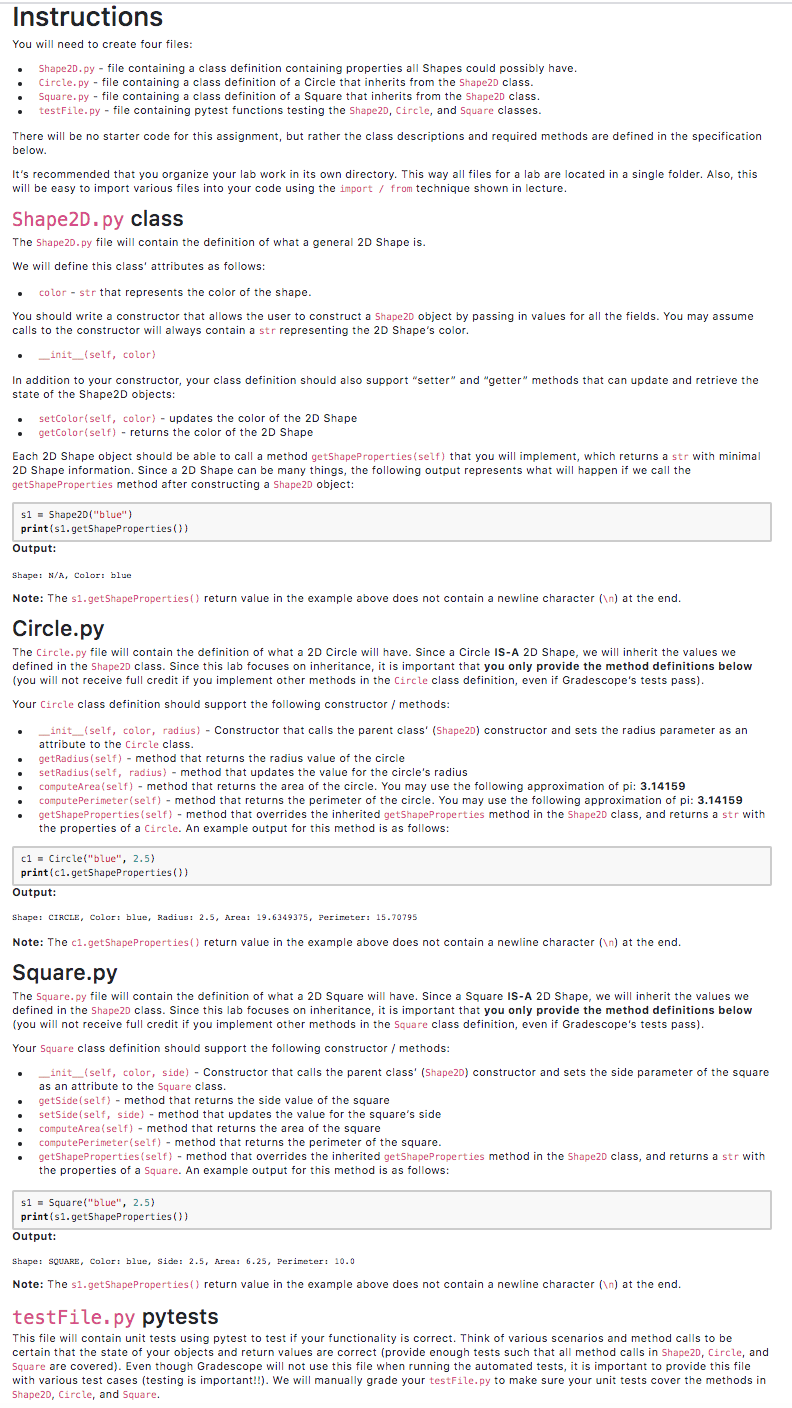
Instructions You will need to create four files: Shape2D.py - file containing a class definition containing properties all Shapes could possibly have. Circle.py - file containing a class definition of a Circle that inherits from the Shape2D class. Square.py - file containing a class definition of a Square that inherits from the Shape2D class. testFile.py - file containing pytest functions testing the Shape2D, Circle, and Square classes. There will be no starter code for this assignment, but rather the class descriptions and required methods are defined in the specification below. It's recommended that you organize your lab work in its own directory. This way all files for a lab are located in a single folder. Also, this will be easy to import various files into your code using the import / from technique shown in lecture. Shape2D.py class The Shape2D.py file will contain the definition of what a general 2D Shape is. We will define this class' attributes as follows: color - str that represents the color of the shape. You should write a constructor that allows the user to construct a Shape2D object by passing in values for all the fields. You may assume calls to the constructor will always contain a str representing the 2D Shape's color. _init__(self, color) In addition to your constructor, your class definition should also support "setter" and "getter" methods that can update and retrieve the state of the Shape 2D objects: setColor(self, color) - updates the color of the 2D Shape getColor(self) - returns the color of the 2D Shape Each 2D Shape object should be able to call a method getShapeProperties(self) that you will implement, which returns a str with minimal 2D Shape information. Since a 2D Shape can be many things, the following output represents what will happen if we call the getShape Properties method after constructing a Shape2D object: sl = Shape2D("blue") print(s1.getShapeProperties()) Output: Shape: N/A, Color: blue Note: The si.getShape Properties() return value in the example above does not contain a newline character ( ) at the end. Circle.py The Circle.py file will contain the definition of what a 2D Circle will have. Since a Circle IS-A 2D Shape, we will inherit the values we defined in the Shape2D class. Since this lab focuses on inheritance, it is important that you only provide the method definitions below (you will not receive full credit if you implement other methods in the Circle class definition, even if Gradescope's tests pass). Your Circle class definition should support the following constructor / methods: _init__(self, color, radius) - Constructor that calls the parent class' (Shape2D) constructor and sets the radius parameter as an attribute to the Circle class getRadius (self) - method that returns the radius value of the circle setRadius(self, radius) - method that updates the value for the circle's radius computeArea(self) - method that returns the area of the circle. You may use the following approximation of pi: 3.14159 computePerimeter(self) - method that returns the perimeter of the circle. You may use the following approximation of pi: 3.14159 getShape Properties(self) - method that overrides the inherited getShape Properties method in the Shape2D class, and returns a str with the properties of a Circle. An example output for this method is as follows: c1 = Circle("blue", 2.5) print(ci.getShape Properties()) Output: Shape: CIRCLE, Color: blue, Radius: 2.5, Area: 19.6249375, Perimeter: 15.70795 Note: The ci.getShape Properties() return value in the example above does not contain a newline character ( ) at the end. Square.py The Square.py file will contain the definition of what a 2D Square will have. Since a Square IS-A 2D Shape, we will inherit the values we defined in the Shape2D class. Since this lab focuses on inheritance, it is important that you only provide the method definitions below (you will not receive full credit if you implement other methods in the Square class definition, even if Gradescope's tests pass). Your Square class definition should support the following constructor / methods: init__(self, color, side) - Constructor that calls the parent class' (Shape2D) constructor and sets the side parameter of the square as an attribute to the Square class. getSide (self) - method that returns the side value of the square setSide(self, side) - method that updates the value for the square's side computeArea(self) - method that returns the area of the square computePerimeter(self) - method that returns the perimeter of the square. getShape Properties(self) - method that overrides the inherited getShape Properties method in the Shape2D class, and returns a str with the properties of a Square. An example output for this method is as follows: s1 - Square("blue", 2.5) print($1.getShape Properties()) Output: Shape: SQUARE, Color: blue, Side: 2.5, Area: 6.25, Perimeter: 10.0 Note: The si.getShape Properties() return value in the example above does not contain a newline character ( ) at the end. testFile.py pytests This file will contain unit tests using pytest to test if your functionality is correct. Think of various scenarios and method calls to be certain that the state of your objects and return values are correct (provide enough tests such that all method calls in Shape2D, Circle, and Square are covered). Even though Gradescope will not use this file when running automated tests, it is important to provide this file with various test cases (testing is important!!). We will manually grade your testFile.py to make sure your unit tests cover the methods in Shape2D, Circle, and Square
Step by Step Solution
There are 3 Steps involved in it

Get step-by-step solutions from verified subject matter experts
 Study Help