







Question: Please help me write this Android Studio application using Java. We are also using SQLITE WITH ROOM for the database. Please post screenshots of your
Please help me write this Android Studio application using Java. We are also using SQLITE WITH ROOM for the database. Please post screenshots of your resulting app.
PLEASE ALSO POST THE CODE TO SHOW THE DIFFERENT FILES; EXACTLY HOW IT WOULD APPEAR IN AN ANDROID PROJECT. You may also post a link from where I can download the project instead. Thank You!
-------------------------------------------------------------------------------------------------------------------------
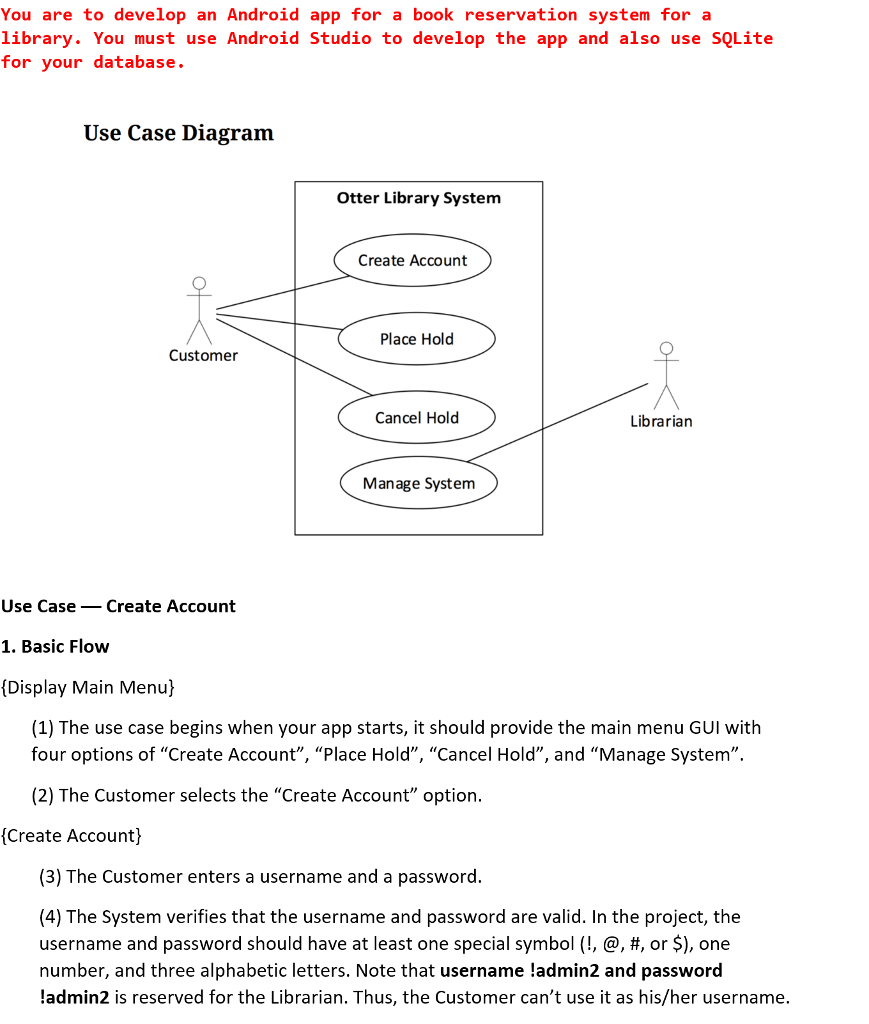
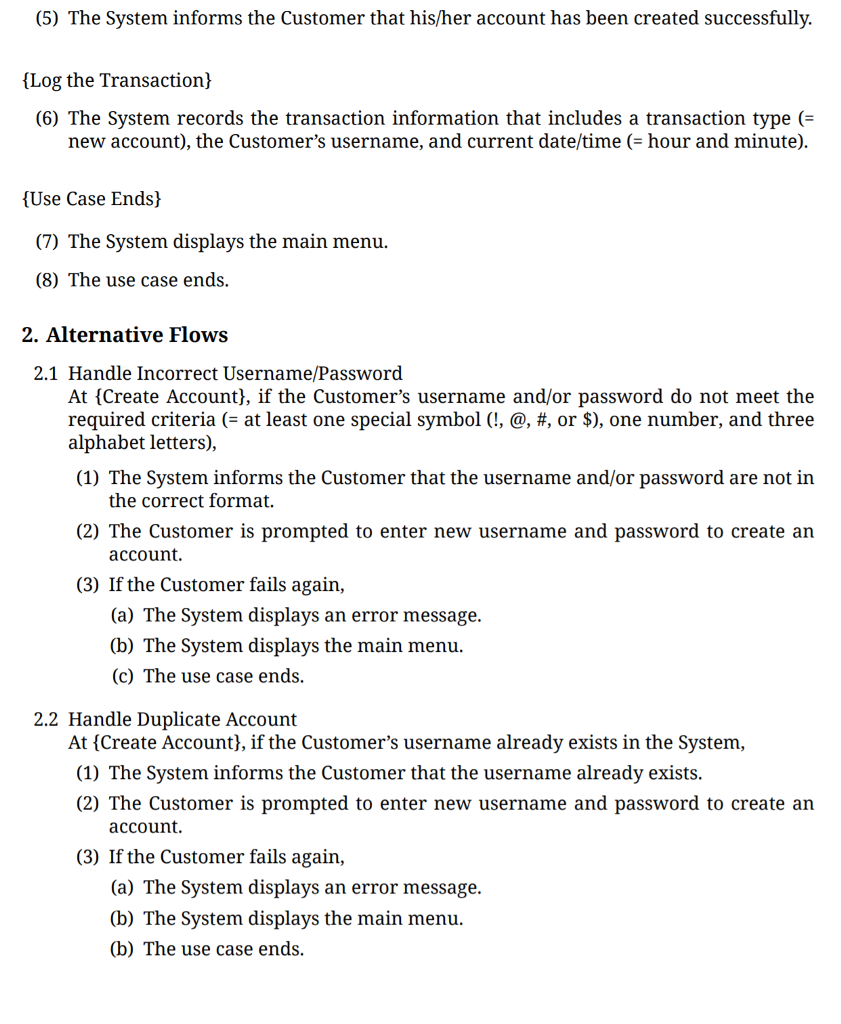
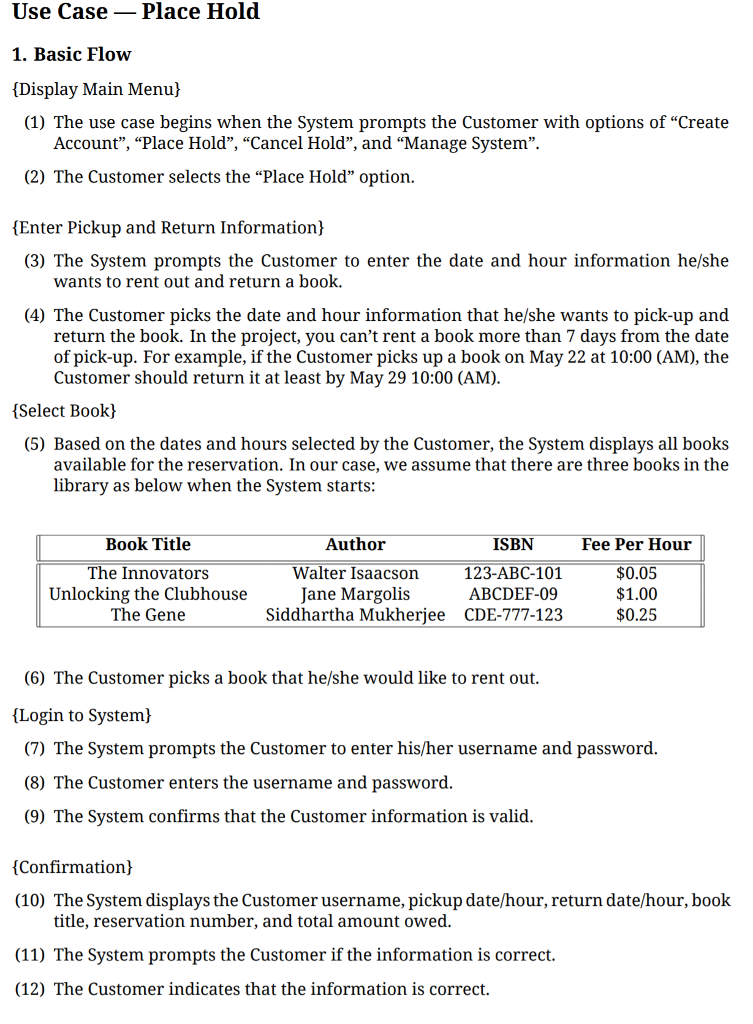
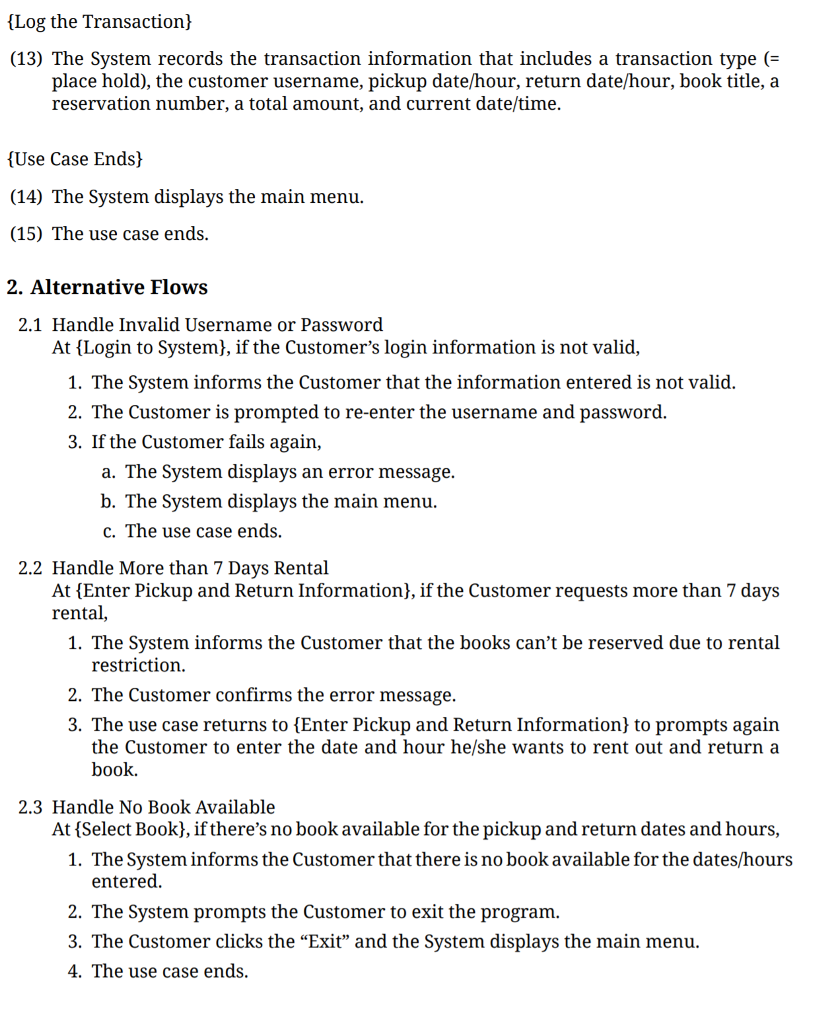
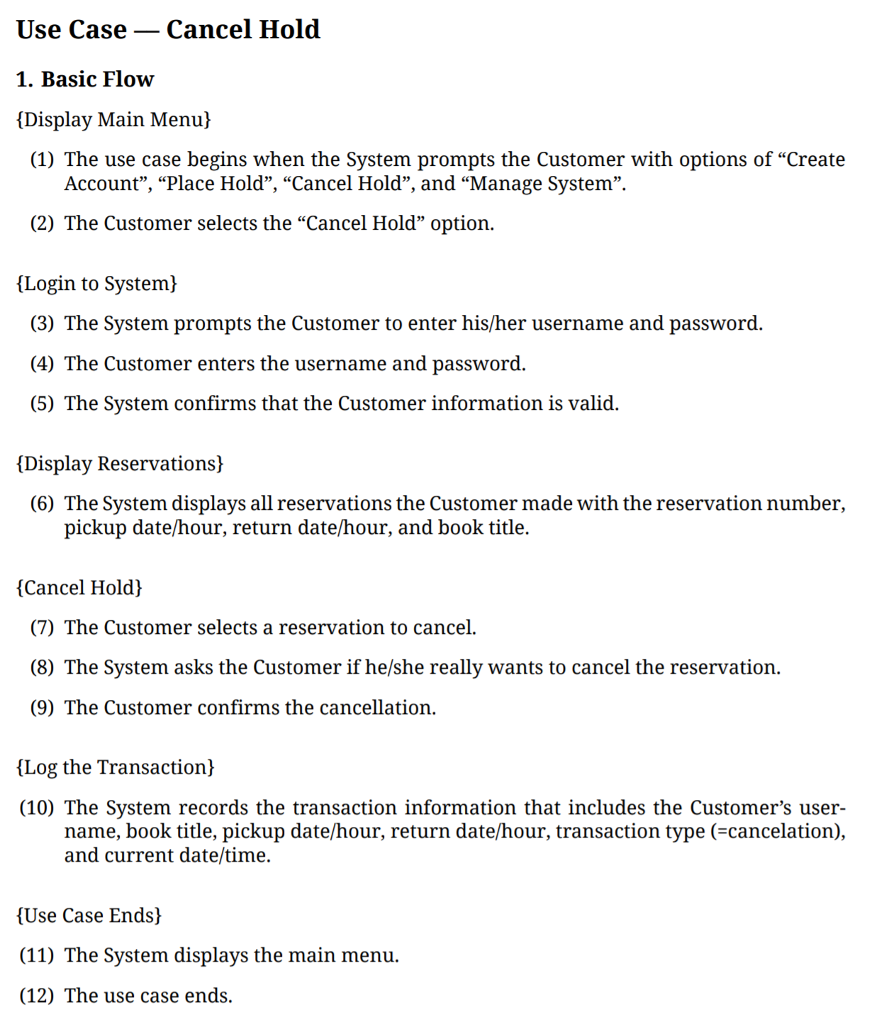
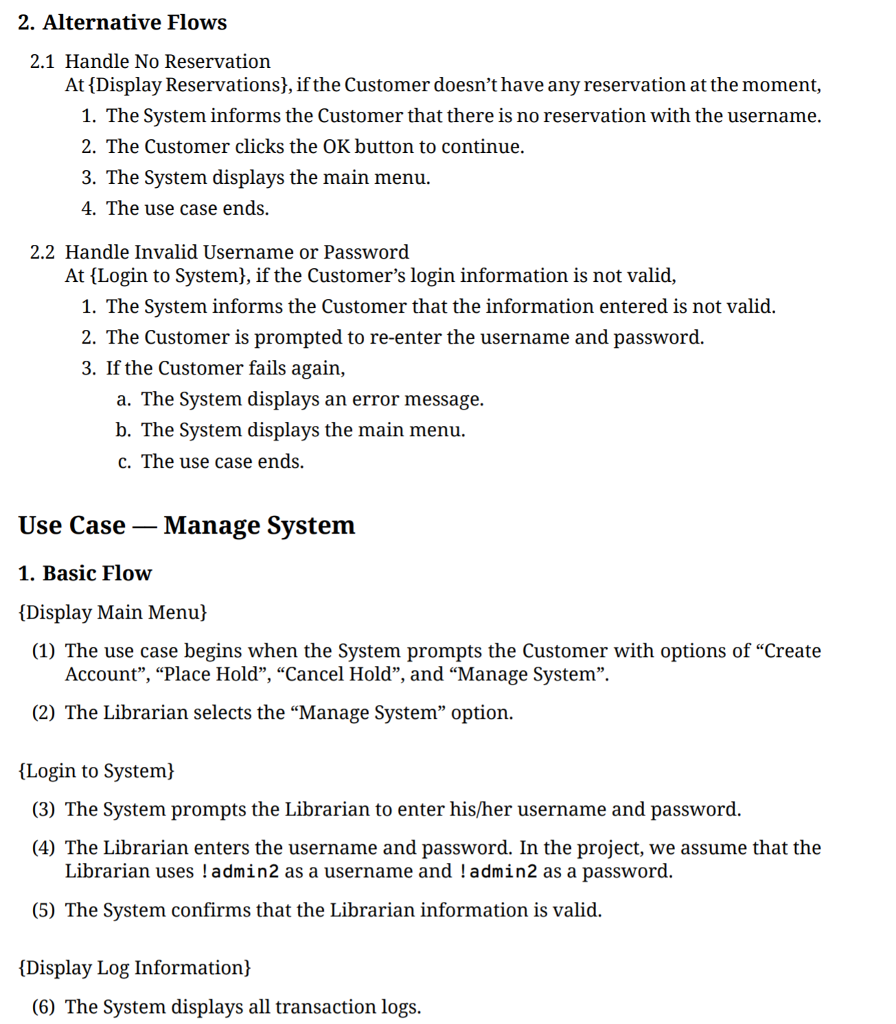
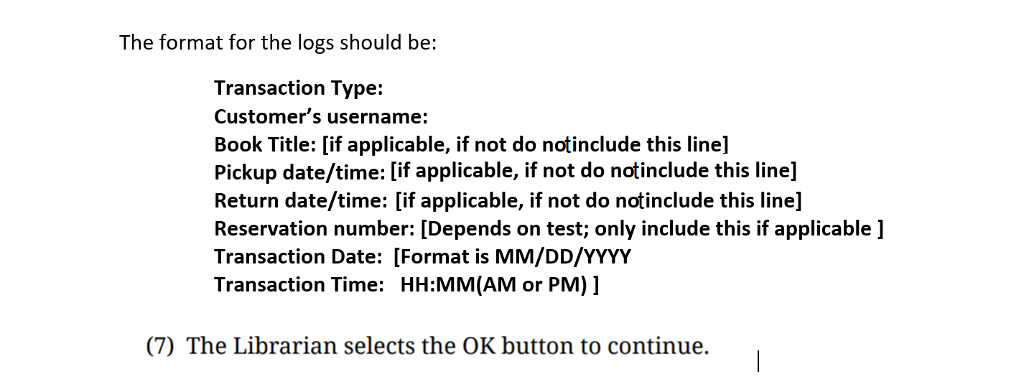
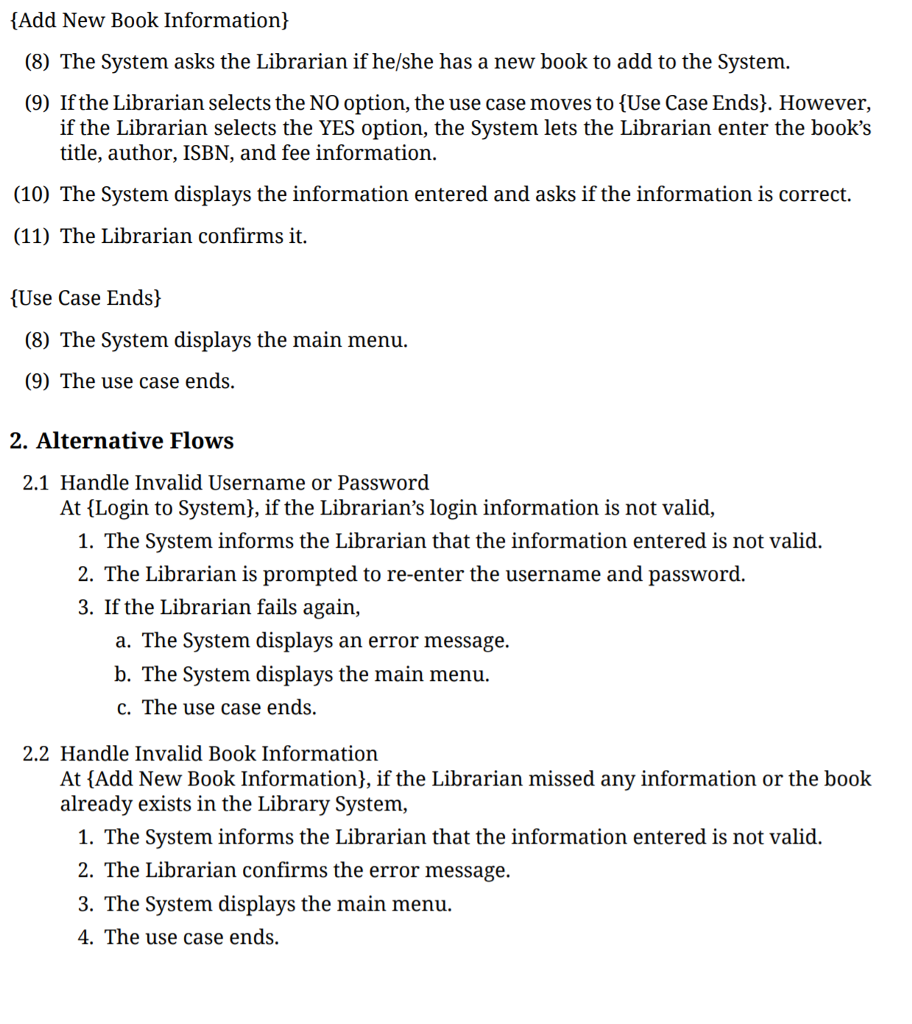
You are to develop an Android app for a book reservation system for a library. You must use Android Studio to develop the app and also use SQLite for your database. Use Case Diagram Otter Library System Create Account Place Hold Customer Cancel Hold Librarian Manage System Use Case _ Create Account 1. Basic Flow Display Main Menu) (1) The use case begins when your app starts, it should provide the main menu GUI with four options of "Create Account", "Place Hold", "Cancel Hold", and "Manage System". (2) The Customer selects the "Create Account" option. Create Account! (3) The Customer enters a username and a password. (4) The System verifies that the username and password are valid. In the project, the username and password should have at least one special symbol (!, @, #, or $), one number, and three alphabetic letters. Note that username ladmin2 and password ladmin2 is reserved for the Librarian. Thus, the Customer can't use it as his/her username. You are to develop an Android app for a book reservation system for a library. You must use Android Studio to develop the app and also use SQLite for your database. Use Case Diagram Otter Library System Create Account Place Hold Customer Cancel Hold Librarian Manage System Use Case _ Create Account 1. Basic Flow Display Main Menu) (1) The use case begins when your app starts, it should provide the main menu GUI with four options of "Create Account", "Place Hold", "Cancel Hold", and "Manage System". (2) The Customer selects the "Create Account" option. Create Account! (3) The Customer enters a username and a password. (4) The System verifies that the username and password are valid. In the project, the username and password should have at least one special symbol (!, @, #, or $), one number, and three alphabetic letters. Note that username ladmin2 and password ladmin2 is reserved for the Librarian. Thus, the Customer can't use it as his/her username
Step by Step Solution
There are 3 Steps involved in it

Get step-by-step solutions from verified subject matter experts
 Study Help