







Question: Please help me write this Android Studio application using Java. Please post screenshots of your code and the two activity screens. Also, we are using
Please help me write this Android Studio application using Java. Please post screenshots of your code and the two activity screens. Also, we are using a "Linear Layout" for the activites.
PLEASE SHOW THE CODE IN THE DIFFERENT FILES; EXACTLY HOW IT WOULD APPEAR IN AN ANDROID PROJECT. Thank You!
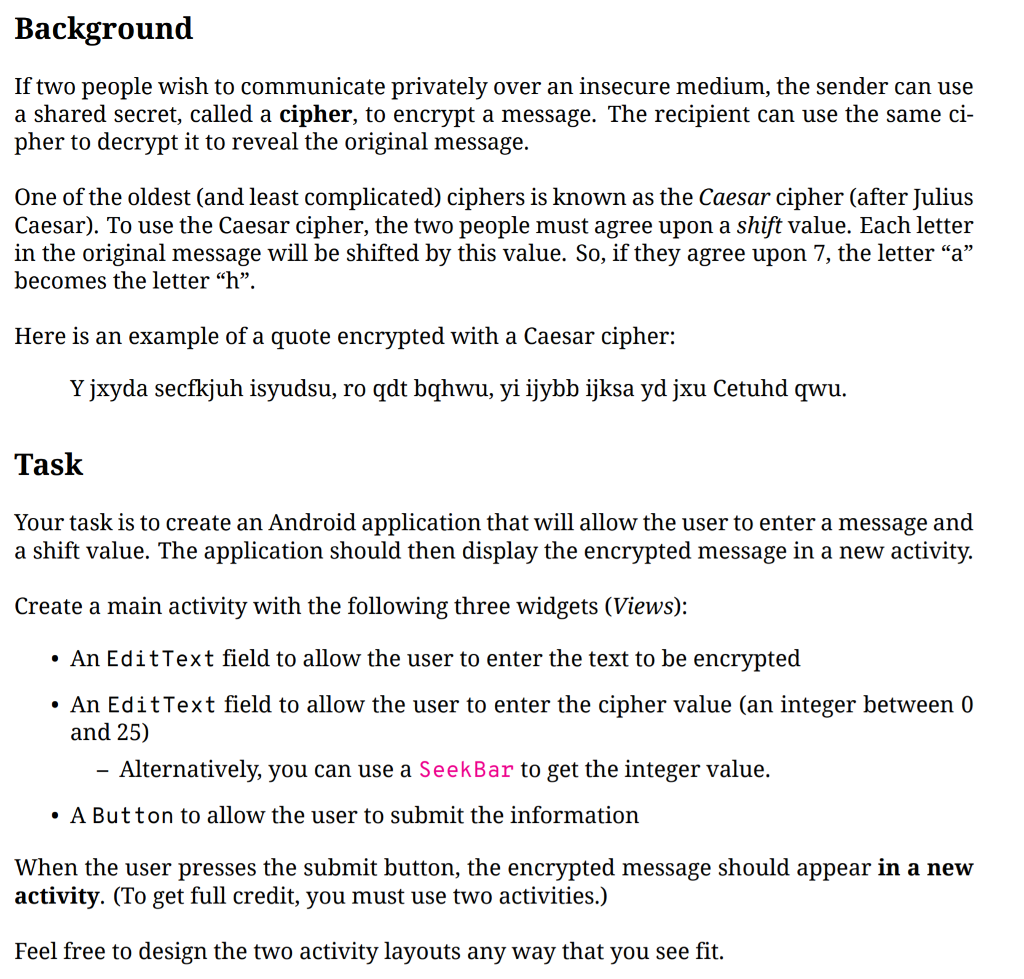
Background If two people wish to communicate privately over an insecure medium, the sender can use a shared secret, called a cipher, to encrypt a message. The recipient can use the same ci- pher to decrypt it to reveal the original message. One of the oldest (and least complicated) ciphers is known as the Caesar cipher (after Julius Caesar). To use the Caesar cipher, the two people must agree upon a shift value. Each letter in the original message will be shifted by this value. So, if they agree upon 7, the letter "a" becomes the letter "h". Here is an example of a quote encrypted with a Caesar cipher: Y jxyda secfkjuh isyudsu, ro qdt bqhwu, yi ijybb ijksa yd jxu Cetuhd qwu Task Your task is to create an Android application that will allow the user to enter a message and a shift value. The application should then display the encrypted message in a new activity. Create a main activity with the following three widgets (Views): . An EditText field to allow the user to enter the text to be encrypted . An EditText field to allow the user to enter the cipher value (an integer between 0 and 25) Alternatively, you can use a SeekBar to get the integer value. . A Button to allow the user to submit the information When the user presses the submit button, the encrypted message should appear in a new activity. (To get full credit, you must use two activities.) Feel free to design the two activity layouts any way that you see fit
Step by Step Solution
There are 3 Steps involved in it

Get step-by-step solutions from verified subject matter experts
 Study Help