







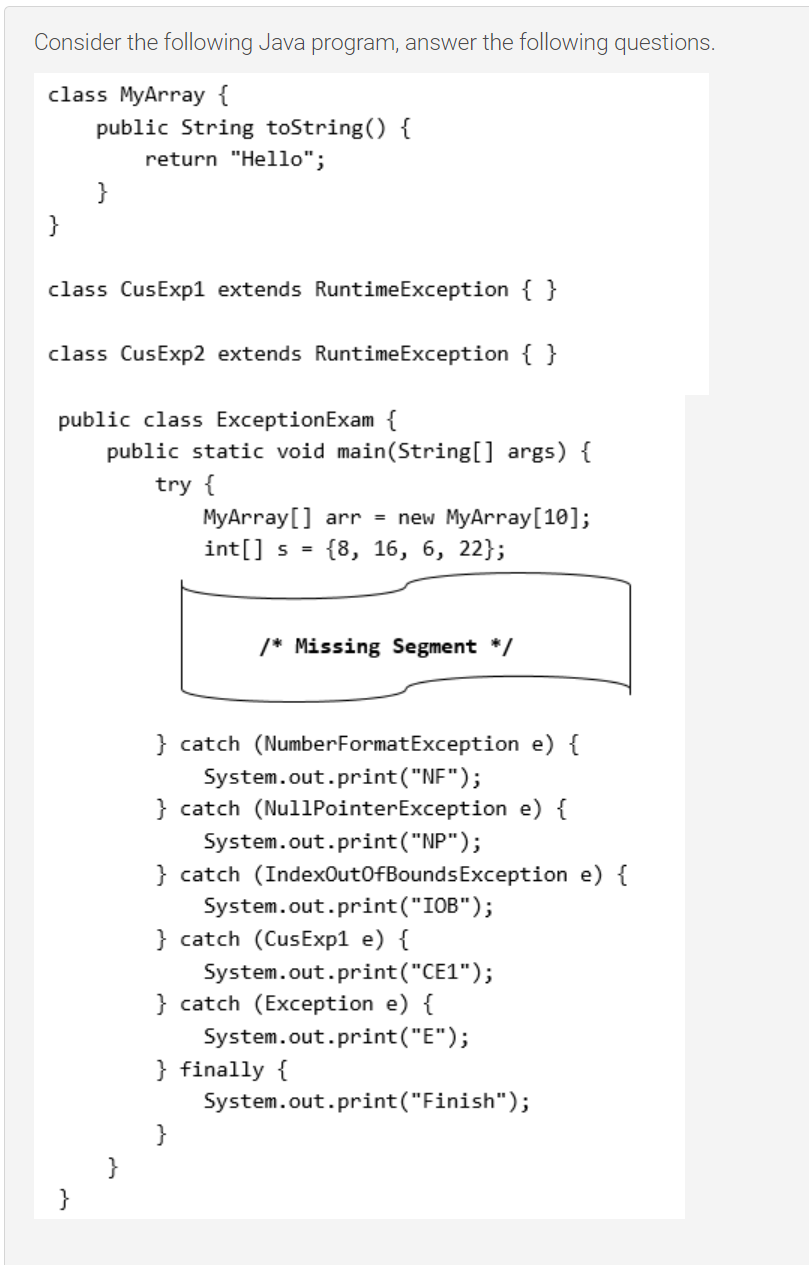
Question: Please help to answer below questions. Consider the following Java program, answer the following questions. class MyArray { public String toString() { return Hello; class
Please help to answer below questions.
![MyArray [ ] arr = new MyArray [10]; int s = {8,](https://dsd5zvtm8ll6.cloudfront.net/si.experts.images/questions/2024/09/66f90bb771249_49566f90bb752eb3.jpg)
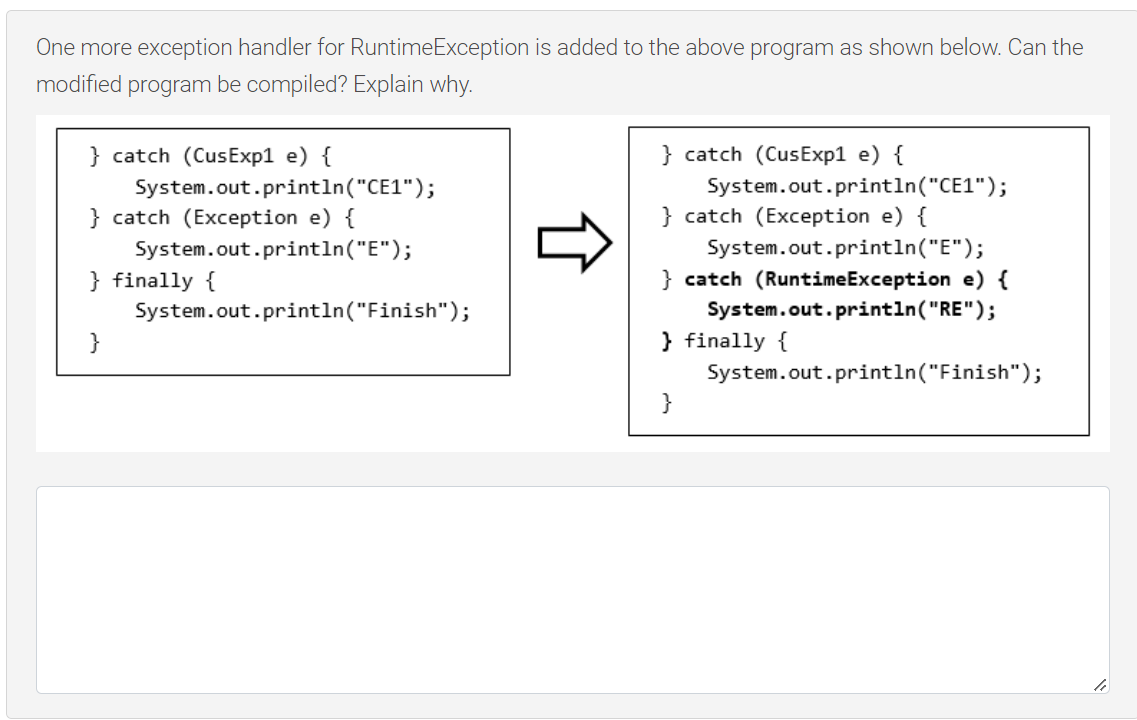
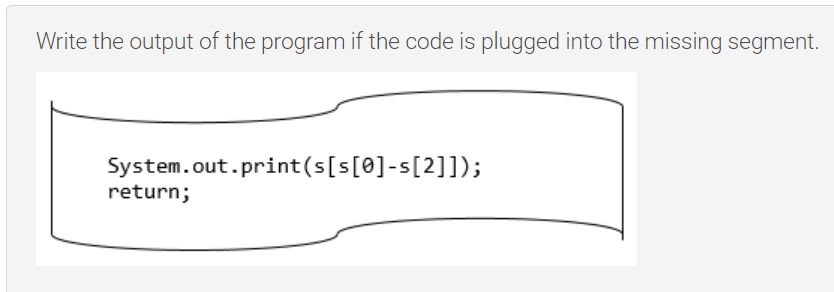
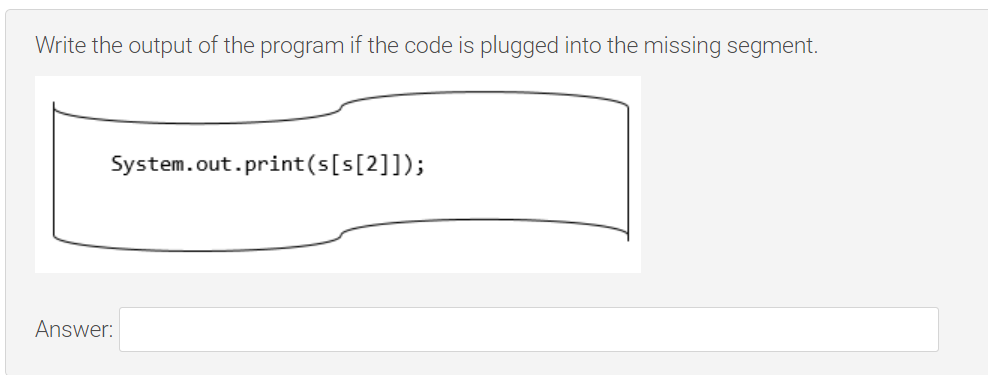
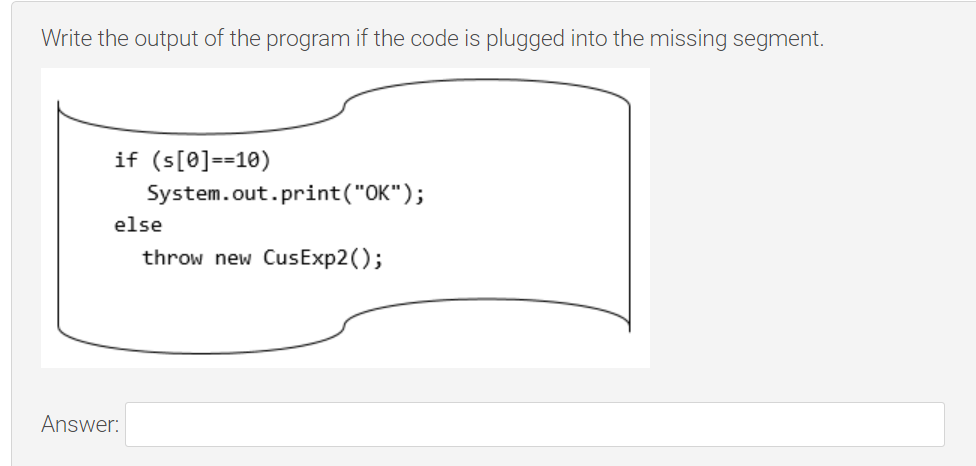
Consider the following Java program, answer the following questions. class MyArray { public String toString() { return "Hello"; class CusExpl extends RuntimeException { } class CusExp2 extends RuntimeException { } public class ExceptionExam { public static void main(String args) { try { MyArray [ ] arr = new MyArray [10]; int s = {8, 16, 6, 22}; /* Missing Segment */ } catch (NumberFormatException e) { System. out . print ("NF") ; } catch (NullPointerException e) { System. out . print("NP"); } catch (IndexOutOfBoundsException e) { System. out . print("IOB") ; } catch (CusExpl e) { System. out . print ("CE1"); } catch (Exception e) { System. out . print("E"); } finally { System. out . print ("Finish");Write the output of the program if the code is plugged into the missing segment. System. out . print (s [s[0]-s[2]]); return;Write the output of the program if the code is plugged into the missing segment. System.out.pr*int(s[s[2]])j Answer: Write the output of the program if the code is plugged into the missing segment. if (s[9]==1e) System.out.print("0K\"); else throw new CusExp2(); Answeh Write the output of the program if the code is plugged into the missing segment. System.out.print(arr[3].toString()); Answer: One more exception handler for RuntimeException is added to the above program as shown below. Can the modified program be compiled? Explain why. } catch (CusExpl e) { } catch (CusExpl e) { System. out . printIn("CE1"); System. out . printIn("CE1"); } catch (Exception e) { } catch (Exception e) { System. out . printIn("E"); System. out . printIn("E"); } finally { } catch (RuntimeException e) { System. out . printIn("Finish"); System. out. println("RE") ; } finally { System. out . println("Finish")
Step by Step Solution
There are 3 Steps involved in it

Get step-by-step solutions from verified subject matter experts
 Study Help