







Question: Please help!! Will give a thumbs up! Also please make sure to have each number formatted the same (two decimal points). So payments should look
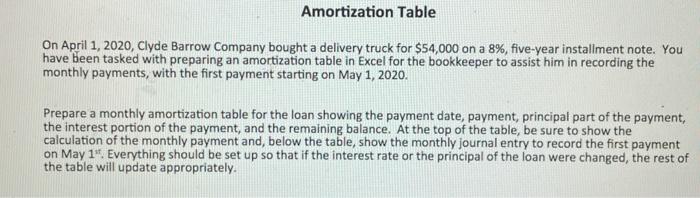
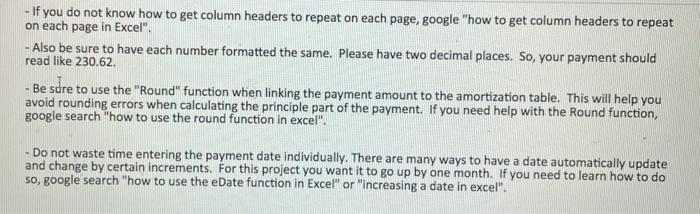
Amortization Table On April 1, 2020, Clyde Barrow Company bought a delivery truck for $54,000 on a 8%, five-year installment note. You have been tasked with preparing an amortization table in Excel for the bookkeeper to assist him in recording the monthly payments, with the first payment starting on May 1, 2020. Prepare a monthly amortization table for the loan showing the payment date, payment, principal part of the payment, the interest portion of the payment, and the remaining balance. At the top of the table, be sure to show the calculation of the monthly payment and, below the table, show the monthly journal entry to record the first payment on May 1" Everything should be set up so that if the interest rate or the principal of the loan were changed, the rest of the table will update appropriately. - If you do not know how to get column headers to repeat on each page, google "how to get column headers to repeat on each page in Excel". - Also be sure to have each number formatted the same. Please have two decimal places. So, your payment should read like 230.62 Be sure to use the "Round" function when linking the payment amount to the amortization table. This will help you avoid rounding errors when calculating the principle part of the payment. If you need help with the Round function, google search "how to use the round function in excel". - Do not waste time entering the payment date individually. There are many ways to have a date automatically update and change by certain increments. For this project you want it to go up by one month. If you need to learn how to do so, google search "how to use the eDate function in Excel" or "increasing a date in excel
Step by Step Solution
There are 3 Steps involved in it

Get step-by-step solutions from verified subject matter experts
 Study Help