







Question: Please help with Ceaser Cipher in JavaFX!! Here is my code: package testweek8; import java.awt.BorderLayout; import java.awt.Color; import java.awt.event.ActionListener; import javax.swing.BoxLayout; import javax.swing.JButton; import javax.swing.JFrame;
Please help with Ceaser Cipher in JavaFX!!
Here is my code: package testweek8;
import java.awt.BorderLayout; import java.awt.Color; import java.awt.event.ActionListener; import javax.swing.BoxLayout; import javax.swing.JButton; import javax.swing.JFrame; import javax.swing.JPanel; import java.io.*; import java.util.List;
public class TestWeek8 { private static int constant; private static String alphabet;
public static void main (String[]args) { displayMenu(); getPhrase(); }
private Static ActionListener; myActionListener;
public void loadData(){ char[] alphabet; for (char c = 'a';c
JTextField(" "); System.out.printlnfield.getText()); }
public String encodeMessage(String field) { int coded; int temp; StringBuffer s = new StringBuffer(); String Field; field = field.toLowerCase();
for(int index = 0; index
What I'm trying to do is this: The GUI that you will develop is the front-end of the project. The back-end is the translate() method that you will (re-)use. I also should mention that this all needs to be done in Netbeans.
I keep getting this message when I run it: 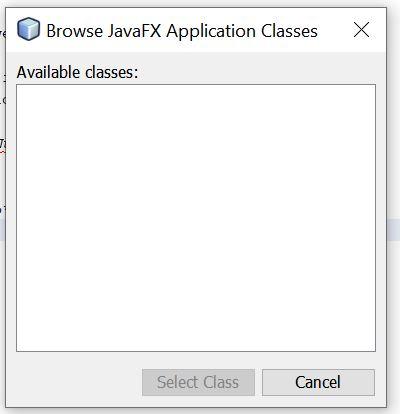
Will you please help?
Please and thank you!
Browse JavaFX Application Classes Available classes: Select Class Cancel
Step by Step Solution
There are 3 Steps involved in it

Get step-by-step solutions from verified subject matter experts
 Study Help