







Question: PLEASE HELP WITH EXCEL! Link to spreadsheet at bottom, photos in case link does not work! (Try copying and pasting!) Here are photos of the
PLEASE HELP WITH EXCEL! Link to spreadsheet at bottom, photos in case link does not work! (Try copying and pasting!)
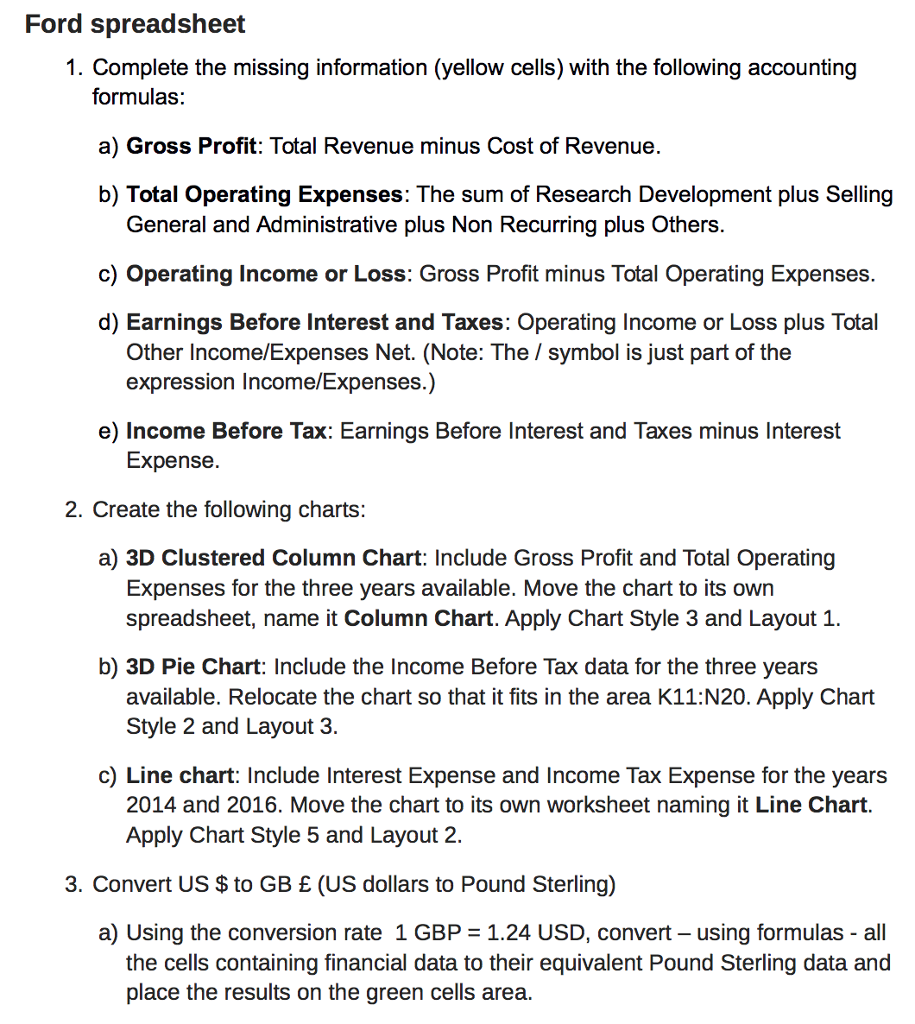
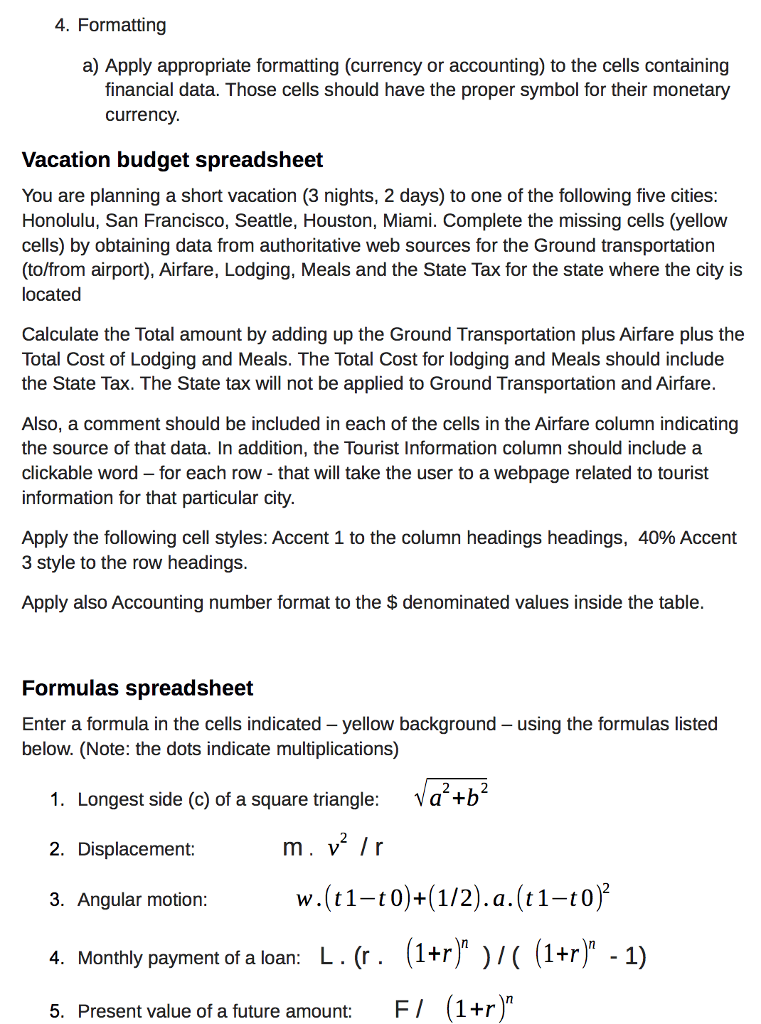
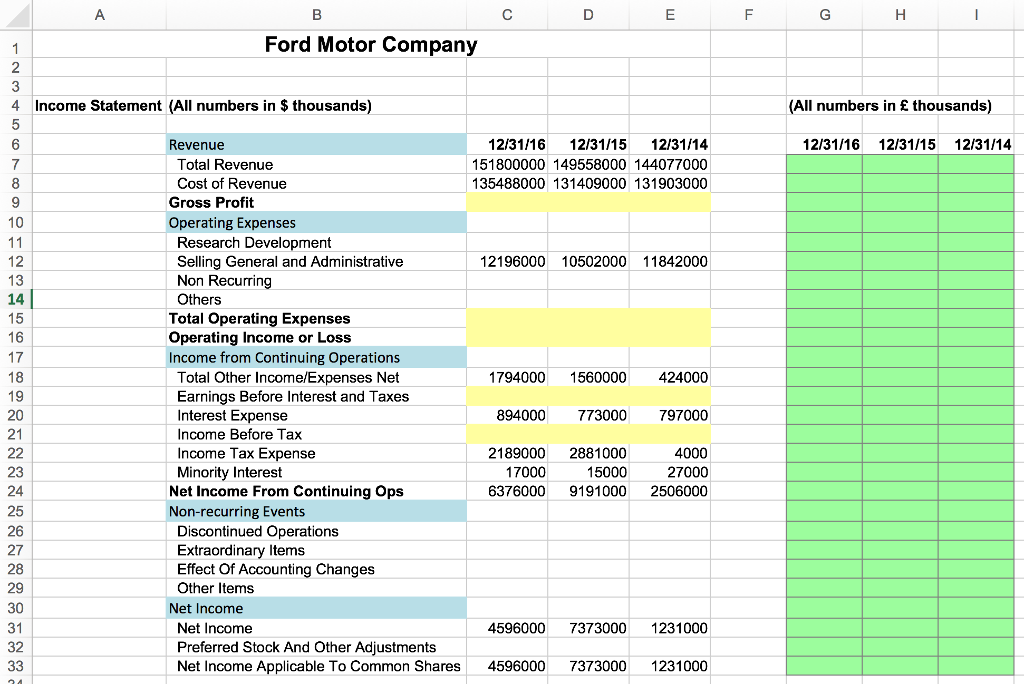
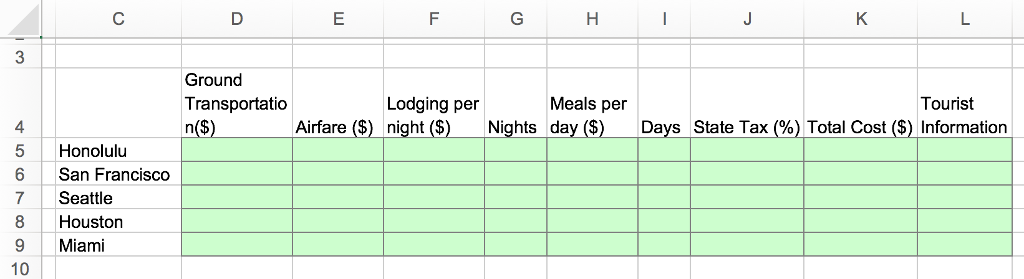
Here are photos of the 3 respective excel worksheets in on which we have to do the work
If you could include instructions so I can learn this that would be really helpful! Thank you so much in advance!
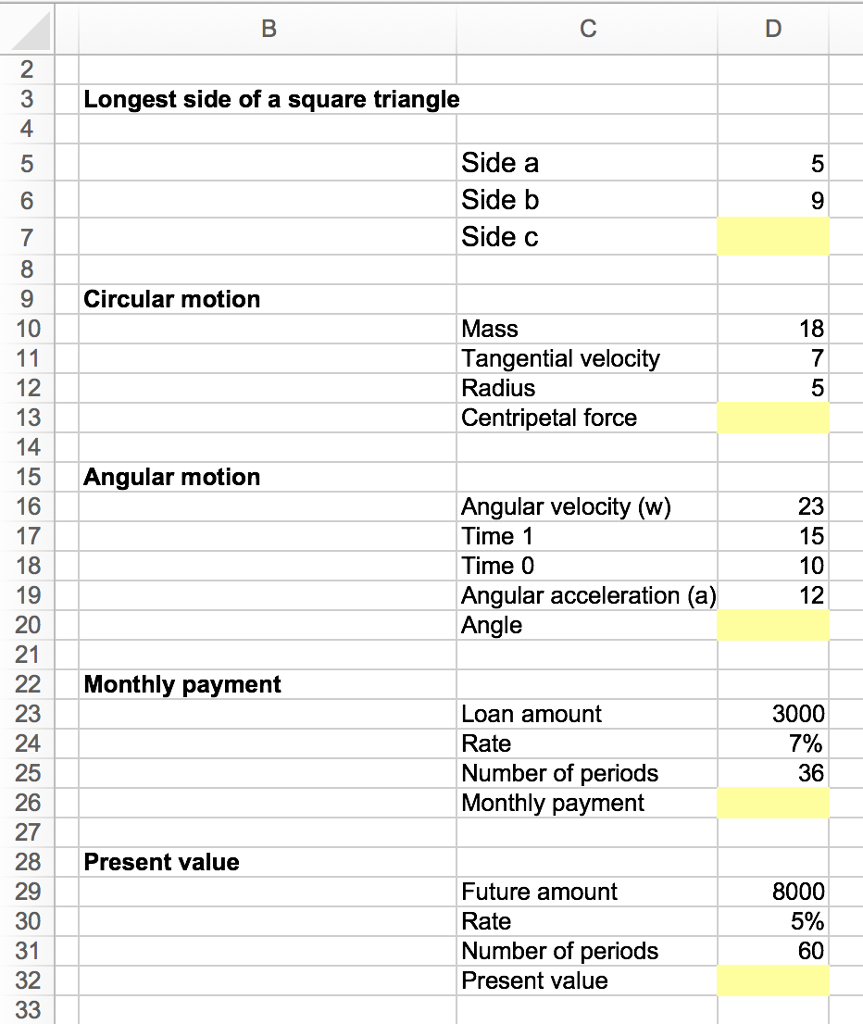
I tried to create a link to the excel sheet for ease but I don't know if it worked: (Try copying and pasting!)
https://1drv.ms/x/s!Aul4ImEgkmHEgx1k5CE3xUr12ezS
Ford spreadsheet 1. Complete the missing information (yellow cells) with the following accounting formulas a) Gross Profit: Total Revenue minus Cost of Revenue b) Total operating Expenses: The sum of Research Development plus selling General and Administrative plus Non Recurring plus Others c) operating income or Loss: Gross Profit minus Total Operating Expenses. d) Earnings Before Interest and Taxes: Operating Income or Loss plus Total Other Income/Expenses Net. (Note: The symbol is just part of the expression Income/Expenses.) e) Income Before Tax: Earnings Before Interest and Taxes minus Interest Expense 2. Create the following charts: a) 3D Clustered Column Chart: Include Gross Profit and Total Operating Expenses for the three years available. Move the chart to its own spreadsheet, name it Column Chart. Apply Chart Style 3 and Layout 1. b) 3D Pie Chart: Include the Income Before Tax data for the three years available. Relocate the chart so that it fits in the area K11:N20. Apply Chart Style 2 and Layout 3 c) Line chart: Include Interest Expense and Income Tax Expense for the years 2014 and 2016. Move the chart to its own worksheet naming it Line Chart. Apply Chart Style 5 and Layout 2. 3. Convert US to GB E (US dollars to Pound Sterling) a) Using the conversion rate 1 GBP -1.24 USD, convert -using formulas all the cells containing financial data to their equivalent Pound Sterling data and place the results on the green cells area
Step by Step Solution
There are 3 Steps involved in it

Get step-by-step solutions from verified subject matter experts
 Study Help