



Question: please help with questions 6 and 7 1. Open our present online lab by clicking on the following link: https://phet . colorado . edu/en/simulation/projectile-motion 2.
please help with questions 6 and 7
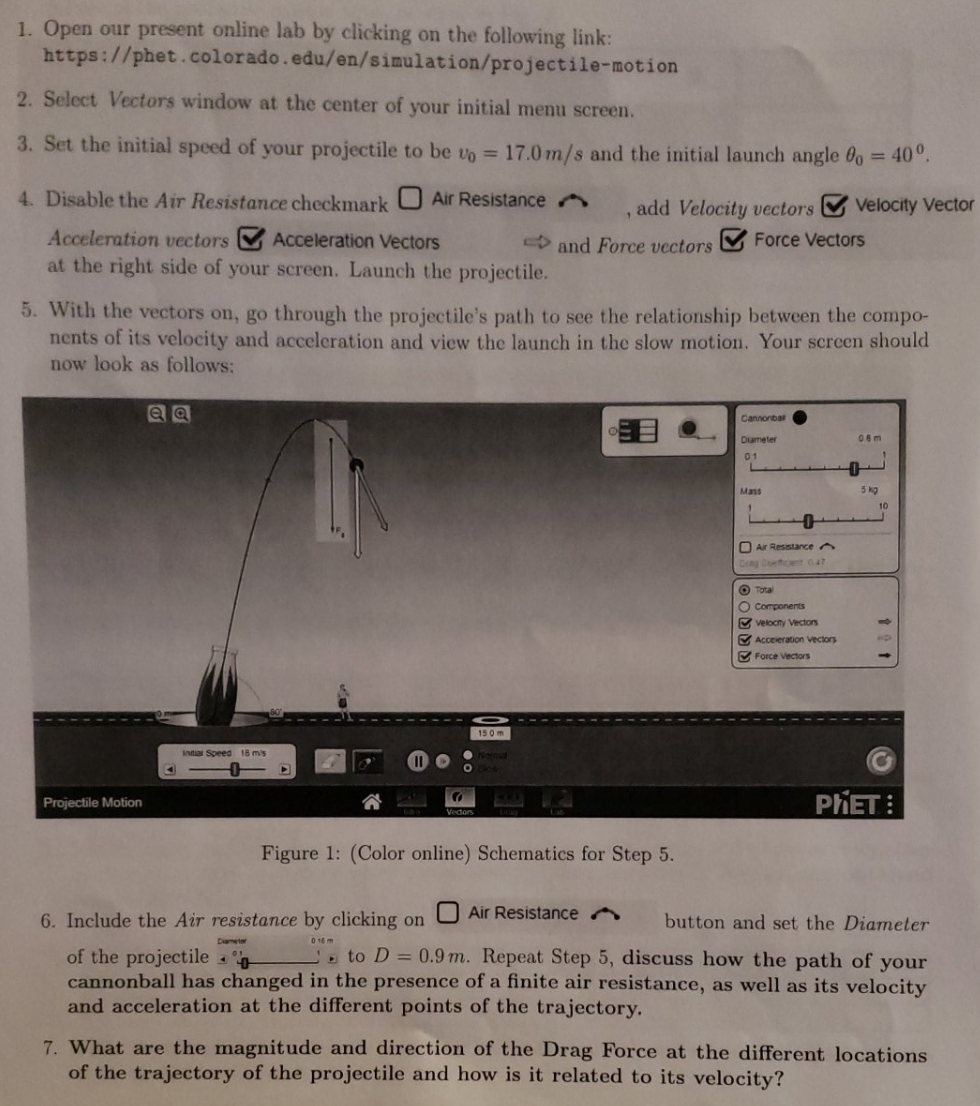
1. Open our present online lab by clicking on the following link: https://phet . colorado . edu/en/simulation/projectile-motion 2. Select Vectors window at the center of your initial menu screen. 3. Set the initial speed of your projectile to be vo = 17.0m/s and the initial launch angle do = 40. 4. Disable the Air Resistance checkmark ) Air Resistance . ,add Velocity vectors Velocity Vector Acceleration vectors Acceleration Vectors and Force vectors Force Vectors at the right side of your screen. Launch the projectile. 5. With the vectors on, go through the projectile's path to see the relationship between the compo- nents of its velocity and acceleration and view the launch in the slow motion. Your screen should now look as follows: Cannonball Diameter 08m 0 1 Mass Air Resistance Concert 047 Total O Components Velocity Vectors Acceleration Vectors Force Vectors 15 0 m Initial Speed 18 m's Projectile Motion PHET: Figure 1: (Color online) Schematics for Step 5. 6. Include the Air resistance by clicking on U Air Resistance . button and set the Diameter of the projectile . _. to D = 0.9m. Repeat Step 5, discuss how the path of your cannonball has changed in the presence of a finite air resistance, as well as its velocity and acceleration at the different points of the trajectory. 7. What are the magnitude and direction of the Drag Force at the different locations of the trajectory of the projectile and how is it related to its velocity
Step by Step Solution
There are 3 Steps involved in it

Get step-by-step solutions from verified subject matter experts