







Question: Please help with step 9! Thank you so much! Create a Transaction_Code for each of the transactions on the Reservation_Analysis sheet. Place a formula in
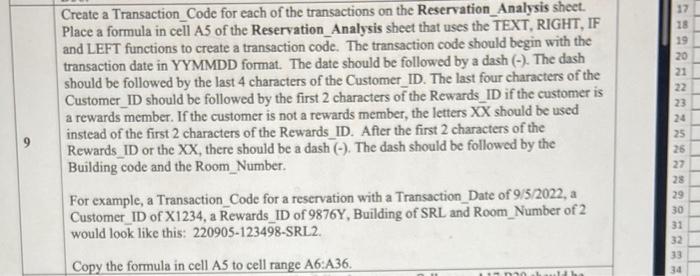
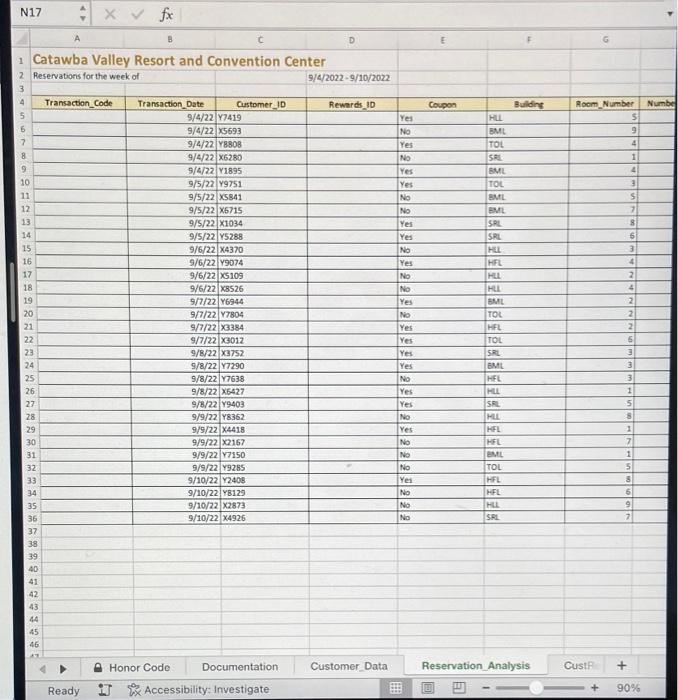
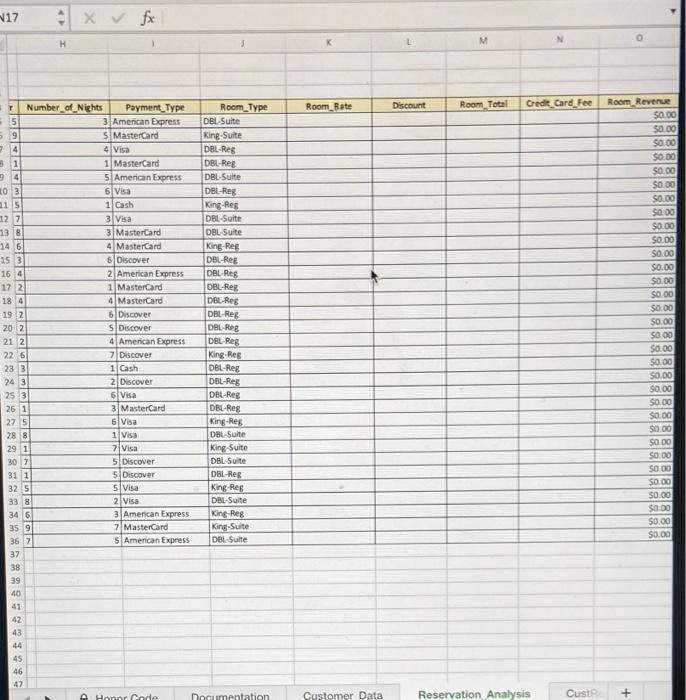
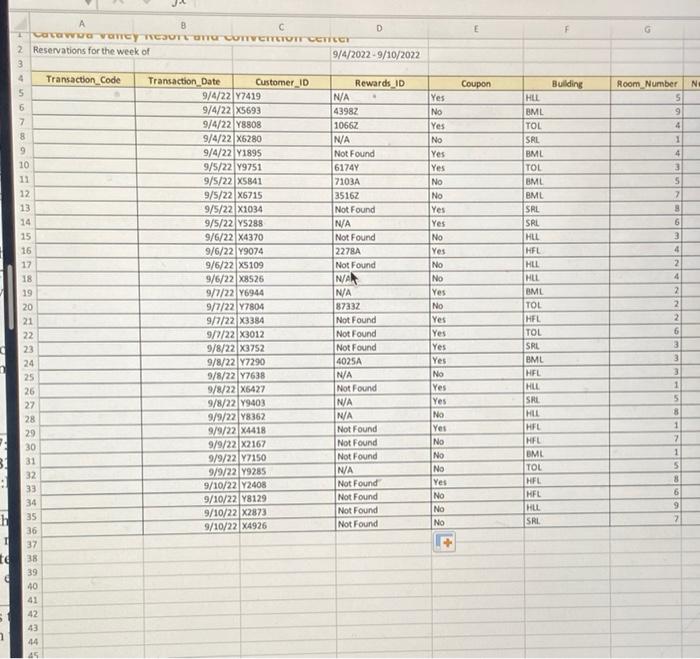
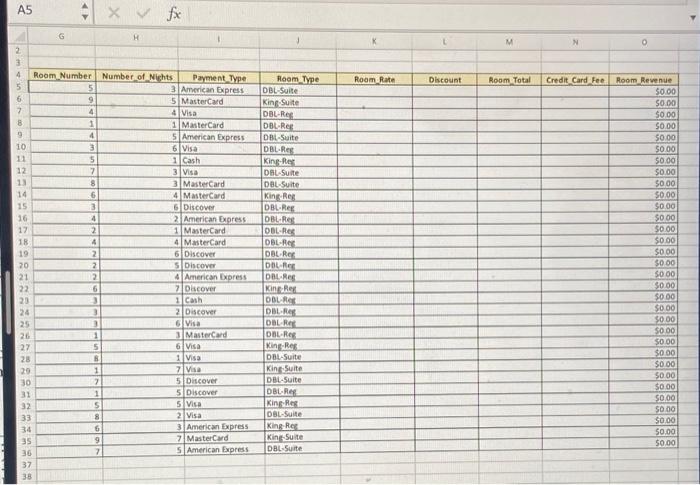
Create a Transaction_Code for each of the transactions on the Reservation_Analysis sheet. Place a formula in cell A5 of the Reservation_Analysis sheet that uses the TEXT, RIGHT, IF and LEFT functions to create a transaction code. The transaction code should begin with the transaction date in YYMMDD format. The date should be followed by a dash (-). The dash should be followed by the last 4 characters of the Customer_ID. The last four characters of the Customer_ID should be followed by the first 2 characters of the Rewards_ID if the customer is a rewards member. If the customer is not a rewards member, the letters XX should be used instead of the first 2 characters of the Rewards_ID. After the first 2 characters of the Rewards_ID or the XX, there should be a dash (). The dash should be followed by the Building code and the Room_Number. For example, a Transaction_Code for a reservation with a Transaction_Date of 9/5/2022, a Customer_ID of X1234, a Rewards_ID of 9876 Y, Building of SRL and Room_Number of 2 would look like this: 220905-123498-SRL 2. Copy the formula in cell A5 to cell range A6:A36. N17 Create a Transaction_Code for each of the transactions on the Reservation_Analysis sheet. Place a formula in cell A5 of the Reservation_Analysis sheet that uses the TEXT, RIGHT, IF and LEFT functions to create a transaction code. The transaction code should begin with the transaction date in YYMMDD format. The date should be followed by a dash (-). The dash should be followed by the last 4 characters of the Customer_ID. The last four characters of the Customer_ID should be followed by the first 2 characters of the Rewards_ID if the customer is a rewards member. If the customer is not a rewards member, the letters XX should be used instead of the first 2 characters of the Rewards_ID. After the first 2 characters of the Rewards_ID or the XX, there should be a dash (). The dash should be followed by the Building code and the Room_Number. For example, a Transaction_Code for a reservation with a Transaction_Date of 9/5/2022, a Customer_ID of X1234, a Rewards_ID of 9876 Y, Building of SRL and Room_Number of 2 would look like this: 220905-123498-SRL 2. Copy the formula in cell A5 to cell range A6:A36. N17
Step by Step Solution
There are 3 Steps involved in it

Get step-by-step solutions from verified subject matter experts
 Study Help