







Question: Please help with the code-filling according the screenshots below and follow the instruction in the last screenshot. Thanks 1. The function takes three arguements, -
Please help with the code-filling according the screenshots below and follow the instruction in the last screenshot. Thanks
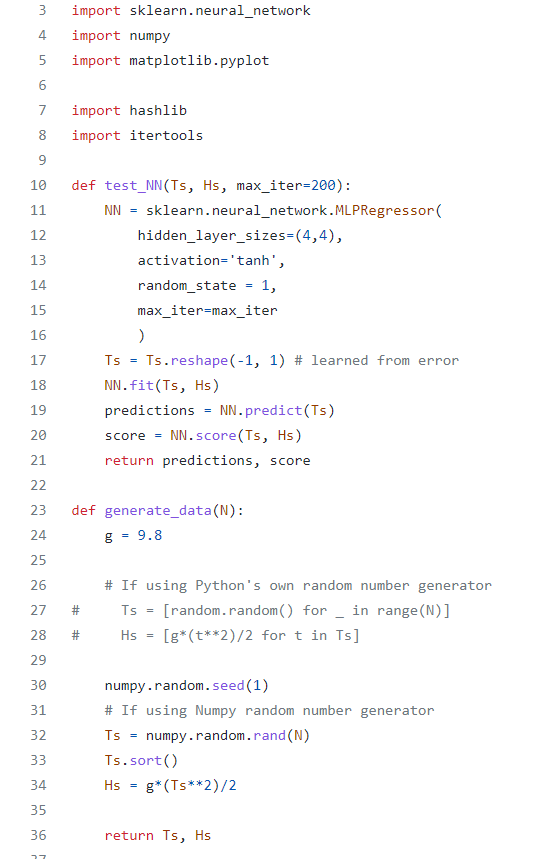
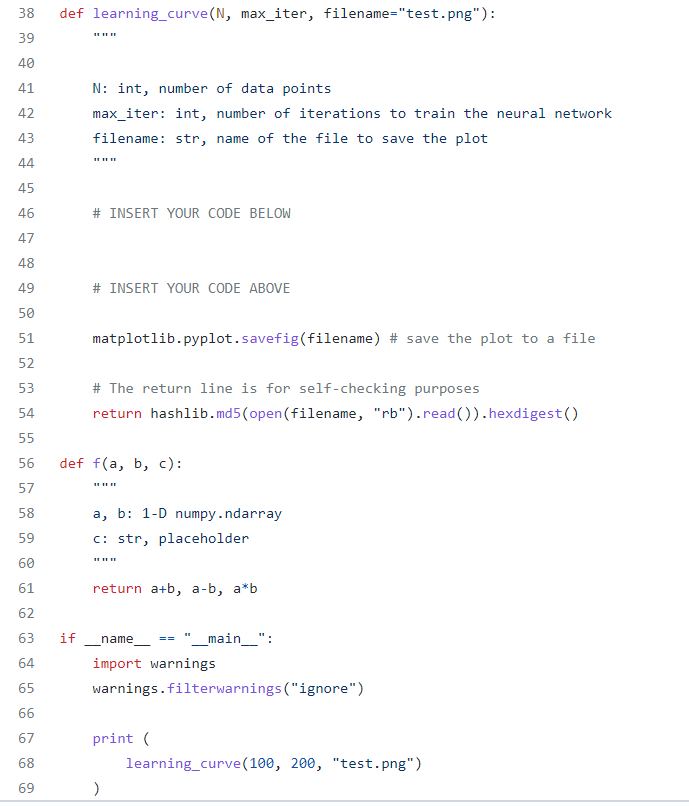
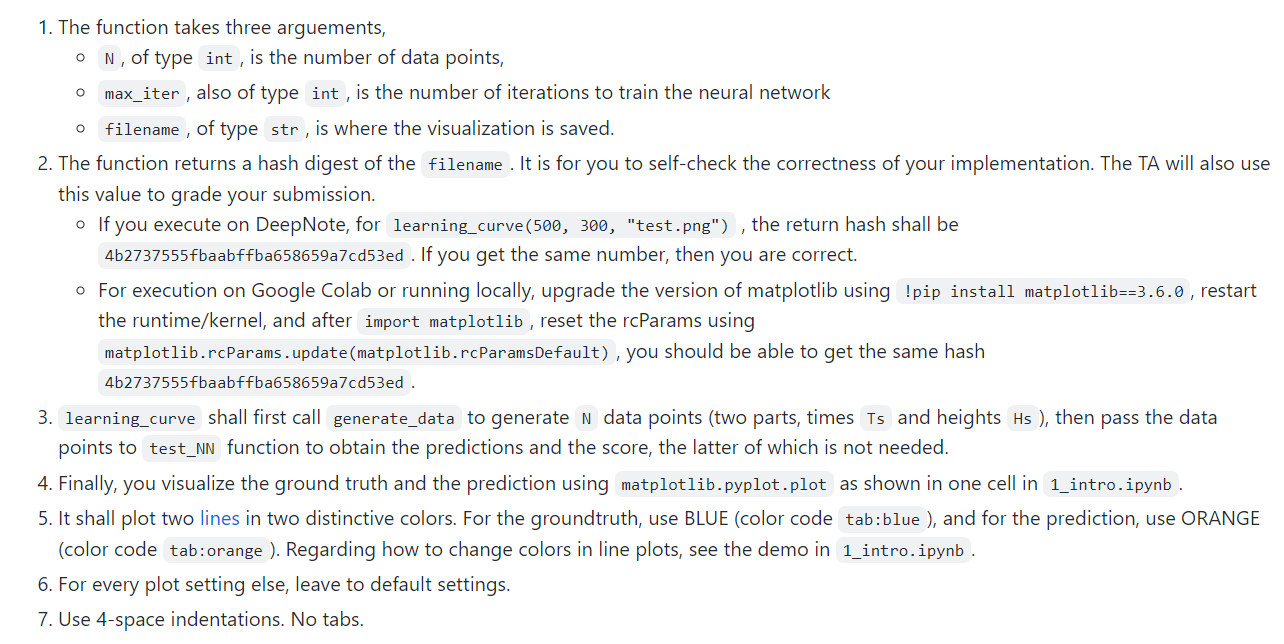
1. The function takes three arguements, - N, of type , is the number of data points, - also of type is the number of iterations to train the neural network of type is where the visualization is saved. 2. The function returns a hash digest of the . It is for you to self-check the correctness of your implementation. The TA will also use this value to grade your submission. - If you execute on DeepNote, for learning_curve(500, 300, "test.png"), the return hash shall be 4b2737555fbaabffba658659a7cd53ed . If you get the same number, then you are correct. - For execution on Google Colab or running locally, upgrade the version of matplotlib using !pip install matplotlib==3.6.0, restart the runtime/kernel, and after_, reset the rcParams using matplotlib.rcParams . update(matplotlib.rcParamsDefault), you should be able to get the same hash 4b2737555fbaabffba658659a7cd53ed . 3. shall first call to generate data points (two parts, times and heights , then pass the data points to function to obtain the predictions and the score, the latter of which is not needed. 4. Finally, you visualize the ground truth and the prediction using matplotlib.pyplot.plot as shown in one cell in 5. It shall plot two lines in two distinctive colors. For the groundtruth, use BLUE (color code , and for the prediction, use ORANGE (color code . Regarding how to change colors in line plots, see the demo in 6. For every plot setting else, leave to default settings. 7. Use 4-space indentations. No tabs
Step by Step Solution
There are 3 Steps involved in it

Get step-by-step solutions from verified subject matter experts
 Study Help