







Question: Please help with this Explore the Weather Dataset with MapReduce jobs I will thumbs up!!! 1. Goto the book website http:/hadoopbook.com/ 2. Click on Code
Please help with this Explore the Weather Dataset with MapReduce jobs
I will thumbs up!!!
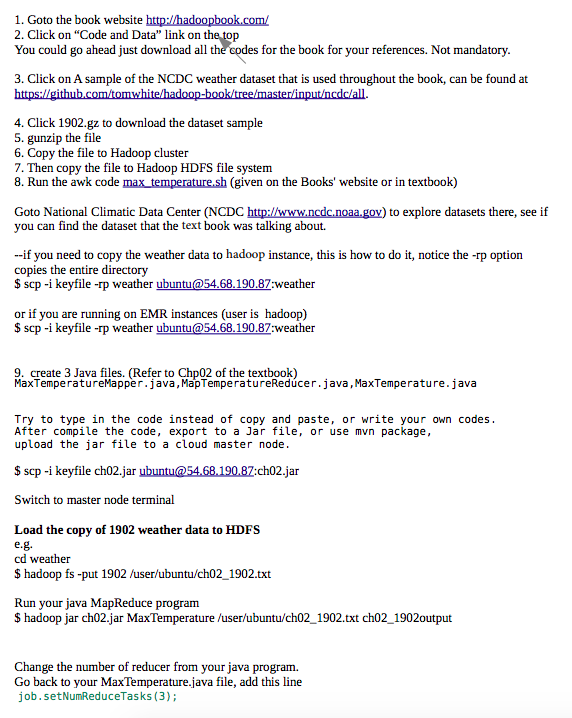
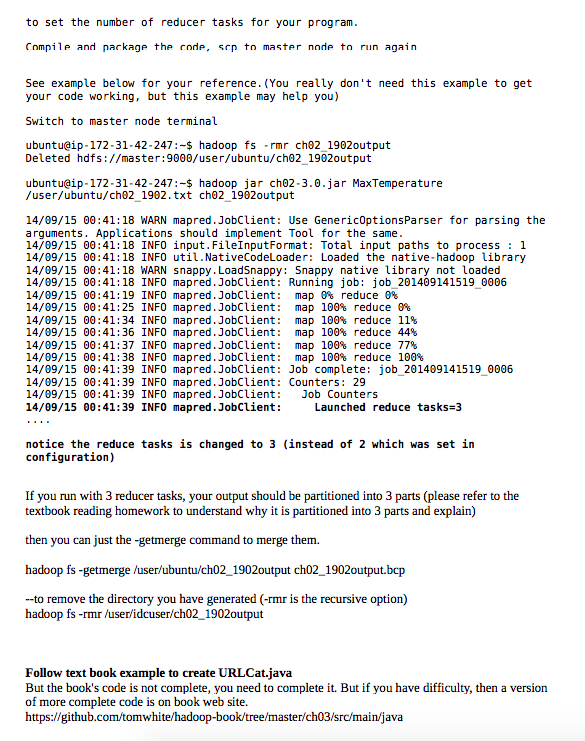
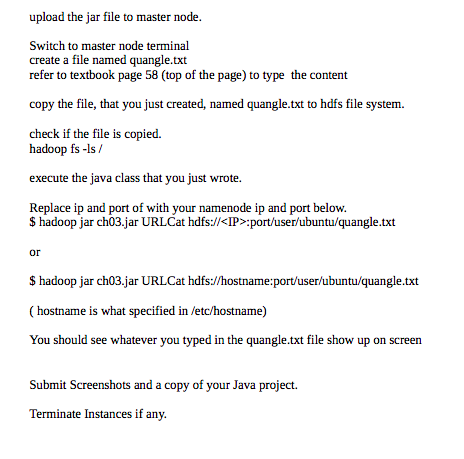
1. Goto the book website http:/hadoopbook.com/ 2. Click on Code and Data" link on t You could go ahead just download l h codes for the book for your references. Not mandatory 3. Click on A sample of the NCDC weather dataset that is used throughout the book, can be found at 4. Click 1902.gz to download the dataset sample 5. gunzip the file 6. Copy the file to Hadoop cluster 7. Then copy the file to Hadoop HDFS file system 8. Run the awk code max temperature.sh (given on the Books' website or in textbook) Goto National Climatic Data Center (NCDC http://www.ncdc.noaa.gov) to explore datasets there, see if you can find the dataset that the text book was talking about. --if you need to copy the weather data to hadoop instance, this is how to do it, notice the -rp option copies the entire directory $ scp -i keyfile -rp weather ubuntu@54.68.190.87 weather or if you are running on EMR instances (user is hadoop) $ scp -i keyfile -rp weather ubuntu@54.68.190.87 weather 9. create 3 Java files. (Refer to Chp02 of the textbook) MaxTemperatureMapper.java, MapTemperatureRedcer.java, MaxTemperature.java Try to type in the code instead of copy and paste, or write your own codes After compile the code, export to a Jar file, or use mvn package, upload the jar file to a cloud master node $ scp-i keyfile ch02.jar ubuntu@5468.190.87:ch02.jar Switch to master node terminal Load the copy of 1902 weather data to HDFS cd weather $ hadoop fs -put 1902 /user/ubuntu/ch02_1902.txt Run your java MapReduce program $ hadoop jar ch02.jar MaxTemperature/user/ubuntu/ch02_1902.txt ch02_1902output Change the number of reducer from your java program. Go back to your MaxTemperature.java file, add this line job.setNumReduceTasks (3) 1. Goto the book website http:/hadoopbook.com/ 2. Click on Code and Data" link on t You could go ahead just download l h codes for the book for your references. Not mandatory 3. Click on A sample of the NCDC weather dataset that is used throughout the book, can be found at 4. Click 1902.gz to download the dataset sample 5. gunzip the file 6. Copy the file to Hadoop cluster 7. Then copy the file to Hadoop HDFS file system 8. Run the awk code max temperature.sh (given on the Books' website or in textbook) Goto National Climatic Data Center (NCDC http://www.ncdc.noaa.gov) to explore datasets there, see if you can find the dataset that the text book was talking about. --if you need to copy the weather data to hadoop instance, this is how to do it, notice the -rp option copies the entire directory $ scp -i keyfile -rp weather ubuntu@54.68.190.87 weather or if you are running on EMR instances (user is hadoop) $ scp -i keyfile -rp weather ubuntu@54.68.190.87 weather 9. create 3 Java files. (Refer to Chp02 of the textbook) MaxTemperatureMapper.java, MapTemperatureRedcer.java, MaxTemperature.java Try to type in the code instead of copy and paste, or write your own codes After compile the code, export to a Jar file, or use mvn package, upload the jar file to a cloud master node $ scp-i keyfile ch02.jar ubuntu@5468.190.87:ch02.jar Switch to master node terminal Load the copy of 1902 weather data to HDFS cd weather $ hadoop fs -put 1902 /user/ubuntu/ch02_1902.txt Run your java MapReduce program $ hadoop jar ch02.jar MaxTemperature/user/ubuntu/ch02_1902.txt ch02_1902output Change the number of reducer from your java program. Go back to your MaxTemperature.java file, add this line job.setNumReduceTasks (3)
Step by Step Solution
There are 3 Steps involved in it

Get step-by-step solutions from verified subject matter experts
 Study Help