





Question: Please help with this!!! In a hurry!!!! //Create a variable form that refers to the ' element in the DOM. let form = document.querySelector('form'); /*
Please help with this!!! In a hurry!!!! //Create a variable form thatPlease help with this!!! In a hurry!!!!

//Create a variable form that refers to the

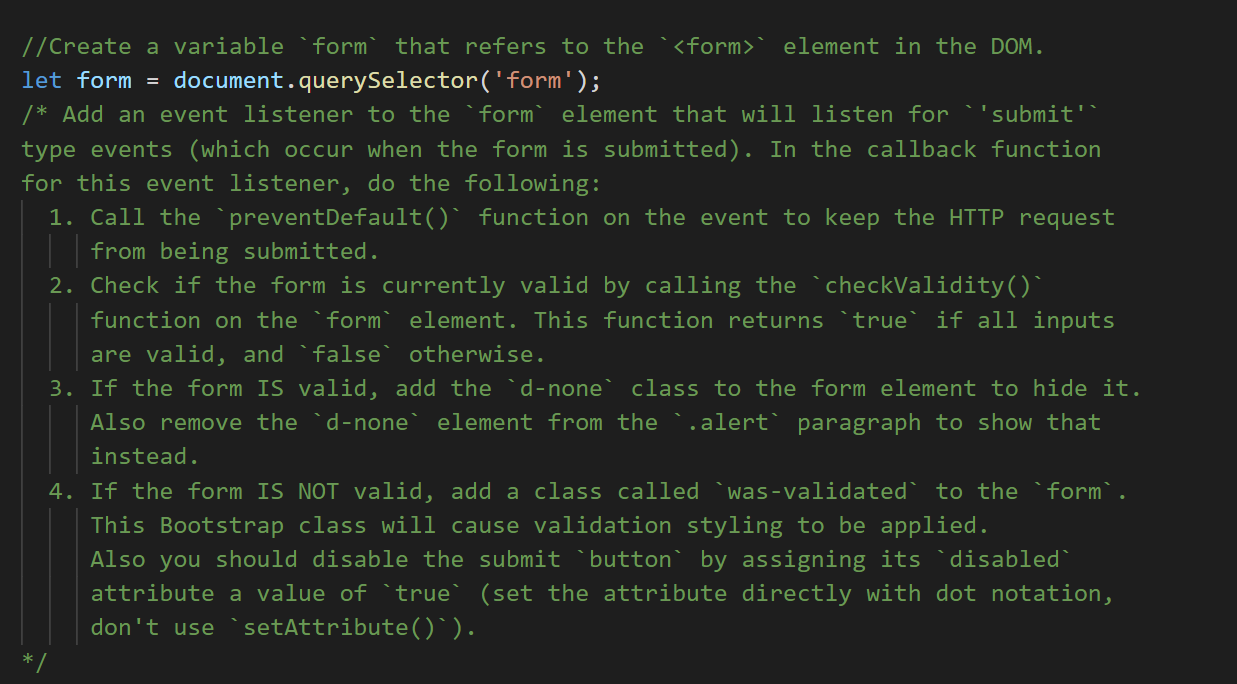
' element in the DOM. let form = document.querySelector('form'); /* Add an event listener to the `form element that will listen for ''submit" type events (which occur when the form is submitted). In the callback function for this event listener, do the following: 1. Call the `preventDefault() function on the event to keep the HTTP request from being submitted. 2. Check if the form is currently valid by calling the checkValidity()` function on the formelement. This function returns 'true' if all inputs are valid, and 'false' otherwise. 3. If the form IS valid, add the `d-none" class to the form element to hide it. Also remove the `d-none' element from the ..alert paragraph to show that instead. 4. If the form IS NOT valid, add a class called Was-validated to the form'. This Bootstrap class will cause validation styling to be applied. Also you should disable the submit button by assigning its disabled attribute a value of 'true' (set the attribute directly with dot notation, don't use setAttribute()^)

Step by Step Solution

There are 3 Steps involved in it

1 Expert Approved Answer
Step: 1 Unlock blur-text-image

Question Has Been Solved by an Expert!

Get step-by-step solutions from verified subject matter experts

Step: 2 Unlock
Step: 3 Unlock

Students Have Also Explored These Related Databases Questions!