



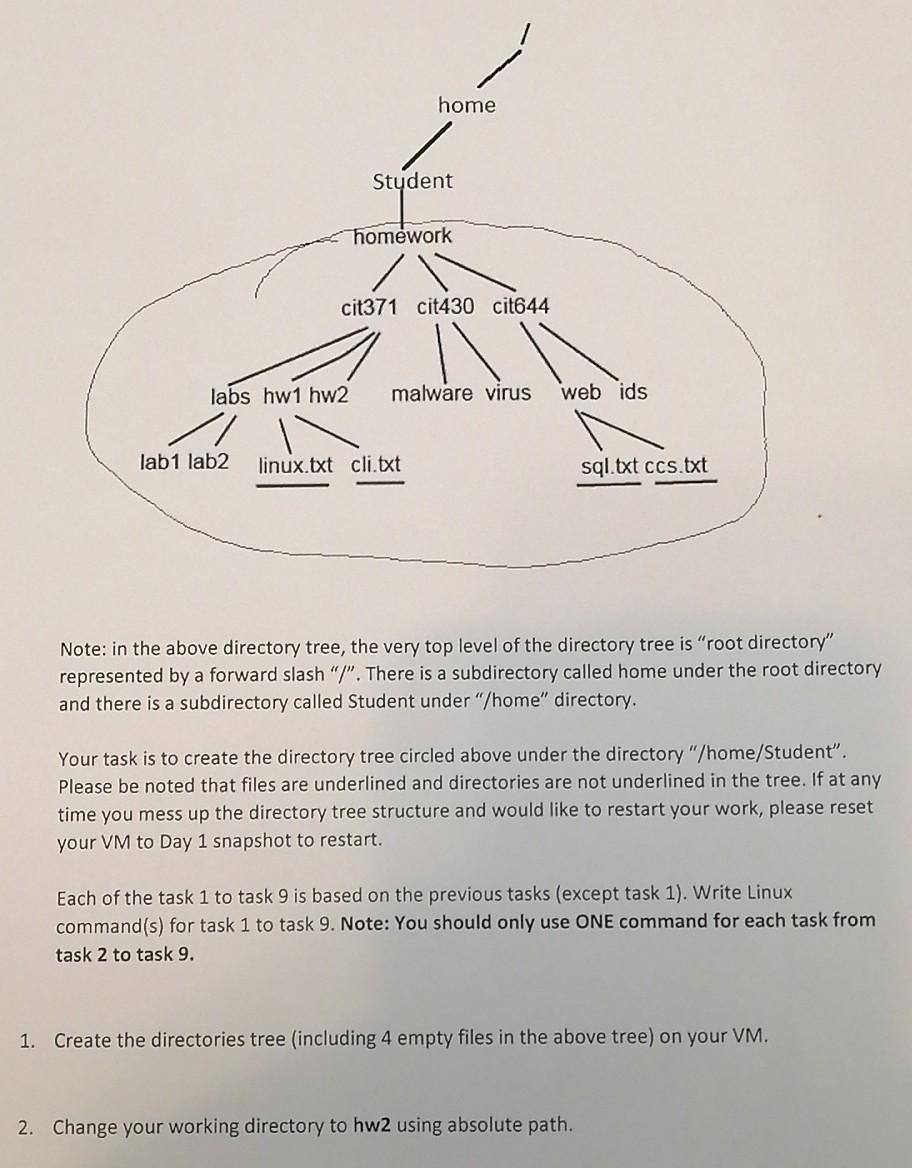
Question: Please I need help with question 6 to 9.thank you home Student homework cit371 cit430 cit644 labs hw1 hw2 malware virus web ids 11 lab1
Please I need help with question 6 to 9.thank you
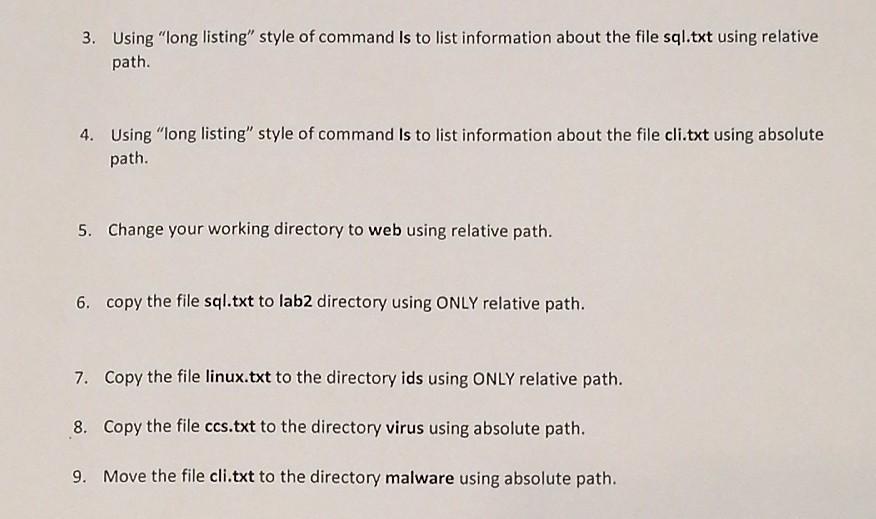
home Student homework cit371 cit430 cit644 labs hw1 hw2 malware virus web ids 11 lab1 lab2 linux.txt cli.txt sql.txt ccs.txt Note: in the above directory tree, the very top level of the directory tree is "root directory" represented by a forward slash "/". There is a subdirectory called home under the root directory and there is a subdirectory called Student under "/home" directory. Your task is to create the directory tree circled above under the directory "/home/Student". Please be noted that files are underlined and directories are not underlined in the tree. If at any time you mess up the directory tree structure and would like to restart your work, please reset your VM to Day 1 snapshot to restart. Each of the task 1 to task 9 is based on the previous tasks (except task 1). Write Linux command(s) for task 1 to task 9. Note: You should only use ONE command for each task from task 2 to task 9. 1. Create the directories tree (including 4 empty files in the above tree) on your VM. 2. Change your working directory to hw2 using absolute path. 3. Using "long listing" style of command is to list information about the file sql.txt using relative path. 4. Using "long listing" style of command Is to list information about the file cli.txt using absolute path. 5. Change your working directory to web using relative path. 6. copy the file sql.txt to lab2 directory using ONLY relative path. 7. Copy the file linux.txt to the directory ids using ONLY relative path. 8. Copy the file ccs.txt to the directory virus using absolute path. 9. Move the file cli.txt to the directory malware using absolute path
Step by Step Solution
There are 3 Steps involved in it

Get step-by-step solutions from verified subject matter experts