







Question: please i need the functions for how to draw a cow and the function how to program the second question Q1: Turtles and Cows [20
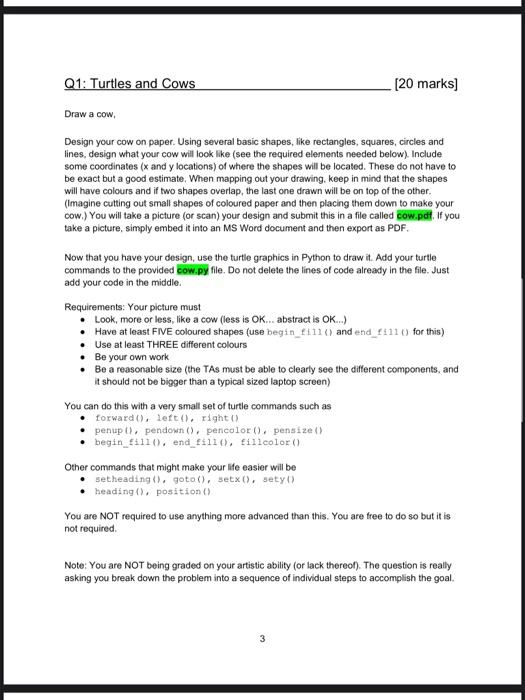
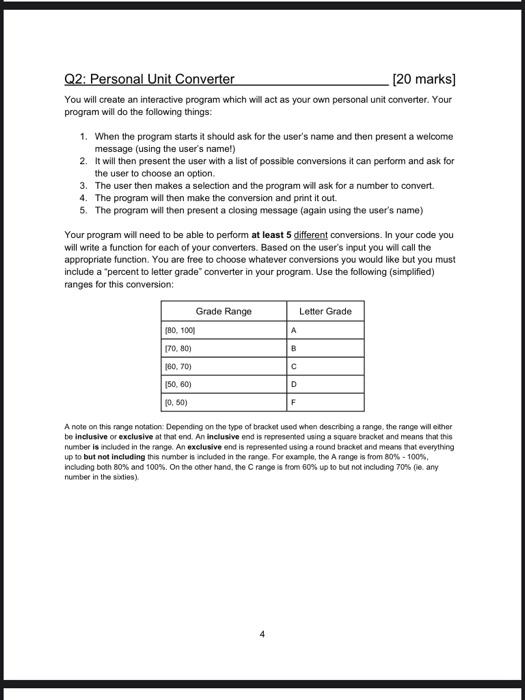
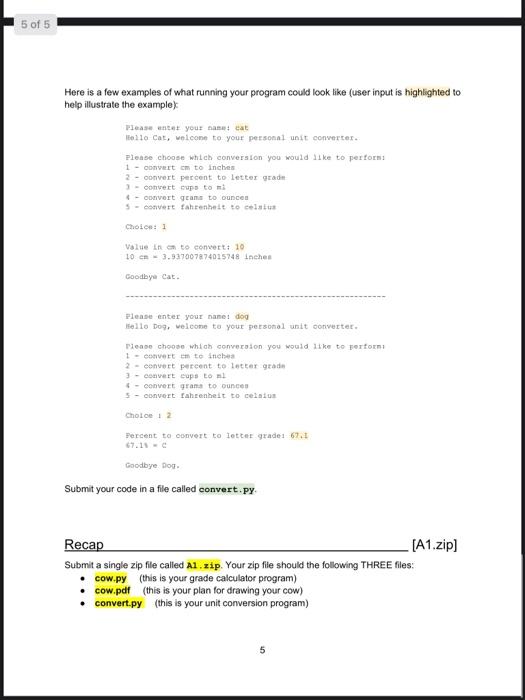
Q1: Turtles and Cows [20 marks) Draw a cow, Design your cow on paper. Using several basic shapes, like rectangles, squares, circles and lines, design what your cow will look like (see the required elements needed below). Include some coordinates (x and y locations) of where the shapes will be located. These do not have to be exact but a good estimate. When mapping out your drawing, keep in mind that the shapes will have colours and if two shapes overlap, the last one drawn will be on top of the other. (Imagine cutting out small shapes of coloured paper and then placing them down to make your cow.) You will take a picture (or scan) your design and submit this in a file called cow.pdf, if you take a picture, simply embed it into an MS Word document and then export as PDF. Now that you have your design, use the turtle graphics in Python to draw it. Add your turtle commands to the provided cow.py file. Do not delete the lines of code already in the file. Just add your code in the middle. Requirements: Your picture must Look, more or less, like a cow (less is OK... abstract is OK...) Have at least FIVE coloured shapes (use begin_f111) and end_f111() for this) Use at least THREE different colours Be your own work Be a reasonable size (the TAs must be able to clearly see the different components, and it should not be bigger than a typical sized laptop screen) You can do this with a very small set of turtle commands such as forward(), left), right) penupt), pendown (), pencolor). pensize) begin 1110), end fill), fillcolor() Other commands that might make your life easier will be . setheading(), goto (), setxo). sety) heading), position) You are NOT required to use anything more advanced than this. You are free to do so but it is not required Note: You are NOT being graded on your artistic ability (or lack thereof). The question is really asking you break down the problem into a sequence of individual steps to accomplish the goal. 3 Q2: Personal Unit Converter [20 marks) You will create an interactive program which will act as your own personal unit converter. Your program will do the following things: 1. When the program starts it should ask for the user's name and then present a welcome message (using the user's name!) 2. It will then present the user with a list of possible conversions it can perform and ask for the user to choose an option. 3. The user then makes a selection and the program will ask for a number to convert 4. The program will then make the conversion and print it out. 5. The program will then present a closing message (again using the user's name) Your program will need to be able to perform at least 5 different conversions. In your code you will write a function for each of your converters. Based on the user's input you will call the appropriate function. You are free to choose whatever conversions you would like but you must include a percent to letter grade" converter in your program. Use the following (simplified) ranges for this conversion: Letter Grade A Grade Range (80, 1001 170, 80) 160.70) B D 150, 60) 10.50) A note on this range notation: Depending on the type of bracket used when describing a range, the range will either be inclusive or exclusive at that end. An inclusive end is represented using a square bracket and means that this number is included in the range. An exclusive end is represented using a round bracket and means that everything up to but not including this number is included in the range. For example, the A range is from 80% - 100% including both 80% and 100%. On the other hand, the range is from 60% up to but not including 70% (ie any number in the sorties) 4 5 of 5 Here is a few examples of what running your program could look like (user input is highlighted to help illustrate the example) Please enter your banat cat tello Cat, welcome to your personal unit converter Please choose which conversion you would like to perform 1 - Convert om to inches 2 - convert percent to Letter grad - convert pups to al 6- convert geams to ounces 5 - convert fahrenheit to celsius Choice: 1 Value in to convert: 10 10 en 3.937007874015748 inches Goodbye Cat. Please enter your name: dog Hello Dos, welcome to your personal unit converter Please choose which conversion you would like to perform 1 - convert om te inchea 2 - convert percent to letter grade 3 - convert cops to al - convert grams to ounces - convert Fahrenheit to celatos Choice 12 Percent to convert to letter grade 1 67.1 Goodbye Dop. Submit your code in a file called convert.py Recap [A1.zip] Submit a single zip file called A1.zip. Your zip file should the following THREE files: cow.py (this is your grade calculator program) cow.pdf (this is your plan for drawing your cow) convert.py (this is your unit conversion program)
Step by Step Solution
There are 3 Steps involved in it

Get step-by-step solutions from verified subject matter experts
 Study Help