







Question: please include formula. 4. Create an Excel worksheet that simulates the Wheel of Fortune. To do so, enter the formula =RANDBETWEEN (1,4) in rows 3
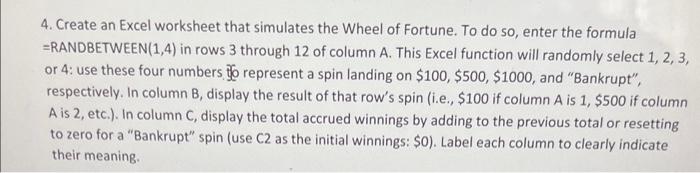
4. Create an Excel worksheet that simulates the Wheel of Fortune. To do so, enter the formula =RANDBETWEEN (1,4) in rows 3 through 12 of column A. This Excel function will randomly select 1, 2, 3, or 4: use these four numbers ito represent a spin landing on $100,$500,$1000, and "Bankrupt", respectively. In column B, display the result of that row's spin (i.e., $100 if column A is 1,$500 if column A is 2 , etc.). In column C, display the total accrued winnings by adding to the previous total or resetting to zero for a "Bankrupt" spin (use C2 as the initial winnings: \$0). Label each column to clearly indicate their meaning
Step by Step Solution
There are 3 Steps involved in it

Get step-by-step solutions from verified subject matter experts
 Study Help