Question: Please. Lab Work: Task 1: Simulate a Virtual Network with an Ethernet Hub 1. Run the Packet Tracer software: 2. Build below connection: Servert (192.168.163.200)

Please.
Please. Lab Work: Task 1: Simulate a Virtual

Please. Lab Work: Task 1: Simulate a Virtual

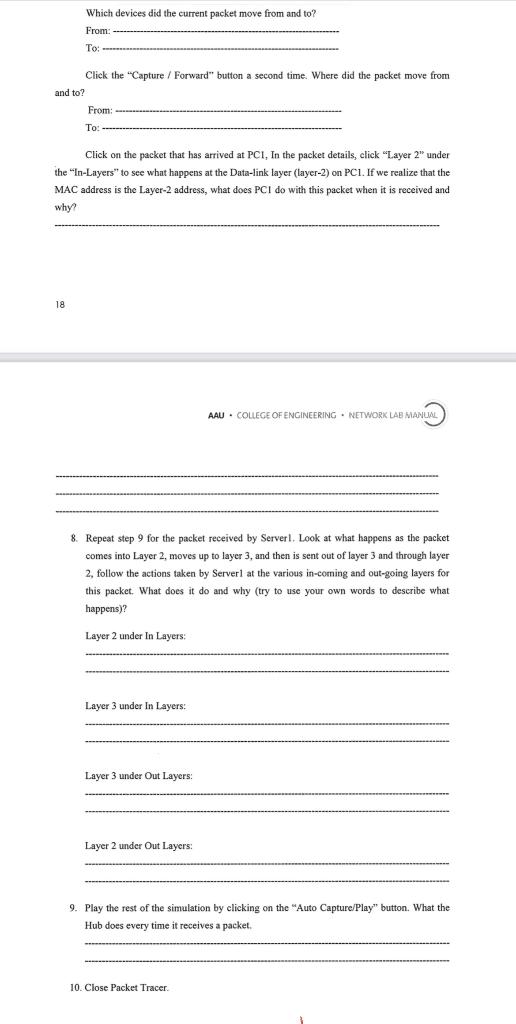
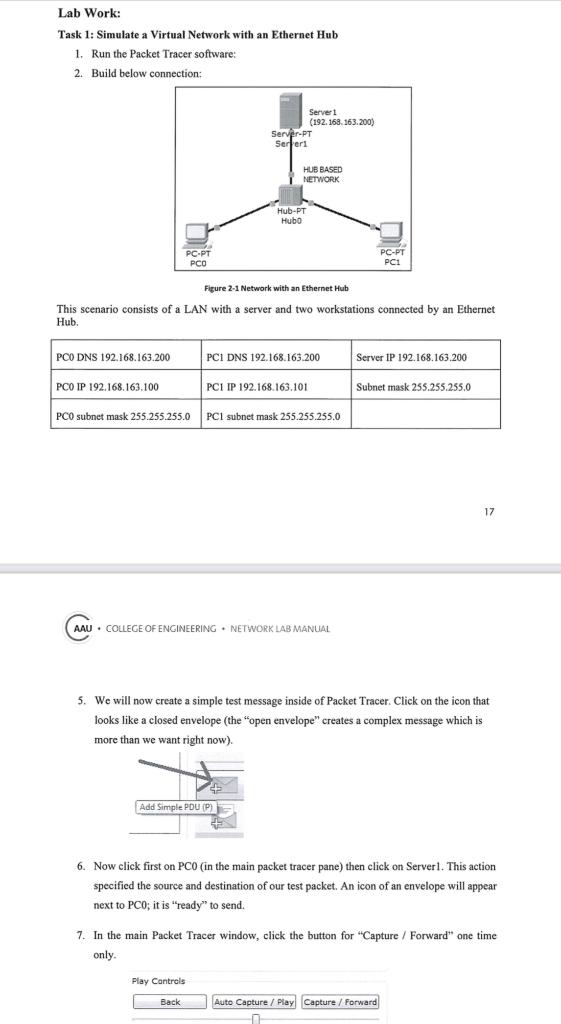
Lab Work: Task 1: Simulate a Virtual Network with an Ethernet Hub 1. Run the Packet Tracer software: 2. Build below connection: Servert (192.168.163.200) Server.PT Serfert HUB BASED NETWORK Hub-PT Hubo PC-PT PCO PC-PT PCI Figure 2-1 Network with an Ethernet Hub This scenario consists of a LAN with a server and two workstations connected by an Ethernet Hub Server IP 192.168.163.200 PCO DNS 192.168.163.200 PCI DNS 192.168.163.200 PCO IP 192.168.163.100 PCI IP 192.168.163.101 PCO subnet mask 255.255.255.0 PCI subnet mask 255.255.255.0 Subnet mask 255.255.255.0 17 AAU. COLLEGE OF ENGINEERING NETWORK LAB MANUAL 5. We will now create a simple test message inside of Packet Tracer. Click on the icon that looks like a closed envelope (the "open envelope" creates a complex message which is more than we want right now). Add Simple PDU (P) 6. Now click first on PCO (in the main packet tracer pane) then click on Server1. This action specified the source and destination of our test packet. An icon of an envelope will appear next to PCO; it is ready to send. 7. In the main Packet Tracer window, click the button for "Capture / Forward" one time only. Play Controls Back Auto Capture / Playl Capture / Forward Which devices did the current packet move from and to? From: To: Click the "Capture / Forward" button a second time. Where did the packet move from and to? From: To: - Click on the packet that has arrived at PCI, In the packet details, click "Layer 2" under the "In-Layers" to see what happens at the Data-link layer (layer-2) on PC1. If we realize that the MAC address is the Layer-2 address, what does PCI do with this packet when it is received and why? 18 AAU - COLLEGE OF ENGINEERING - NETWORK LAB MANU 8. Repeat step 9 for the packet received by Serverl. Look at what happens as the packet comes into Layer 2, moves up to layer 3, and then is sent out of layer 3 and through layer 2, follow the actions taken by Server at the various in-coming and out-going layers for this packet. What does it do and why (try to use your own words to describe what happens)? Layer 2 under In Layers: Layer 3 under In Layers: Layer 3 under Out Layers: Layer 2 under Out Layers: 9. Play the rest of the simulation by clicking on the "Auto Capture/Play" button. What the Hub does every time it receives a packet 10. Close Packet Tracer

Step by Step Solution

There are 3 Steps involved in it

1 Expert Approved Answer
Step: 1 Unlock blur-text-image

Question Has Been Solved by an Expert!

Get step-by-step solutions from verified subject matter experts

Step: 2 Unlock
Step: 3 Unlock

Students Have Also Explored These Related General Management Questions!