







Question: Please label variables and functions clearly to make it easier to follow. Before you begin Make a new project for this lab Create sentiment.py Grab
Please label variables and functions clearly to make it easier to follow.
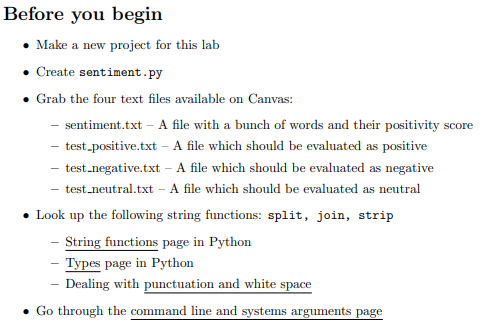
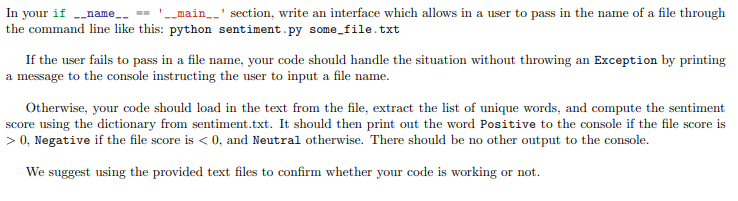
Before you begin Make a new project for this lab Create sentiment.py Grab the four text files available on Canvas: sentiment.txt A file with a bunch of words and their positivity score test-positive.txt - A file which should be evaluated as positive test-negative.txt - A file which should be evaluated as negative test-neutral.txt - A file which should be evaluated as neutral Look up the following string functions: split, join, strip String functions page in Python - Types page in Python - Dealing with punctuation and white space . Go through the command line and systems arguments page In your if __name_- |__main__' section, write an interface which allows in a user to pass in the name of a file through the command line like this: python sentiment.py some_file.txt If the user fails to pass in a file name, your code should handle the situation without throwing an Exception by printing a message to the console instructing the user to input a file name. Otherwise, your code should load in the text from the file, extract the list of unique words, and compute the sentiment score using the dictionary from sentiment.txt. It should then print out the word Positive to the console if the file score is > 0, Negative if the file score is
Step by Step Solution
There are 3 Steps involved in it

Get step-by-step solutions from verified subject matter experts
 Study Help