







Question: Please make a C# ASCII code that can open in command prompt. Using visual studio. This lab will let you exercise your creative side by
Please make a C# ASCII code that can open in command prompt. Using visual studio.
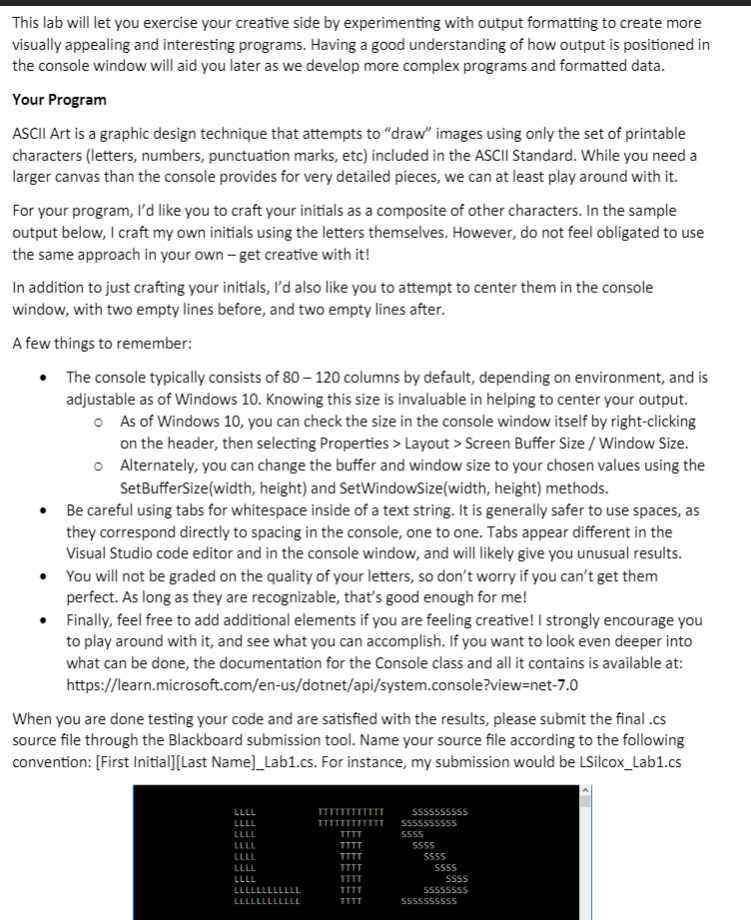
This lab will let you exercise your creative side by experimenting with output formatting to create more visually appealing and interesting programs. Having a good understanding of how output is positioned in the console window will aid you later as we develop more complex programs and formatted data. Your Program ASCII Art is a graphic design technique that attempts to "draw" images using only the set of printable characters (letters, numbers, punctuation marks, etc) included in the ASCII Standard. While you need a larger canvas than the console provides for very detailed pieces, we can at least play around with it. For your program, I'd like you to craft your initials as a composite of other characters. In the sample output below, I craft my own initials using the letters themselves. However, do not feel obligated to use the same approach in your own - get creative with it! In addition to just crafting your initials, I'd also like you to attempt to center them in the console window, with two empty lines before, and two empty lines after. A few things to remember: - The console typically consists of 80 - 120 columns by default, depending on environment, and is adjustable as of Windows 10 . Knowing this size is invaluable in helping to center your output. As of Windows 10, you can check the size in the console window itself by right-clicking on the header, then selecting Properties > Layout > Screen Buffer Size / Window Size. Alternately, you can change the buffer and window size to your chosen values using the SetBufferSize(width, height) and SetWindowSize(width, height) methods. - Be careful using tabs for whitespace inside of a text string. It is generally safer to use spaces, as they correspond directly to spacing in the console, one to one. Tabs appear different in the Visual Studio code editor and in the console window, and will likely give you unusual results. - You will not be graded on the quality of your letters, so don't worry if you can't get them perfect. As long as they are recognizable, that's good enough for me! - Finally, feel free to add additional elements if you are feeling creative! I strongly encourage you to play around with it, and see what you can accomplish. If you want to look even deeper into what can be done, the documentation for the Console class and all it contains is available at: https://learn.microsoft.com/en-us/dotnet/api/system.console?view=net-7.0 When you are done testing your code and are satisfied with the results, please submit the final .cs source file through the Blackboard submission tool. Name your source file according to the following convention: [First Initial][Last Name]_Lab1.cs. For instance, my submission would be LSilcox_Lab1.cs
Step by Step Solution
There are 3 Steps involved in it

Get step-by-step solutions from verified subject matter experts
 Study Help