







Question: please make flow chart in microsoft word Question 4: Hypothesis: A newly recruited Supply chain manager wants to understand the reporting feature from the supply
please make flow chart in microsoft word 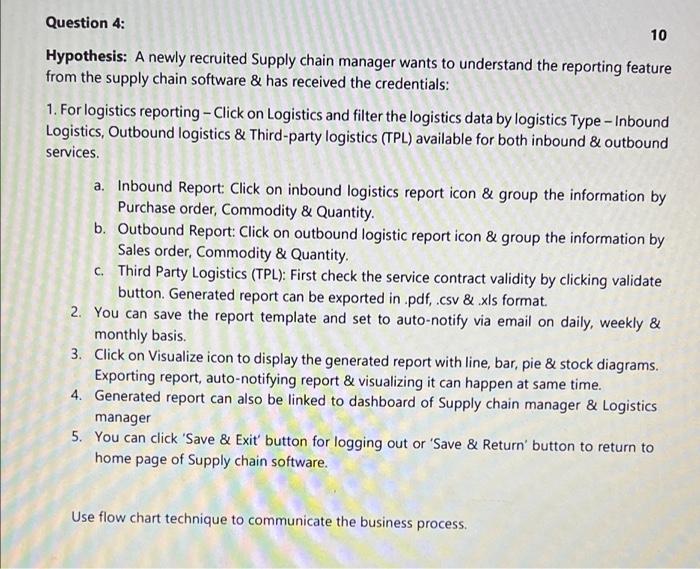
Question 4: Hypothesis: A newly recruited Supply chain manager wants to understand the reporting feature from the supply chain software & has received the credentials: 10 1. For logistics reporting - Click on Logistics and filter the logistics data by logistics Type - Inbound Logistics, Outbound logistics & Third-party logistics (TPL) available for both inbound & outbound services. a. Inbound Report: Click on inbound logistics report icon & group the information by Purchase order, Commodity & Quantity. b. Outbound Report: Click on outbound logistic report icon & group the information by Sales order, Commodity & Quantity. c. Third Party Logistics (TPL): First check the service contract validity by clicking validate button. Generated report can be exported in .pdf, .csv & .xls format. 2. You can save the report template and set to auto-notify via email on daily, weekly & monthly basis. 3. Click on Visualize icon to display the generated report with line, bar, pie & stock diagrams. Exporting report, auto-notifying report & visualizing it can happen at same time. 4. Generated report can also be linked to dashboard of Supply chain manager & Logistics manager 5. You can click 'Save & Exit' button for logging out or 'Save & Return' button to return to home page of Supply chain software. Use flow chart technique to communicate the business process Step by Step Solution
There are 3 Steps involved in it
1 Expert Approved Answer
Step: 1 Unlock

Question Has Been Solved by an Expert!
Get step-by-step solutions from verified subject matter experts
Step: 2 Unlock
Step: 3 Unlock
 Study Help