







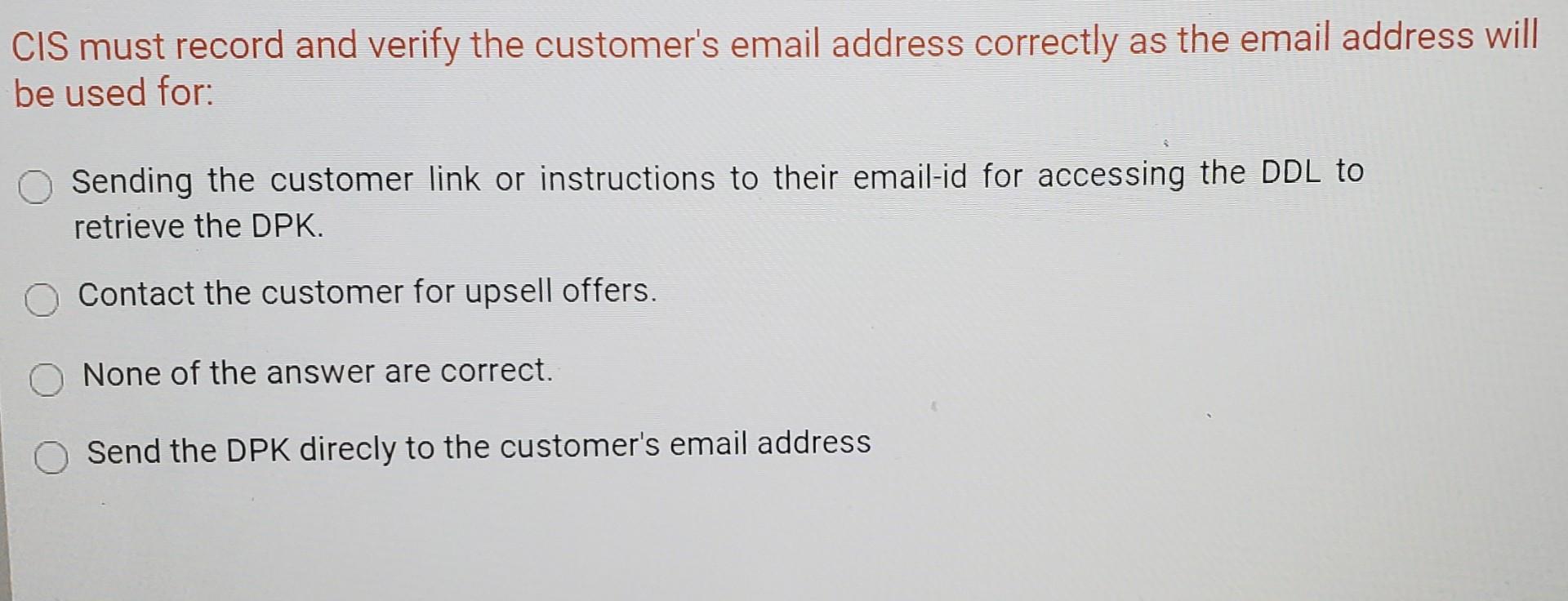
Question: please need asap question reference CIS must record and verify the customer's email address correctly as the email address will be used for: Sending the
please need asap
question
reference
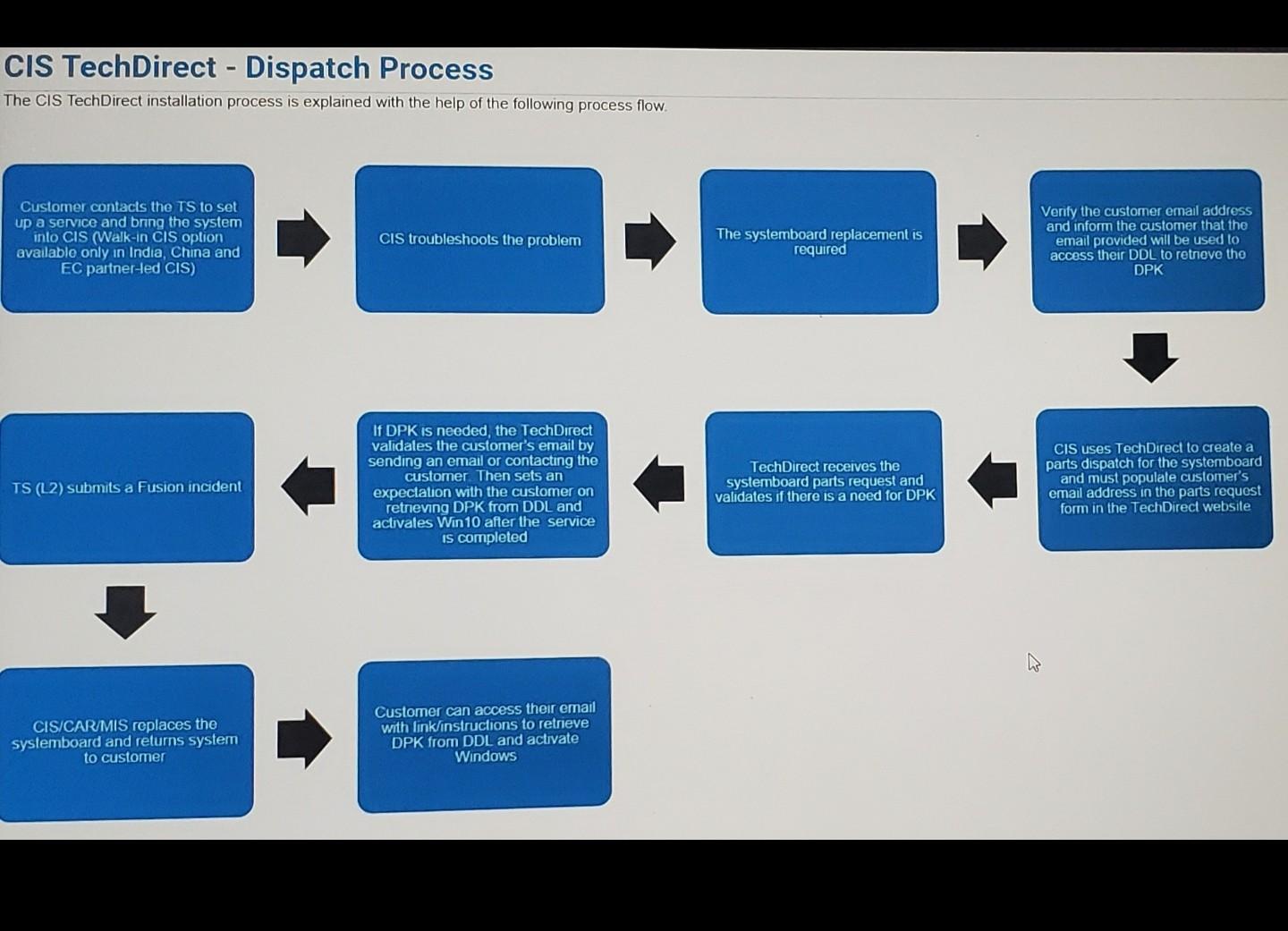
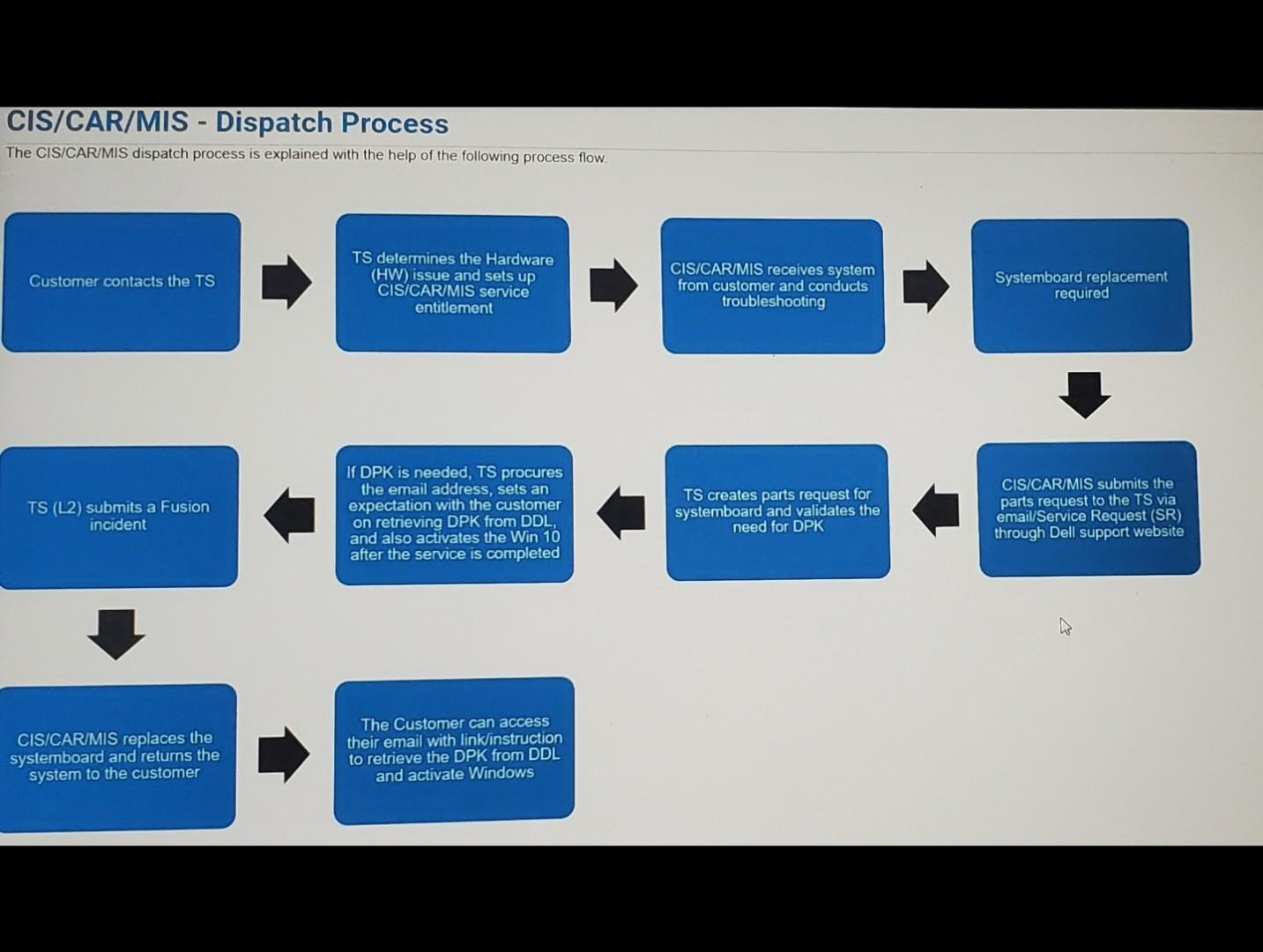
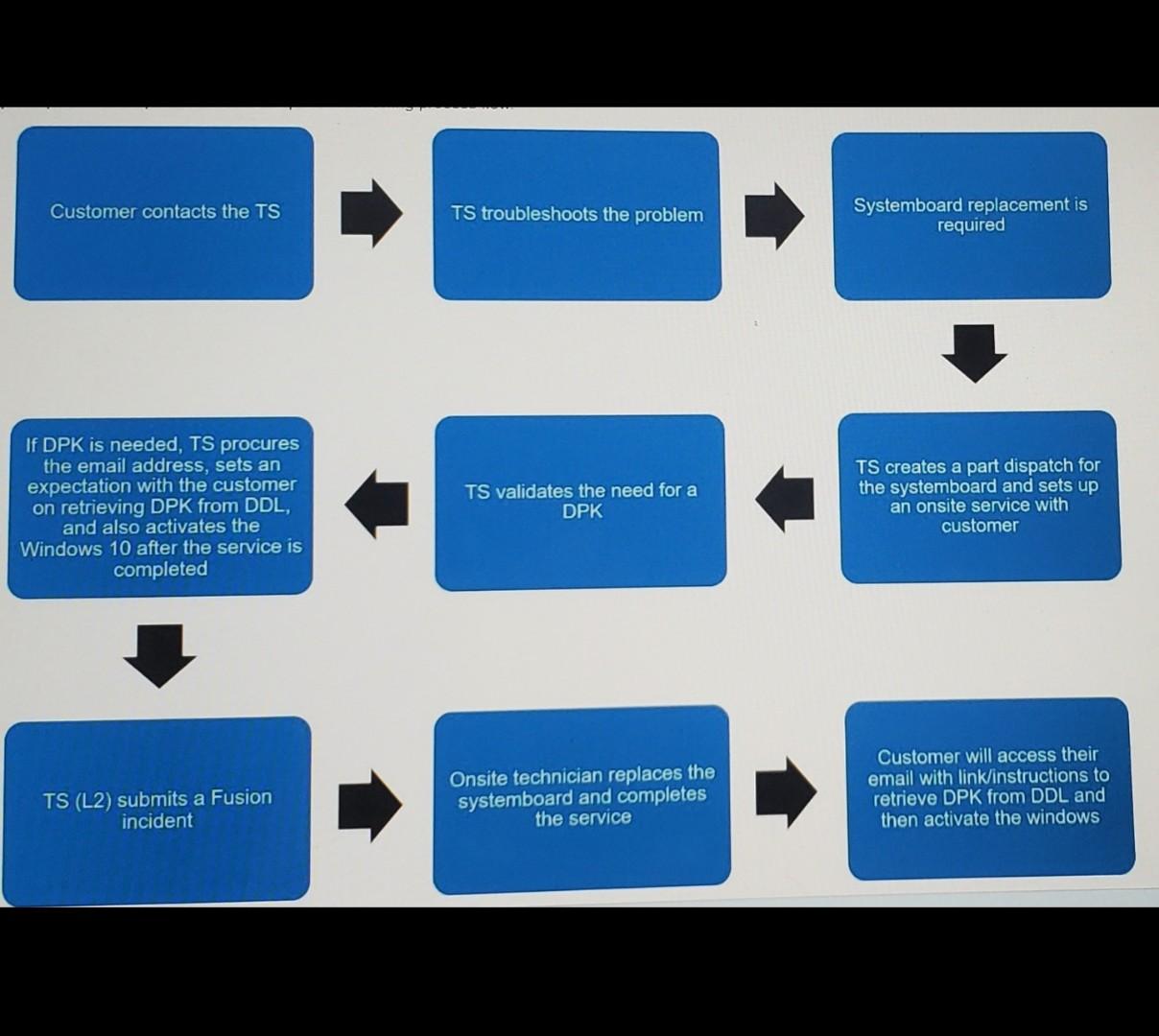
CIS must record and verify the customer's email address correctly as the email address will be used for: Sending the customer link or instructions to their email-id for accessing the DDL to retrieve the DPK. Contact the customer for upsell offers. None of the answer are correct. Send the DPK direcly to the customer's email address CIS TechDirect - Dispatch Process The CIS TechDirect installation process is explained with the help of the following process flow Customer contacts the TS to set up a service and bring the system into CIS (Walk-in CIS option available only in India, China and EC partner-led CIS) CIS troubleshoots the problem The systemboard replacement is required Verify the customer ernail address and inform the customer that the email provided will be used to access their DDL to retrove the DPK If DPK is needed, the TechDirect validates the customer's email by sending an email or contacting the customer. Then sets an expectation with the customer on retrieving DPK from DDL and activales Win10 after the service IS completed TS (L2) submits a Fusion incident CIS uses Tech Direct to create a parts dispatch for the systemboard and must populate customer's email address in the parts request form in the TechDirect website TechDirect receives the systemboard parts request and validates if there is a need for DPK CIS/CARMIS replaces the systemboard and returns system to customer Customer can access their email with link/instructions to retrieve DPK from DDL and activate Windows CIS/CAR/MIS - Dispatch Process The CIS/CAR/MIS dispatch process is explained with the help of the following process flow Customer contacts the TS TS determines the Hardware (HW) issue and sets up CIS/CAR/MIS service entitlement CIS/CAR/MIS receives system from customer and conducts troubleshooting Systemboard replacement required TS (L2) submits a Fusion incident If DPK is needed, TS procures the email address, sets an expectation with the customer on retrieving DPK from DDL, and also activates the Win 10 after the service is completed TS creates parts request for systemboard and validates the need for DPK CIS/CAR/MIS submits the parts request to the TS via email/Service Request (SR) through Dell support website CIS/CAR/MIS replaces the systemboard and returns the system to the customer The Customer can access their email with linklinstruction to retrieve the DPK from DDL and activate Windows Customer contacts the TS TS troubleshoots the problem Systemboard replacement is required If DPK is needed, procures the email address, sets an expectation with the customer on retrieving DPK from DDL, and also activates the Windows 10 after the service is completed TS validates the need for a DPK TS creates a part dispatch for the systemboard and sets up an onsite service with customer Customer will access their email with link/instructions to retrieve DPK from DDL and then activate the windows Onsite technician replaces the systemboard and completes the service TS (L2) submits a Fusion incident
Step by Step Solution
There are 3 Steps involved in it

Get step-by-step solutions from verified subject matter experts
 Study Help