







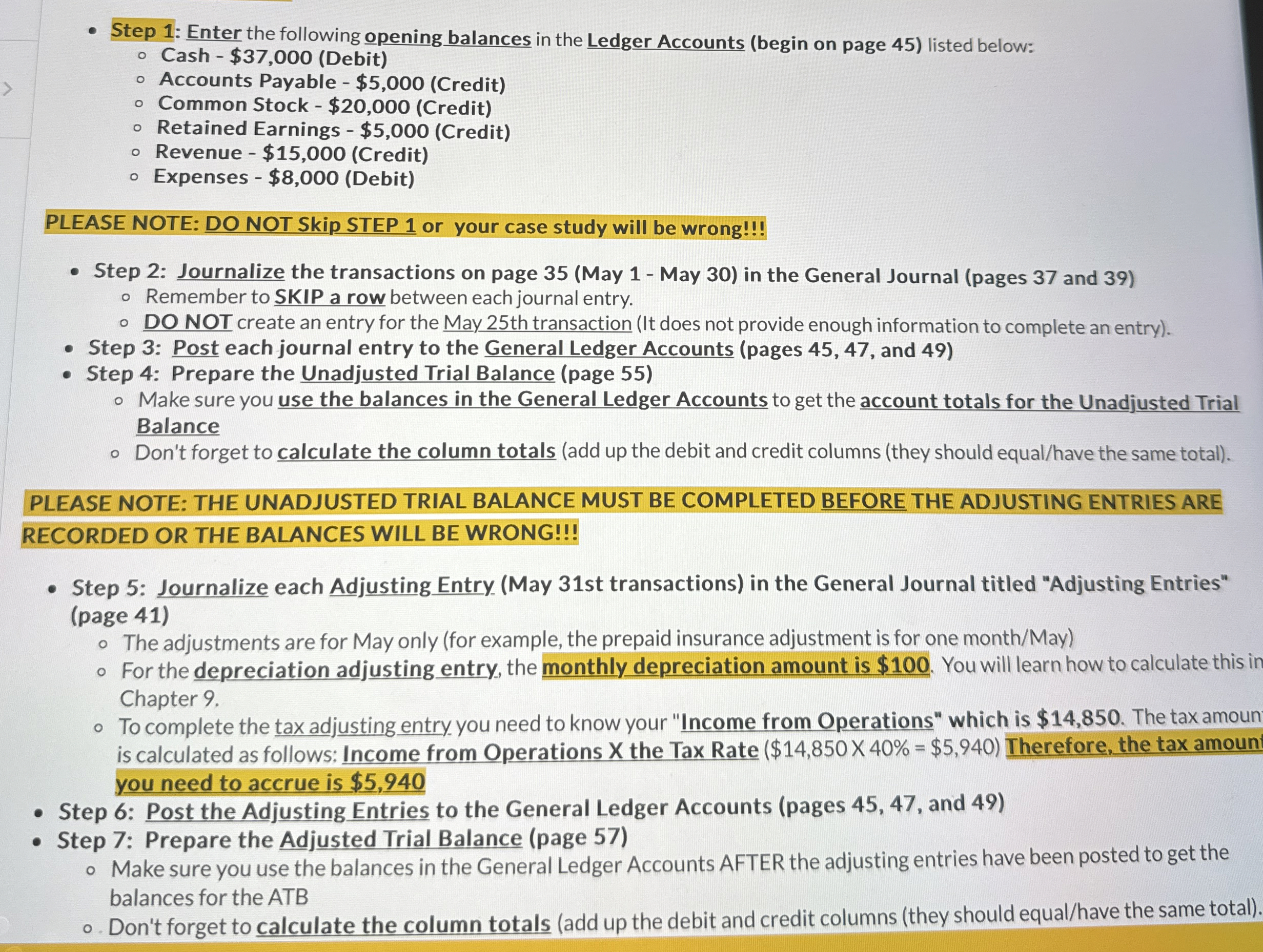
Question: PLEASE NOTE: DO NOT Skip STEP 1 or your case study will be wrong!!! Step 2 : Journalize the transactions on page 3 5 (
PLEASE NOTE: DO NOT Skip STEP or your case study will be wrong!!!
Step : Journalize the transactions on page May May in the General Journal pages and
Remember to SKIP a row between each journal entry.
DO NOT create an entry for the May th transaction It does not provide enough information to complete an entry
Step : Post each journal entry to the General Ledger Accounts pages and
Step : Prepare the Unadjusted Trial Balance page
Make sure you use the balances in the General Ledger Accounts to get the account totals for the Unadjusted Trial
Balance
Don't forget to calculate the column totals add up the debit and credit columns they should equalhave the same total
PLEASE NOTE: THE UNADJUSTED TRIAL BALANCE MUST BE COMPLETED BEFORE THE ADJUSTING ENTRIES ARE
RECORDED OR THE BALANCES WILL BE WRONG!!!
Step : Journalize each Adjusting Entry May st transactions in the General Journal titled "Adjusting Entries"
page
The adjustments are for May only for example, the prepaid insurance adjustment is for one monthMay
For the depreciation adjusting entry, the monthly depreciation amount is $ You will learn how to calculate this in
Chapter
To complete the tax adjusting entry you need to know your "Income from Operations" which is $ The tax amoun
is calculated as follows: Income from Operations the Tax Rate $$ Therefore, the tax amoun
you need to accrue is $
Step : Post the Adjusting Entries to the General Ledger Accounts pages and
Step : Prepare the Adjusted Trial Balance page
Make sure you use the balances in the General Ledger Accounts AFTER the adjusting entries have been posted to get the
balances for the ATB
o Don't forget to calculate the column totals add up the debit and credit columns they should equalhave the same total
Step by Step Solution
There are 3 Steps involved in it
1 Expert Approved Answer
Step: 1 Unlock

Question Has Been Solved by an Expert!
Get step-by-step solutions from verified subject matter experts
Step: 2 Unlock
Step: 3 Unlock
 Study Help