







Question: Please only use C++ to write the program. READ THE INSTRUCTIONS VERY CAREFULLY!!! The required rectangleType and boxType files from the instructions will be included
Please only use C++ to write the program. READ THE INSTRUCTIONS VERY CAREFULLY!!! The required rectangleType and boxType files from the instructions will be included below.
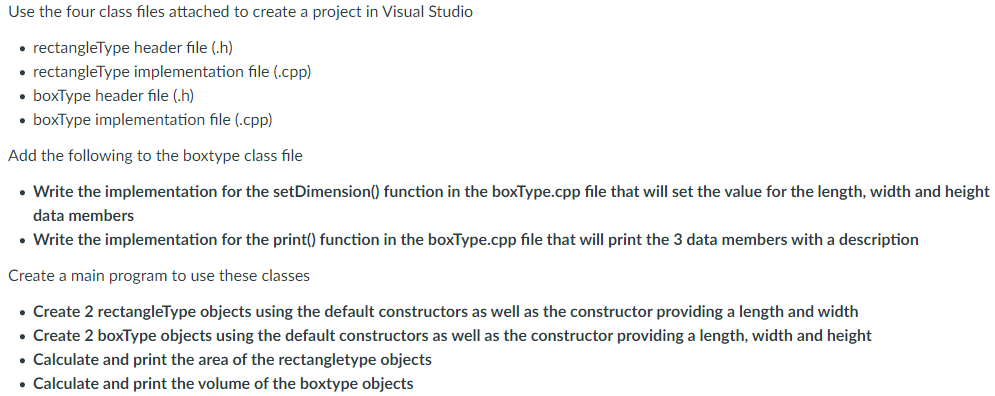
rectangleType.h file
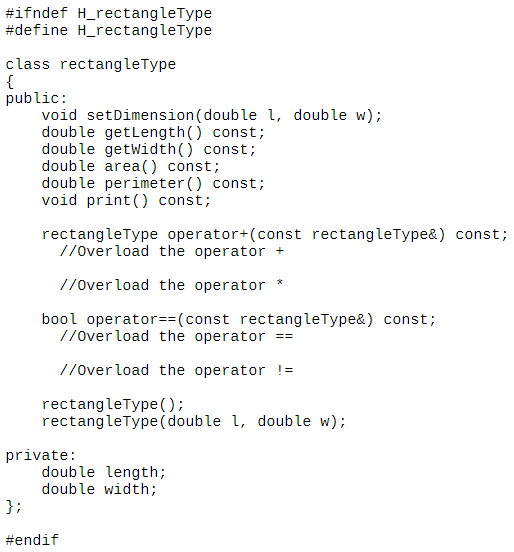
rectangleType Implementation file
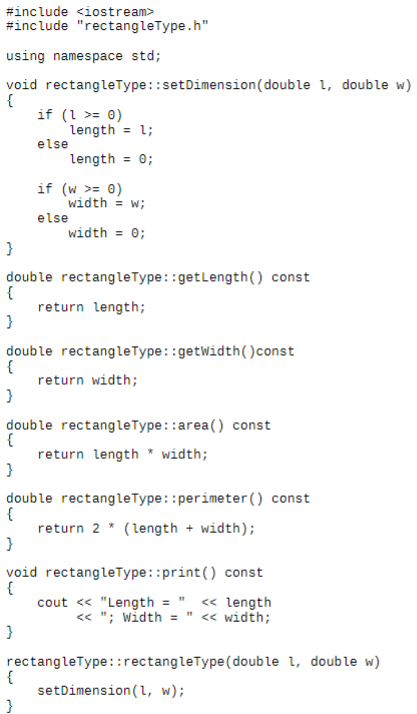
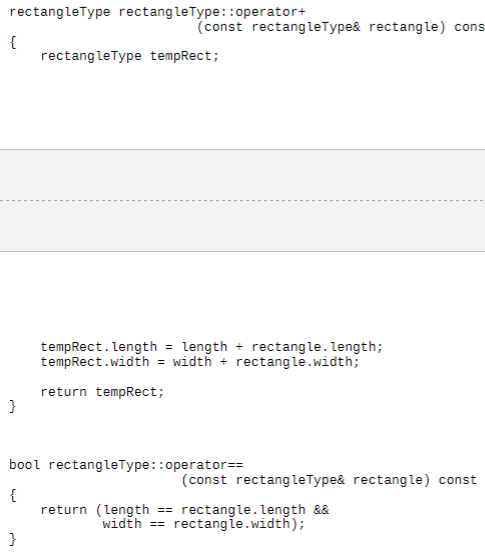
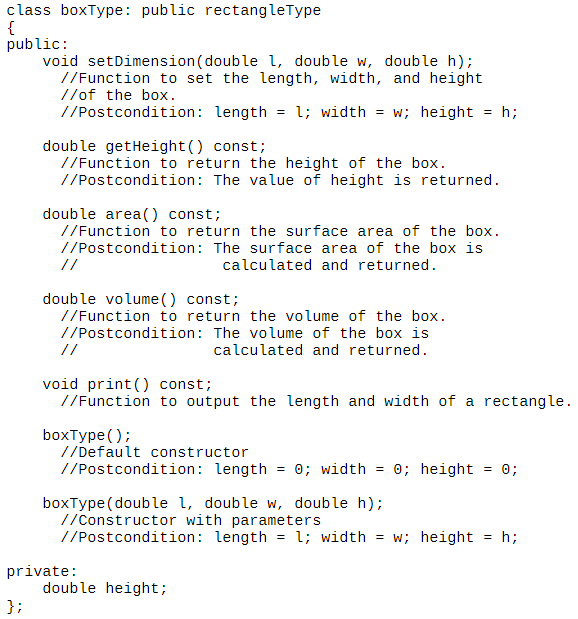
boxType.h file
boxType Implementation file
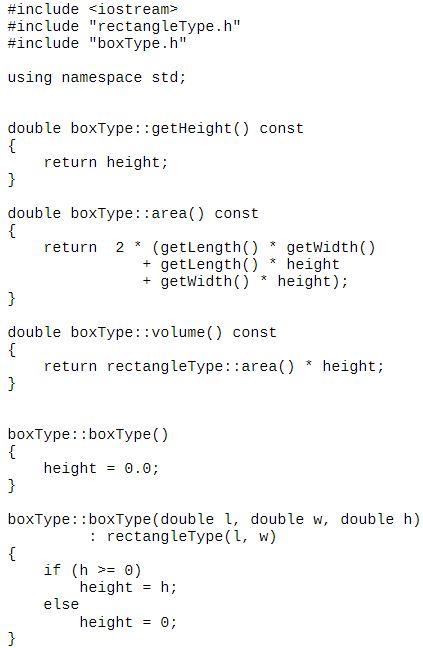
Use the four class files attached to create a project in Visual Studio rectangleType header file (.h) rectangleType implementation file (.cpp) boxType header file (.h) boxType implementation file (.cpp) Add the following to the boxtype class file Write the implementation for the setDimension() function in the boxType.cpp file that will set the value for the length, width and height data members Write the implementation for the print() function in the boxType.cpp file that will print the 3 data members with a description Create a main program to use these classes Create 2 rectangleType objects using the default constructors as well as the constructor providing a length and width Create 2 boxType objects using the default constructors as well as the constructor providing a length, width and height Calculate and print the area of the rectangletype objects Calculate and print the volume of the boxtype objects #ifndef H_rectangleType #define H_rectangle Type class rectangle Type { public: void setDimension (double l, double w); double getLength() const; double getWidth() const; double area() const; double perimeter() const; void print() const; rectangleType operator+(const rectangleType&) const; I/Over load the operator + //overload the operator * bool operator==(const rectangle Type&) const; I/Overload the operator == I/Overload the operator != rectangleType(); rectangleType(double i, double w); private: double length; double width; }; #endif #include
Step by Step Solution
There are 3 Steps involved in it

Get step-by-step solutions from verified subject matter experts
 Study Help