







Question: PLEASE ONLY USE VERY BASIC JAVAFX Lab 03: GUI, Inner classes and Binary 10 Part 1: Inner Classes (6 points) Overview Read all of Problem
 PLEASE ONLY USE VERY BASIC JAVAFX
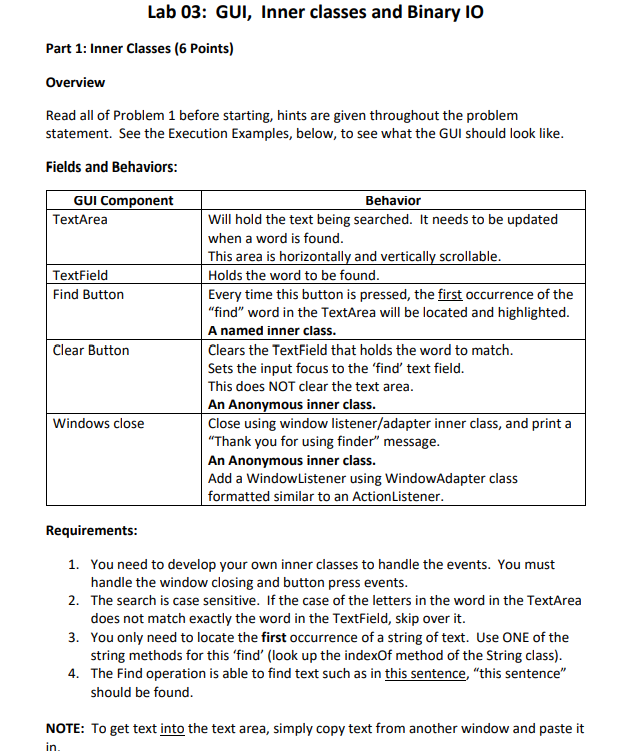
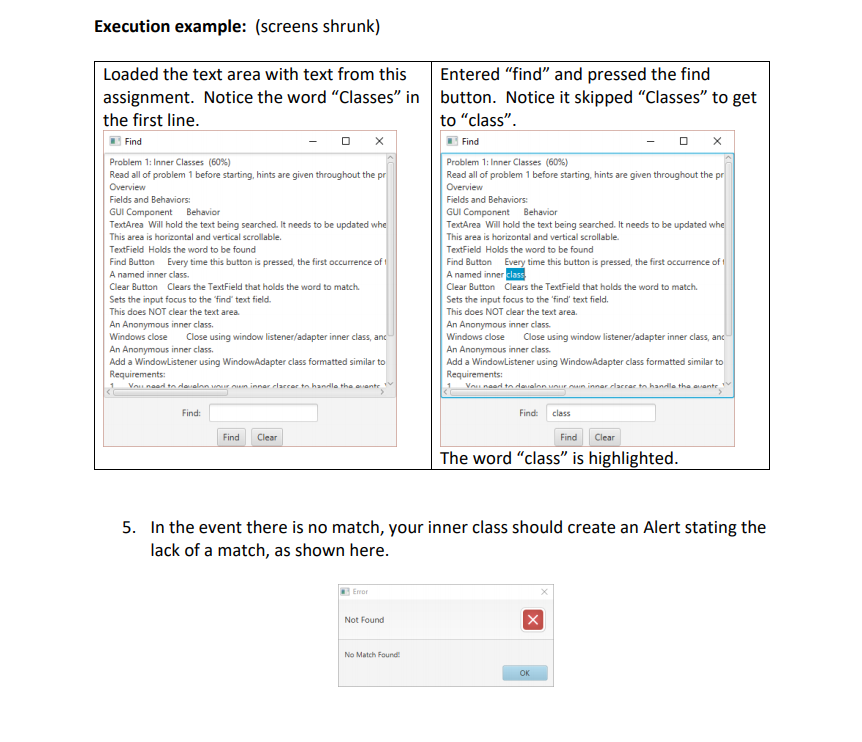
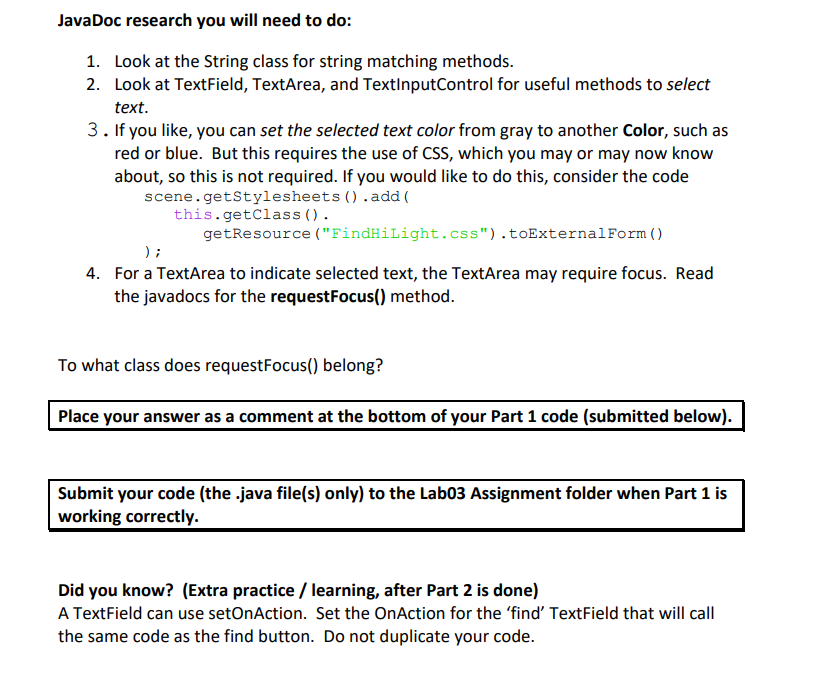
Lab 03: GUI, Inner classes and Binary 10 Part 1: Inner Classes (6 points) Overview Read all of Problem 1 before starting, hints are given throughout the problem statement. See the Execution Examples, below, to see what the GUI should look like. Fields and Behaviors: GUI Component TextArea TextField Find Button Clear Button Behavior Will hold the text being searched. It needs to be updated when a word is found. This area is horizontally and vertically scrollable. Holds the word to be found. Every time this button is pressed, the first occurrence of the "find" word in the TextArea will be located and highlighted. A named inner class. Clears the TextField that holds the word to match. Sets the input focus to the 'find' text field. This does NOT clear the text area. An Anonymous inner class. Close using window listener/adapter inner class, and print a "Thank you for using finder" message. An Anonymous inner class. Add a WindowListener using WindowAdapter class formatted similar to an ActionListener. Windows close Requirements: 1. You need to develop your own inner classes to handle the events. You must handle the window closing and button press events. 2. The search is case sensitive. If the case of the letters in the word in the TextArea does not match exactly the word in the TextField, skip over it. 3. You only need to locate the first occurrence of a string of text. Use ONE of the string methods for this 'find' (look up the indexOf method of the String class). 4. The Find operation is able to find text such as in this sentence, this sentence" should be found. NOTE: To get text into the text area, simply copy text from another window and paste it in Execution example: (screens shrunk) Loaded the text area with text from this assignment. Notice the word "Classes" in the first line. Entered "find" and pressed the find button. Notice it skipped "Classes" to get to "class. Find Find Problem 1: Inner Classes (60%) Read all of problem 1 before starting, hints are given throughout the pr Overview Fields and Behaviors: GUI Component Behavior TextArea Will hold the text being searched. It needs to be updated whe This area is horizontal and vertical scrollable. TextField Holds the word to be found Find Button Every time this button is pressed, the first occurrence of A named inner class Clear Button Clears the TextField that holds the word to match Sets the input focus to the find' text field. This does NOT clear the text area. An Anonymous inner class. Windows close Close using window listener/adapter inner class, and An Anonymous inner class. Add a WindowListener using WindowAdapter class formatted similar to Requirements: Voli noorte en un inner career to handle the contev Problem 1: Inner Classes (60%) Read all of problem 1 before starting, hints are given throughout the pr Overview Fields and Behaviors: GUI Component Behavior TextArea Will hold the text being searched. It needs to be updated whe This area is horizontal and vertical scrollable. TextField Holds the word to be found Find Button Every time this button is pressed, the first occurrence of A named inner class Clear Button Clears the TextField that holds the word to match Sets the input focus to the "find' text field. This does NOT clear the text area. An Anonymous inner class Windows close Close using window listener/adapter inner class, and An Anonymous inner class Add a WindowListener using WindowAdapter class formatted similar to Requirements: Voinear to dann nur un inner clarac to handle the conte Find: Find: class Find Clear Find The word "class is highlighted. 5. In the event there is no match, your inner class should create an Alert stating the lack of a match, as shown here. Error Not Found X No Match Found OK JavaDoc research you will need to do: 1. Look at the String class for string matching methods. 2. Look at TextField, TextArea, and TextInputControl for useful methods to select text. 3. If you like, you can set the selected text color from gray to another Color, such as red or blue. But this requires the use of CSS, which you may or may now know about, so this is not required. If you would like to do this, consider the code scene.getStylesheets() .add( this.getClass(). getResource ("FindHilight.css").toExternalForm() ); 4. For a TextArea to indicate selected text, the TextArea may require focus. Read the javadocs for the requestFocus() method. To what class does requestFocus() belong? Place your answer as a comment at the bottom of your Part 1 code (submitted below). Submit your code (the .java file(s) only) to the Labo3 Assignment folder when Part 1 is working correctly. Did you know? (Extra practice / learning, after Part 2 is done) A TextField can use setOnAction. Set the OnAction for the find' TextField that will call the same code as the find button. Do not duplicate your code
Step by Step Solution
There are 3 Steps involved in it

Get step-by-step solutions from verified subject matter experts
 Study Help