







Question: please please please help! Task 4) Writing Complex Formulas Use the following hints to write the appropriate formula for each output item: Monthly Payment Use
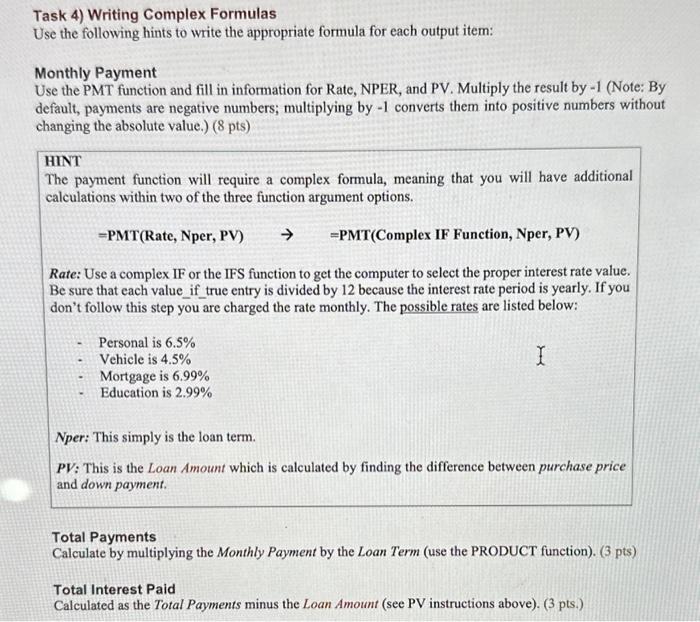
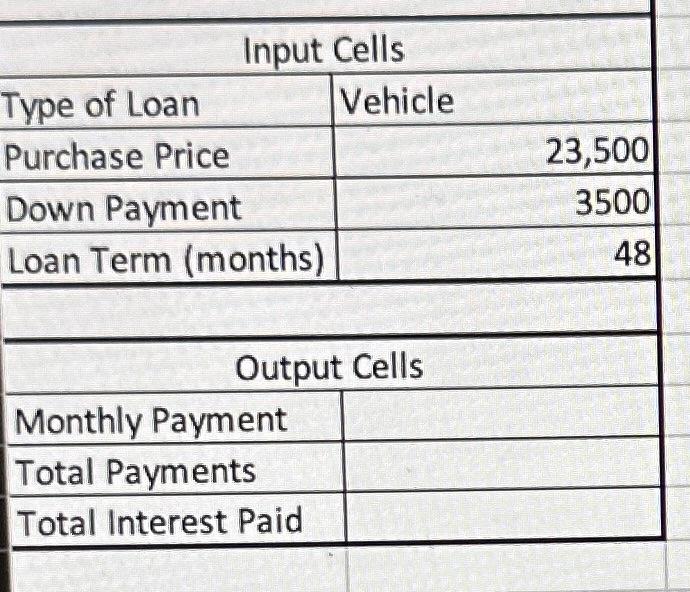
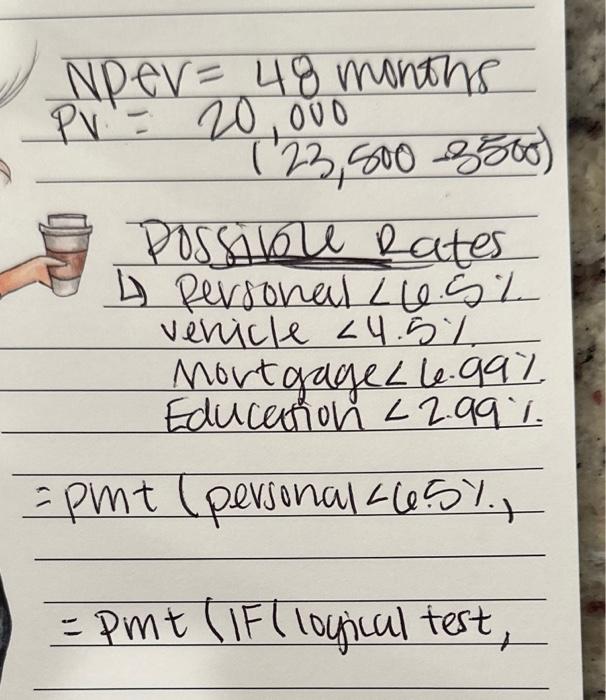
Task 4) Writing Complex Formulas Use the following hints to write the appropriate formula for each output item: Monthly Payment Use the PMT function and fill in information for Rate, NPER, and PV. Multiply the result by -1 (Note: By default, payments are negative numbers; multiplying by -1 converts them into positive numbers without changing the absolute value.) ( 8pts) HINT The payment function will require a complex formula, meaning that you will have additional calculations within two of the three function argument options. = PMT(Rate, Nper, PV) = PMT(Complex IF Function, Nper, PV) Rate: Use a complex IF or the IFS function to get the computer to select the proper interest rate value. Be sure that each value_if_true entry is divided by 12 because the interest rate period is yearly. If you don't follow this step you are charged the rate monthly. The possible rates are listed below: - Personal is 6.5% - Vehicle is 4.5% - Mortgage is 6.99% - Education is 2.99% Nper: This simply is the loan term. PV: This is the Loan Amount which is calculated by finding the difference between purchase price and down payment. Total Payments Calculate by multiplying the Monthly Payment by the Loan Term (use the PRODUCT function). ( 3 pts) Total Interest Paid Calculated as the Total Payments minus the Loan Amount (see PV instructions above). (3 pts.) NPeV =48 months PV=20,000 (23,5003500) Possible Rates 4) Personal
Step by Step Solution
There are 3 Steps involved in it

Get step-by-step solutions from verified subject matter experts
 Study Help