







Question: please prepare a flowchar showing start to end, not a description which is irrelvant to question i had from a previous answer. if you could
please prepare a flowchar showing start to end, not a description which is irrelvant to question i had from a previous answer.
if you could make a flowchart describing process in information into a flowchart process
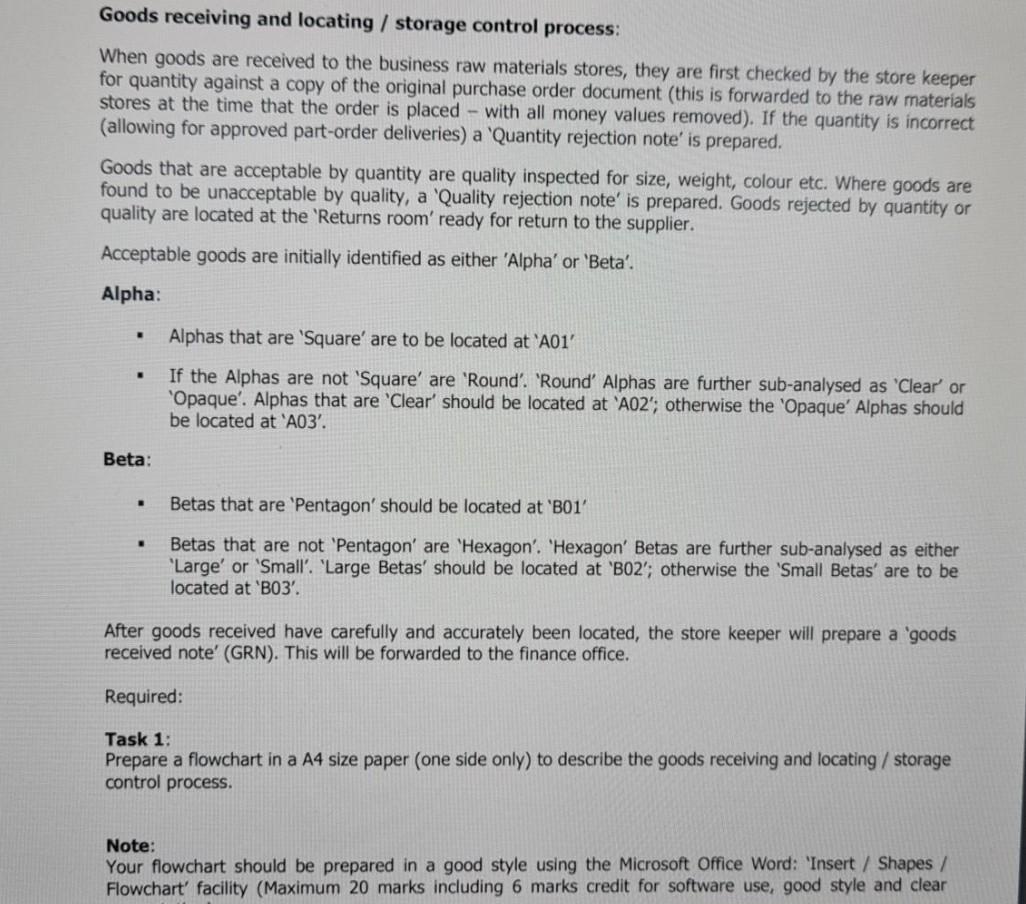
Goods receiving and locating / storage control process: When goods are received to the business raw materials stores, they are first checked by the store keeper for quantity against a copy of the original purchase order document (this is forwarded to the raw materials stores at the time that the order is placed - with all money values removed). If the quantity is incorrect (allowing for approved part-order deliveries) a 'Quantity rejection note' is prepared. Goods that are acceptable by quantity are quality inspected for size, weight, colour etc. Where goods are found to be unacceptable by quality, a 'Quality rejection note' is prepared. Goods rejected by quantity or quality are located at the 'Returns room' ready for return to the supplier. Acceptable goods are initially identified as either 'Alpha' or 'Beta'. Alpha: . Alphas that are 'Square' are to be located at 'A01' . If the Alphas are not 'Square' are 'Round'. 'Round' Alphas are further sub-analysed as 'Clear' or 'Opaque'. Alphas that are 'Clear' should be located at 'A02'; otherwise the 'Opaque' Alphas should be located at 'A03'. Beta: . Betas that are 'Pentagon' should be located at 'B01 . Betas that are not 'Pentagon' are 'Hexagon'. 'Hexagon' Betas are further sub-analysed as either "Large' or 'Small'. 'Large Betas' should be located at 'B02'; otherwise the 'Small Betas' are to be located at 'B03. After goods received have carefully and accurately been located, the store keeper will prepare a 'goods received note' (GRN). This will be forwarded to the finance office. Required: Task 1: Prepare a flowchart in a A4 size paper (one side only) to describe the goods receiving and locating / storage control process. Note: Your flowchart should be prepared in a good style using the Microsoft Office Word: 'Insert / Shapes/ Flowchart' facility (Maximum 20 marks including 6 marks credit for software use, good style and clear Goods receiving and locating / storage control process: When goods are received to the business raw materials stores, they are first checked by the store keeper for quantity against a copy of the original purchase order document (this is forwarded to the raw materials stores at the time that the order is placed - with all money values removed). If the quantity is incorrect (allowing for approved part-order deliveries) a 'Quantity rejection note' is prepared. Goods that are acceptable by quantity are quality inspected for size, weight, colour etc. Where goods are found to be unacceptable by quality, a 'Quality rejection note' is prepared. Goods rejected by quantity or quality are located at the 'Returns room' ready for return to the supplier. Acceptable goods are initially identified as either 'Alpha' or 'Beta'. Alpha: . Alphas that are 'Square' are to be located at 'A01' . If the Alphas are not 'Square' are 'Round'. 'Round' Alphas are further sub-analysed as 'Clear' or 'Opaque'. Alphas that are 'Clear' should be located at 'A02'; otherwise the 'Opaque' Alphas should be located at 'A03'. Beta: . Betas that are 'Pentagon' should be located at 'B01 . Betas that are not 'Pentagon' are 'Hexagon'. 'Hexagon' Betas are further sub-analysed as either "Large' or 'Small'. 'Large Betas' should be located at 'B02'; otherwise the 'Small Betas' are to be located at 'B03. After goods received have carefully and accurately been located, the store keeper will prepare a 'goods received note' (GRN). This will be forwarded to the finance office. Required: Task 1: Prepare a flowchart in a A4 size paper (one side only) to describe the goods receiving and locating / storage control process. Note: Your flowchart should be prepared in a good style using the Microsoft Office Word: 'Insert / Shapes/ Flowchart' facility (Maximum 20 marks including 6 marks credit for software use, good style and clear
Step by Step Solution
There are 3 Steps involved in it

Get step-by-step solutions from verified subject matter experts
 Study Help