







Question: Please provide a solution for Question 5 along with result to this, it is from Digital Image Processing. Again Just need Question 5. Thank you
Please provide a solution for Question 5 along with result to this, it is from Digital Image Processing. Again Just need Question 5.Thank you in Advance
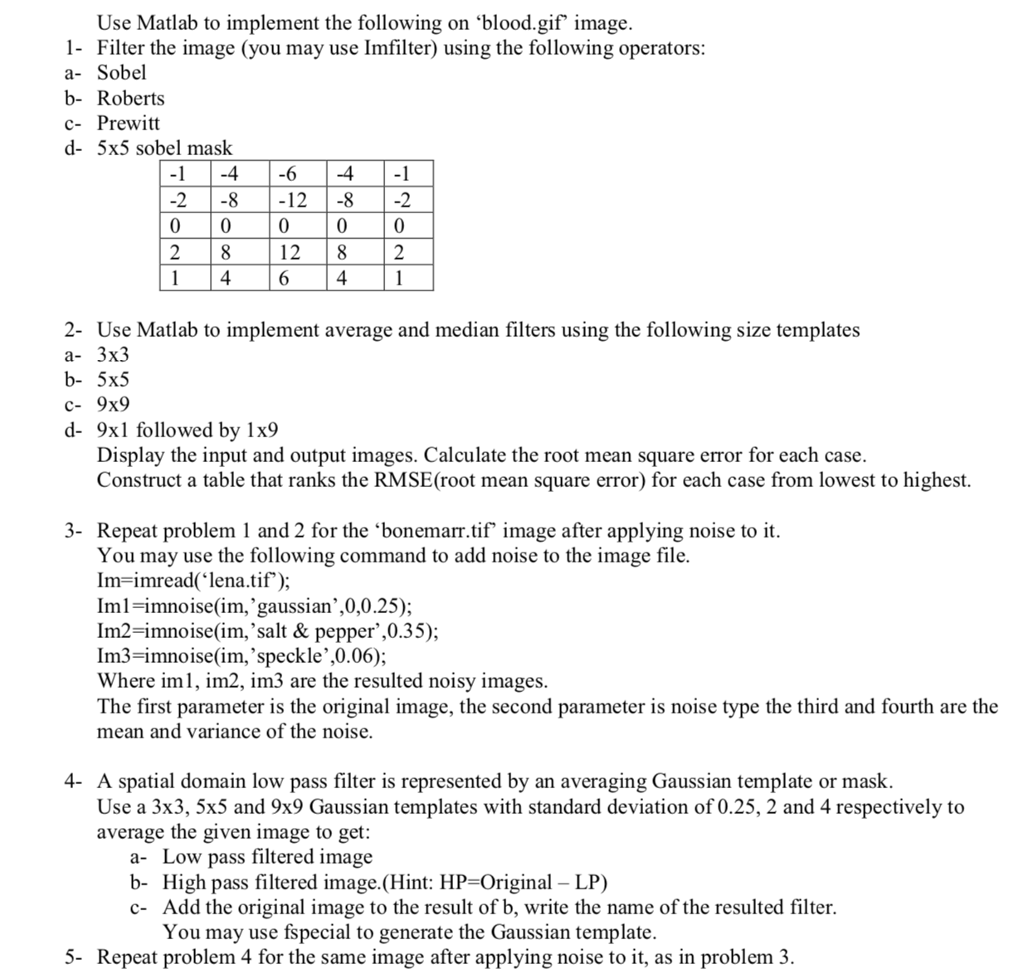

Use Matlab to implement the following on 'blood.gif image. 1- Filter the image (you may use Imfilter) using the following operators a- Sobel b- Roberts c- Prewitt d- 5x5 sobel mask 4-6 -1 -12 82 0 128 2 2-8 1 464 2- Use Matlab to implement average and median filters using the following size templates a- 3x3 b- 5x5 c- 9x9 d- 9xl followed by 1x9 Display the input and output images. Calculate the root mean square error for each case. Construct a table that ranks the RMSE(root mean square error) for each case from lowest to highest. 3- Repeat problem 1 and 2 for the 'bonemarr.tif' image after applying noise to it You may use the following command to add noise to the image file Im-imread("lena.tif) Iml-imnoise(im,'gaussian',0,0.25); Im2-imnoise(im,'salt & pepper',0.35); Im3-imnoise(im, 'speckle',0.06); Where iml, im2, im3 are the resulted noisy images. The first parameter is the original image, the second parameter is noise type the third and fourth are the mean and variance of the noise. 4- A spatial domain low pass filter is represented by an averaging Gaussian template or mask. Use a 3x3, 5x5 and 9x9 Gaussian templates with standard deviation of 0.25, 2 and 4 respectively to average the given image to get: a- Low pass filtered image b- High pass filtered image.(Hint: HP-Original - LP) c- Add the original image to the result of b, write the name of the resulted filter. You may use fspecial to generate the Gaussian template. 5- Repeat problem 4 for the same image after applying noise to it, as in problem 3, Use Matlab to implement the following on 'blood.gif image. 1- Filter the image (you may use Imfilter) using the following operators a- Sobel b- Roberts c- Prewitt d- 5x5 sobel mask 4-6 -1 -12 82 0 128 2 2-8 1 464 2- Use Matlab to implement average and median filters using the following size templates a- 3x3 b- 5x5 c- 9x9 d- 9xl followed by 1x9 Display the input and output images. Calculate the root mean square error for each case. Construct a table that ranks the RMSE(root mean square error) for each case from lowest to highest. 3- Repeat problem 1 and 2 for the 'bonemarr.tif' image after applying noise to it You may use the following command to add noise to the image file Im-imread("lena.tif) Iml-imnoise(im,'gaussian',0,0.25); Im2-imnoise(im,'salt & pepper',0.35); Im3-imnoise(im, 'speckle',0.06); Where iml, im2, im3 are the resulted noisy images. The first parameter is the original image, the second parameter is noise type the third and fourth are the mean and variance of the noise. 4- A spatial domain low pass filter is represented by an averaging Gaussian template or mask. Use a 3x3, 5x5 and 9x9 Gaussian templates with standard deviation of 0.25, 2 and 4 respectively to average the given image to get: a- Low pass filtered image b- High pass filtered image.(Hint: HP-Original - LP) c- Add the original image to the result of b, write the name of the resulted filter. You may use fspecial to generate the Gaussian template. 5- Repeat problem 4 for the same image after applying noise to it, as in problem 3
Step by Step Solution
There are 3 Steps involved in it

Get step-by-step solutions from verified subject matter experts
 Study Help