







Question: please provide word document with screen shots of each command. Use the guest operating system for all sections (Kali and Windows7). Before starting a Windows
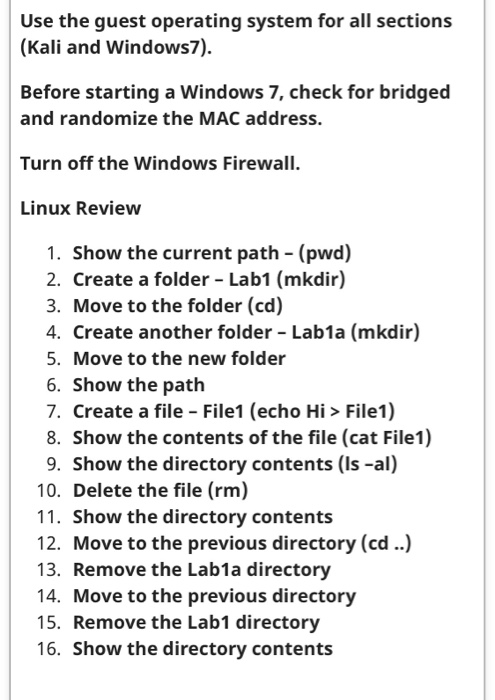
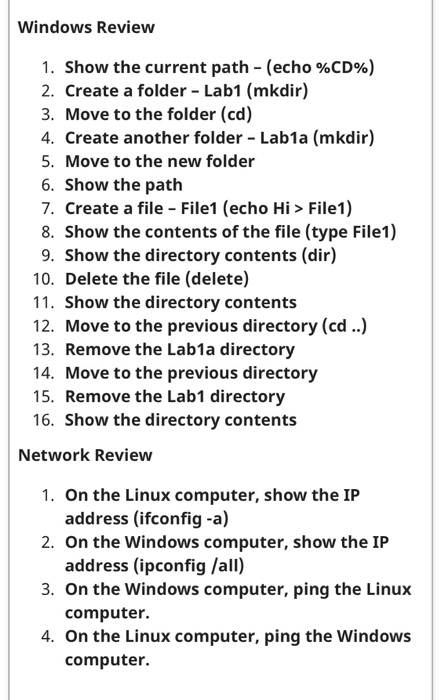
Use the guest operating system for all sections (Kali and Windows7). Before starting a Windows 7, check for bridged and randomize the MAC address. Turn off the Windows Firewall. Linux Review 1. Show the current path - (pwd) 2. Create a folder - Lab1 (mkdir) 3. Move to the folder (cd) 4. Create another folder - Lab1a (mkdir) 5. Move to the new folder 6. Show the path 7. Create a file - File1 (echo Hi > File1) 8. Show the contents of the file (cat File1) 9. Show the directory contents (Is -al) 10. Delete the file (rm) 11. Show the directory contents 12. Move to the previous directory (cd ..) 13. Remove the Lab1a directory 14. Move to the previous directory 15. Remove the Lab1 directory 16. Show the directory contents Windows Review 1. Show the current path - (echo %CD%) 2. Create a folder - Lab1 (mkdir) 3. Move to the folder (cd) 4. Create another folder - Lab1a (mkdir) 5. Move to the new folder 6. Show the path 7. Create a file - File1 (echo Hi > File1) 8. Show the contents of the file (type File1) 9. Show the directory contents (dir) 10. Delete the file (delete) 11. Show the directory contents 12. Move to the previous directory (cd ..) 13. Remove the Lab1a directory 14. Move to the previous directory 15. Remove the Lab1 directory 16. Show the directory contents Network Review 1. On the Linux computer, show the IP address (ifconfig -a) 2. On the Windows computer, show the IP address (ipconfig /all) 3. On the Windows computer, ping the Linux computer. 4. On the Linux computer, ping the Windows computer
Step by Step Solution
There are 3 Steps involved in it

Get step-by-step solutions from verified subject matter experts
 Study Help