







Question: PLEASE READ We are working on making simple C++ programs using Putty. I need help understanding how to do the problem below so that I
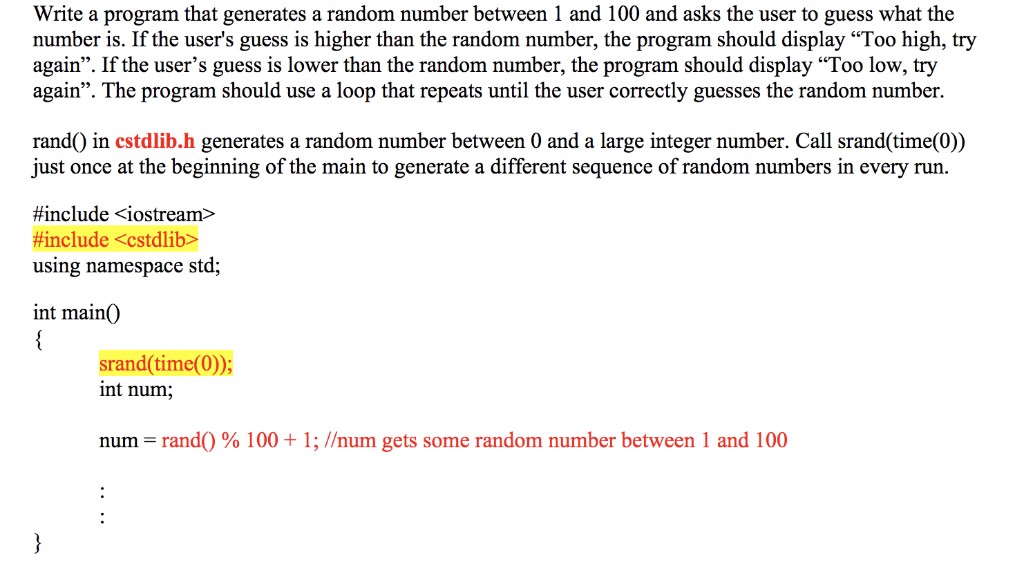

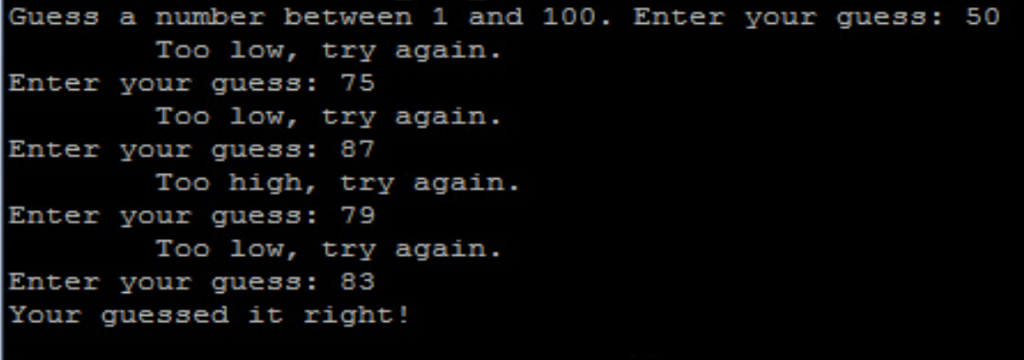
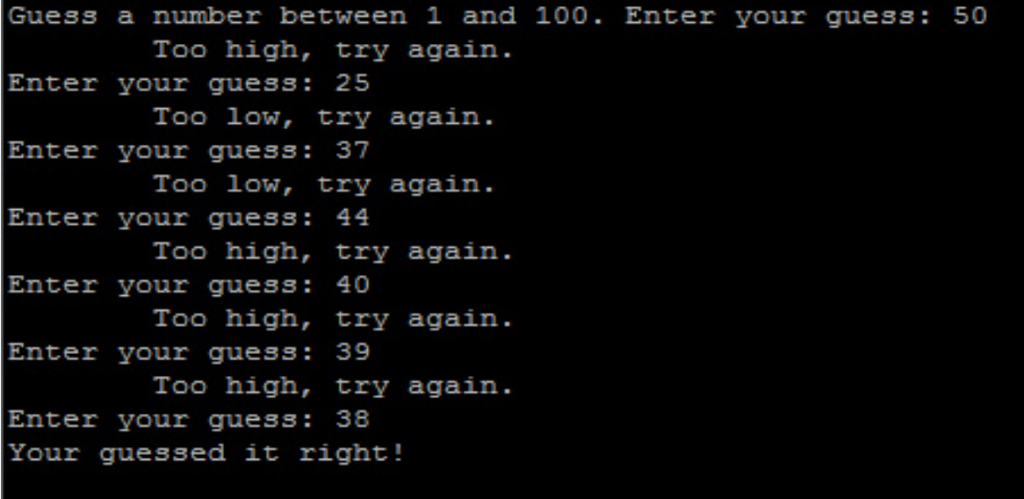
PLEASE READ We are working on making simple C++ programs using Putty. I need help understanding how to do the problem below so that I can do others like it on my own. We need to use for loop to solve it. PLEASE PAY ATTENTION TO THE TEST CASE PROVIDED the end result MUST look exactly like the test case shown, same spacing, same alignment, same numbers, etc. Thank you in advance! Here is the problem given: Write a program that generates a random number between 1 and 100 and asks the user to guess what the number is. If the user's guess is higher than the random number, the program should display "Too high, try again". If the user's guess is lower than the random number, the program should display "Too low, try again". The program should use a loop that repeats until the user correctly guesses the random number. rand() in cstdlib.h generates a random number between 0 and a large integer number. Call srand(time(0)) just once at the beginning of the main to generate a different sequence of random numbers in every run #include
Step by Step Solution
There are 3 Steps involved in it

Get step-by-step solutions from verified subject matter experts
 Study Help