







Question: Please recreate the following image below by using floats. This is a positioning exercise in css. This is the base of the code: Positioning Lab
Please recreate the following image below by using floats. This is a positioning exercise in css. This is the base of the code:
* {
margin: 0px;
padding: 0px;
}
body {
background-color: #ECECEC;
font-weight: bold;
font-family: Tahoma, Geneva, sans-serif;
color: #FFF;
text-align: center;
line-height: 24px;
}
#wrapper {
background-color: #FFF;
border-top-width: 1px;
border-right-width: 1px;
border-bottom-width: 1px;
border-left-width: 1px;
border-top-style: solid;
border-right-style: solid;
border-bottom-style: solid;
border-left-style: solid;
width: 800px;
margin-right: auto;
margin-left: auto;
}
#red {
background-color: #900;
}
#green {
background-color: #090;
}
#blue {
background-color: #00F;
}
#purple {
background-color: #63C;
}
#footer {
background-color: #666;
}
h1 {
color: #000;
font-weight: normal;
padding: 50px;
}
Absolute 2
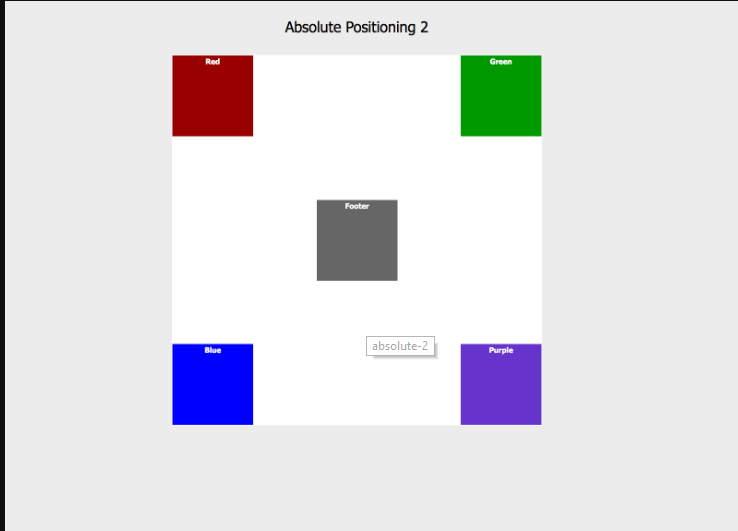
Absolute Positioning 2 Red Green Footer absolute-2 Blue Purple
Step by Step Solution
There are 3 Steps involved in it

Get step-by-step solutions from verified subject matter experts
 Study Help