







Question: PLEASE RUN CODE AND SHOW OUTPUT. In E 1 5 assembly language, there is no single instruction to perform greater than ( or equal to
PLEASE RUN CODE AND SHOW OUTPUT.
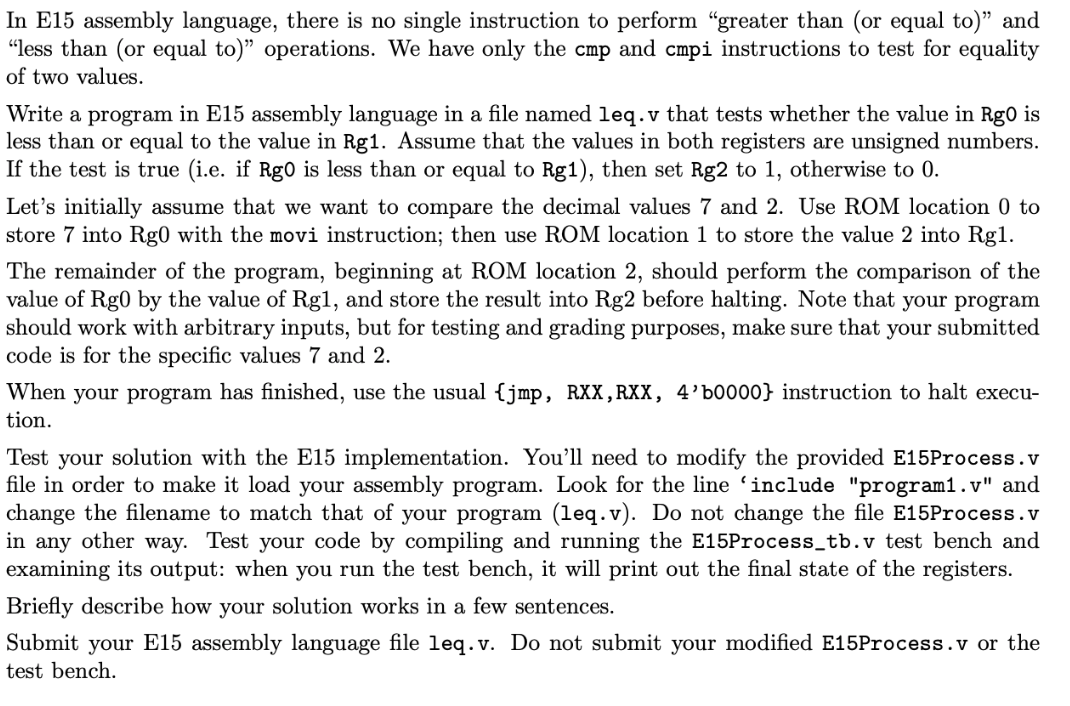
In E assembly language, there is no single instruction to perform "greater than or equal to and
"less than or equal to operations. We have only the cmp and cmpi instructions to test for equality
of two values.
Write a program in E assembly language in a file named leq.v that tests whether the value in Rg is
less than or equal to the value in Rg Assume that the values in both registers are unsigned numbers.
If the test is true ie if is less than or equal to then set Rg to otherwise to
Let's initially assume that we want to compare the decimal values and Use ROM location to
store into Rg with the movi instruction; then use ROM location to store the value into Rg
The remainder of the program, beginning at ROM location should perform the comparison of the
value of Rg by the value of Rg and store the result into Rg before halting. Note that your program
should work with arbitrary inputs, but for testing and grading purposes, make sure that your submitted
code is for the specific values and
When your program has finished, use the usual jmp RXX RXXb instruction to halt execu
tion.
Test your solution with the E implementation. You'll need to modify the provided EProcess.v
file in order to make it load your assembly program. Look for the line 'include "programv and
change the filename to match that of your program leqv Do not change the file EProcess.v
in any other way. Test your code by compiling and running the EProcesstbv test bench and
examining its output: when you run the test bench, it will print out the final state of the registers.
Briefly describe how your solution works in a few sentences.
Submit your E assembly language file leq.v Do not submit your modified EProcess.v or the
test bench.
Step by Step Solution
There are 3 Steps involved in it
1 Expert Approved Answer
Step: 1 Unlock

Question Has Been Solved by an Expert!
Get step-by-step solutions from verified subject matter experts
Step: 2 Unlock
Step: 3 Unlock
 Study Help