







Question: PLEASE SET UP ARDUINO AND MATLAB CODE I WILL RATE YOUR ANSWER THANK YOU BME 4503C Assignment 3 Aim: Utilization and interaction of different circuits.
PLEASE SET UP ARDUINO AND MATLAB CODE I WILL RATE YOUR ANSWER THANK YOU
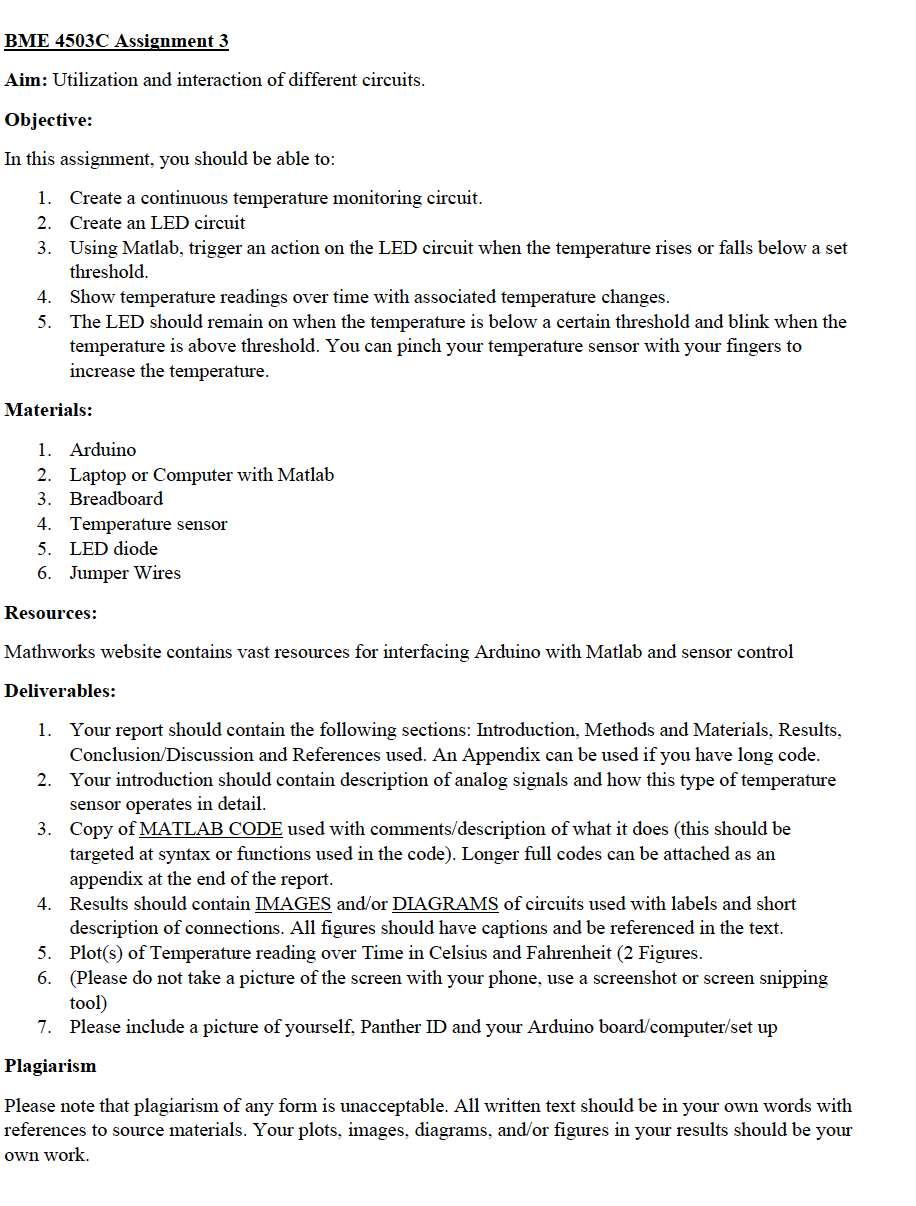
BME 4503C Assignment 3 Aim: Utilization and interaction of different circuits. Objective: In this assignment, you should be able to: 1. Create a continuous temperature monitoring circuit. 2. Create an LED circuit 3. Using Matlab, trigger an action on the LED circuit when the temperature rises or falls below a set threshold. 4. Show temperature readings over time with associated temperature changes. 5. The LED should remain on when the temperature is below a certain threshold and blink when the temperature is above threshold. You can pinch your temperature sensor with your fingers to increase the temperature. Materials: 1. Arduino 2. Laptop or Computer with Matlab 3. Breadboard 4. Temperature sensor 5. LED diode 6. Jumper Wires Resources: Mathworks website contains vast resources for interfacing Arduino with Matlab and sensor control Deliverables: 1. Your report should contain the following sections: Introduction, Methods and Materials, Results, Conclusion/Discussion and References used. An Appendix can be used if you have long code. 2. Your introduction should contain description of analog signals and how this type of temperature sensor operates in detail. 3. Copy of MATLAB CODE used with comments/description of what it does (this should be targeted at syntax or functions used in the code). Longer full codes can be attached as an appendix at the end of the report. 4. Results should contain IMAGES and/or DIAGRAMS of circuits used with labels and short description of connections. All figures should have captions and be referenced in the text. 5. Plot(s) of Temperature reading over Time in Celsius and Fahrenheit (2 Figures. 6. (Please do not take a picture of the screen with your phone, use a screenshot or screen snipping tool) 7. Please include a picture of yourself, Panther ID and your Arduino board/computer/set up Plagiarism Please note that plagiarism of any form is unacceptable. All written text should be in your own words with references to source materials. Your plots, images, diagrams, and/or figures in your results should be your own work. BME 4503C Assignment 3 Aim: Utilization and interaction of different circuits. Objective: In this assignment, you should be able to: 1. Create a continuous temperature monitoring circuit. 2. Create an LED circuit 3. Using Matlab, trigger an action on the LED circuit when the temperature rises or falls below a set threshold. 4. Show temperature readings over time with associated temperature changes. 5. The LED should remain on when the temperature is below a certain threshold and blink when the temperature is above threshold. You can pinch your temperature sensor with your fingers to increase the temperature. Materials: 1. Arduino 2. Laptop or Computer with Matlab 3. Breadboard 4. Temperature sensor 5. LED diode 6. Jumper Wires Resources: Mathworks website contains vast resources for interfacing Arduino with Matlab and sensor control Deliverables: 1. Your report should contain the following sections: Introduction, Methods and Materials, Results, Conclusion/Discussion and References used. An Appendix can be used if you have long code. 2. Your introduction should contain description of analog signals and how this type of temperature sensor operates in detail. 3. Copy of MATLAB CODE used with comments/description of what it does (this should be targeted at syntax or functions used in the code). Longer full codes can be attached as an appendix at the end of the report. 4. Results should contain IMAGES and/or DIAGRAMS of circuits used with labels and short description of connections. All figures should have captions and be referenced in the text. 5. Plot(s) of Temperature reading over Time in Celsius and Fahrenheit (2 Figures. 6. (Please do not take a picture of the screen with your phone, use a screenshot or screen snipping tool) 7. Please include a picture of yourself, Panther ID and your Arduino board/computer/set up Plagiarism Please note that plagiarism of any form is unacceptable. All written text should be in your own words with references to source materials. Your plots, images, diagrams, and/or figures in your results should be your own work
Step by Step Solution
There are 3 Steps involved in it

Get step-by-step solutions from verified subject matter experts
 Study Help