







Question: please show formulas! 5. Enter a SUMIFS function into cell B8 on the Contribution worksheet that sums the variable product costs on the Sales and
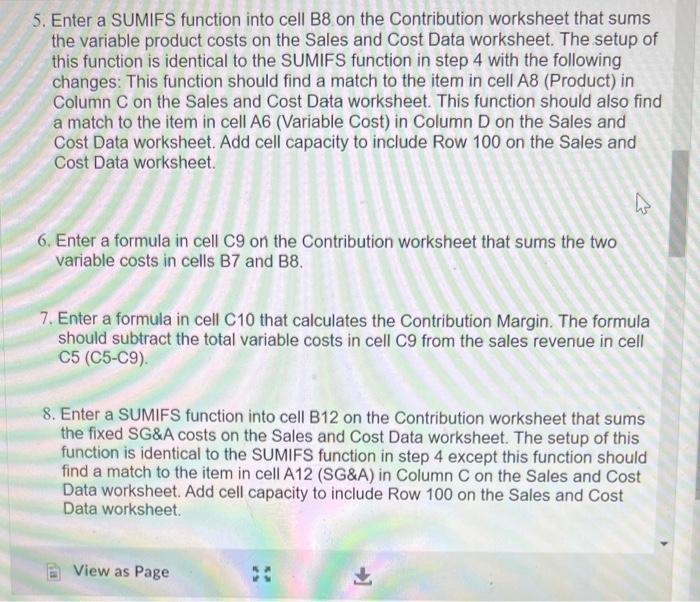
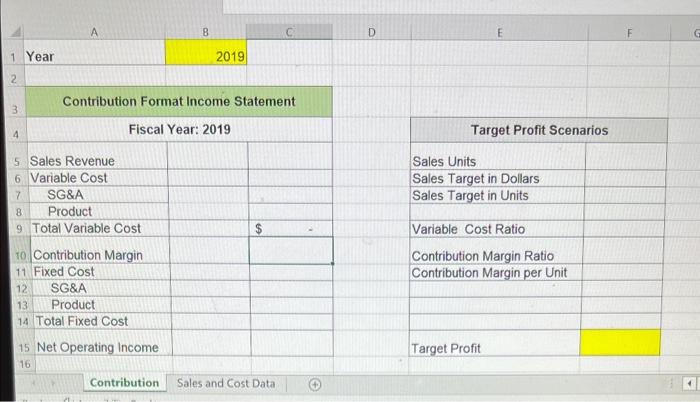
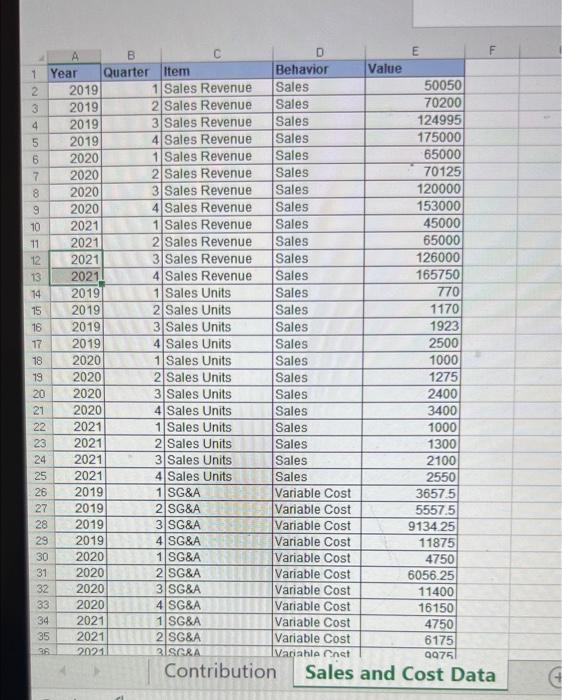
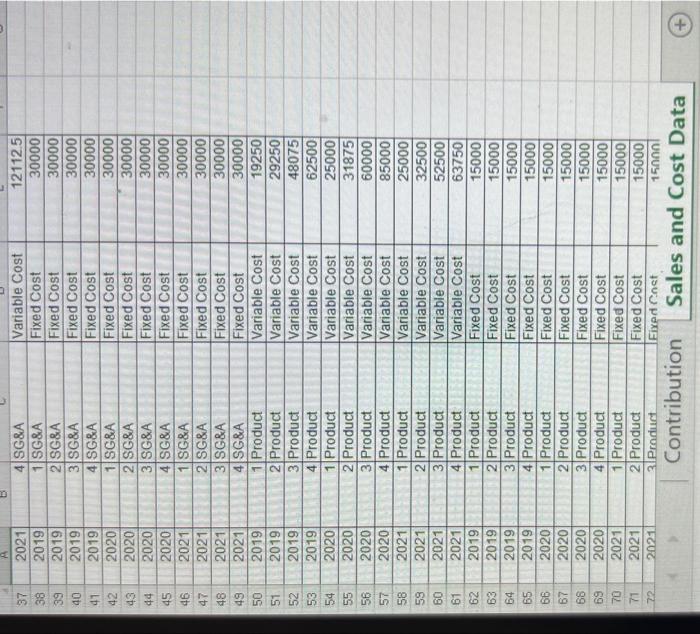
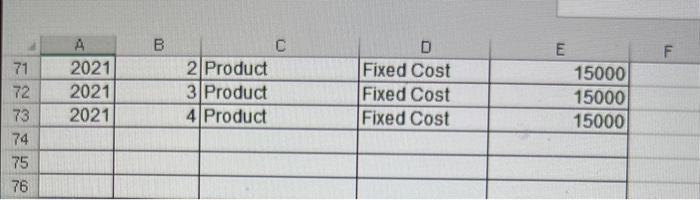
5. Enter a SUMIFS function into cell B8 on the Contribution worksheet that sums the variable product costs on the Sales and Cost Data worksheet. The setup of this function is identical to the SUMIFS function in step 4 with the following changes: This function should find a match to the item in cell A8 (Product) in Column C on the Sales and Cost Data worksheet. This function should also find a match to the item in cell A6 (Variable Cost) in Column D on the Sales and Cost Data worksheet. Add cell capacity to include Row 100 on the Sales and Cost Data worksheet. 6. Enter a formula in cell C9 on the Contribution worksheet that sums the two variable costs in cells B7 and B8. 7. Enter a formula in cell C10 that calculates the Contribution Margin. The formula should subtract the total variable costs in cell C9 from the sales revenue in cell C5 (C5-C9). 8. Enter a SUMIFS function into cell B12 on the Contribution worksheet that sums the fixed SG\&A costs on the Sales and Cost Data worksheet. The setup of this function is identical to the SUMIFS function in step 4 except this function should find a match to the item in cell A12 (SG\&A) in Column C on the Sales and Cost Data worksheet. Add cell capacity to include Row 100 on the Sales and Cost Data worksheet. Contribution Sales and Cost Data
Step by Step Solution
There are 3 Steps involved in it

Get step-by-step solutions from verified subject matter experts
 Study Help