



Question: please show me how to fix this on a macbook computer. show pictures of steps so i can see how to fix it on my
please show me how to fix this on a macbook computer. show pictures of steps so i can see how to fix it on my own
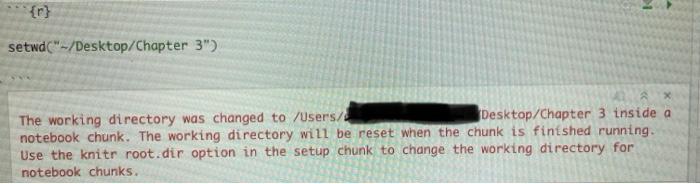
{r} setwd("~/Desktop/Chapter 3") The working directory was changed to /Users/ Desktop/Chapter 3 inside a notebook chunk. The working directory will be reset when the chunk is finished running. Use the knitr root.dir option in the setup chunk to change the working directory for notebook chunks
Step by Step Solution
There are 3 Steps involved in it
1 Expert Approved Answer
Step: 1 Unlock

Question Has Been Solved by an Expert!
Get step-by-step solutions from verified subject matter experts
Step: 2 Unlock
Step: 3 Unlock