







Question: Please show the equation like this for each project: Harmony Company has a number of potential capital investments. Because these projects vary in nature, initial
Please show the equation like this for each project:
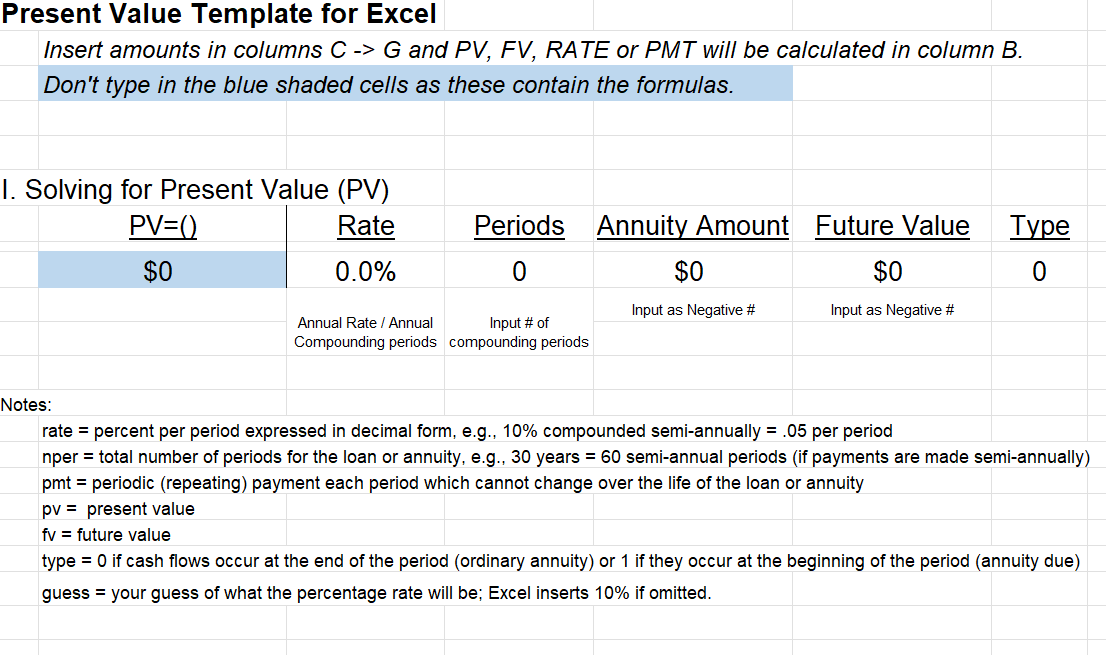
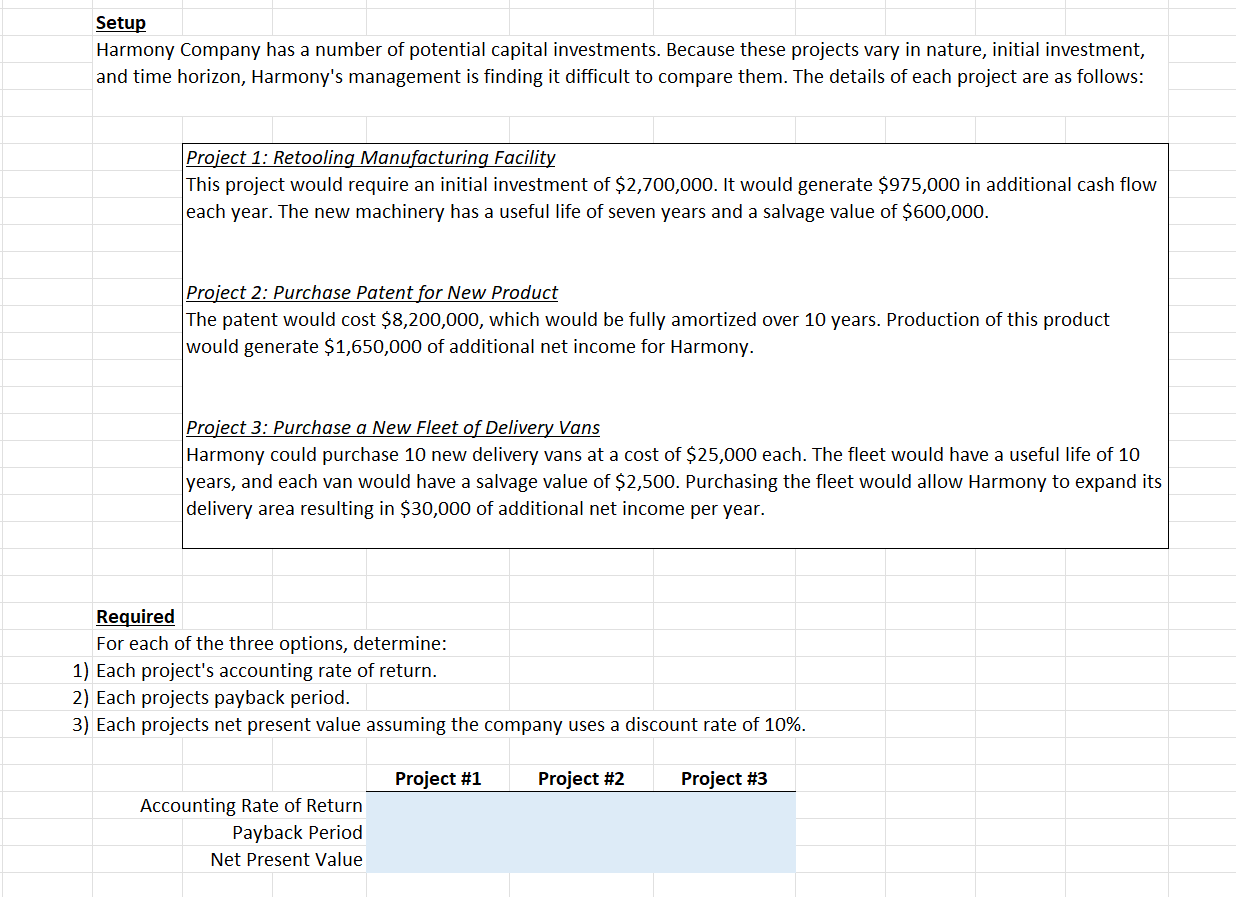
Harmony Company has a number of potential capital investments. Because these projects vary in nature, initial investment, and time horizon, Harmony's management is finding it difficult to compare them. The details of each project are as follows: Project 1: Retooling Manufacturing Facility This project would require an initial investment of $2,700,000. It would generate $975,000 in additional cash flow each year. The new machinery has a useful life of seven years and a salvage value of $600,000. Project 2: Purchase Patent for New Product The patent would cost $8,200,000, which would be fully amortized over 10 years. Production of this product would generate $1,650,000 of additional net income for Harmony. Project 3: Purchase a New Fleet of Delivery Vans Harmony could purchase 10 new delivery vans at a cost of $25,000 each. The fleet would have a useful life of 10 years, and each van would have a salvage value of $2,500. Purchasing the fleet would allow Harmony to expand its delivery area resulting in $30,000 of additional net income per year. Present Value Template for Excel Insert amounts in columns C>G and PV, FV, RATE or PMT will be calculated in column B. Don't type in the blue shaded cells as these contain the formulas. I. Solving for Present Value (PV) Notes: rate = percent per period expressed in decimal form, e.g., 10% compounded semi-annually =.05 per period nper = total number of periods for the loan or annuity, e.g., 30 years =60 semi-annual periods (if payments are made semi-annually) pmt = periodic (repeating) payment each period which cannot change over the life of the loan or annuity pv= present value fv= future value type =0 if cash flows occur at the end of the period (ordinary annuity) or 1 if they occur at the beginning of the period (annuity due) guess = your guess of what the percentage rate will be; Excel inserts 10% if omitted
Step by Step Solution
There are 3 Steps involved in it

Get step-by-step solutions from verified subject matter experts
 Study Help