







Question: Please show work in MIPS In the Simulator menu, Settings option of OtSpim, set Bare Machine OFF, Accept Pseudo Instructions OFF. Enable Delayed Branches OFF,
Please show work in MIPS
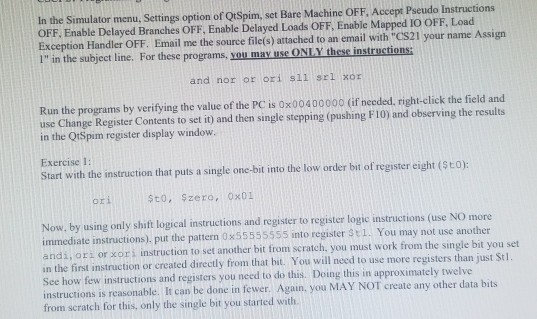
In the Simulator menu, Settings option of OtSpim, set Bare Machine OFF, Accept Pseudo Instructions OFF. Enable Delayed Branches OFF, Enable Delayed Loads OFF. Enable Mapped IO OFF. Load Exception Handler OFF. Email me the source file(s) attached to an email with "CS21 your name Assign 1" in the subject line. For these programs, you may use ONLY these instructions: and nor or ori sll srl xor Run the programs by verifying the value of the PC is 0x00400000 (if needed, right-click the field and use Change Register Contents to set it) and then single stepping (pushing FIO) and observing the results in the Q1Spim register display window. Exercise 1: Start with the instruction that puts a single one-bit into the low order bit of register eight (SEO): Sto, Szero, Ox01 Now, by using only shift logical instructions and register to register logic instructions (use NO more immediate instructions). put the pattern 0x55555555 into register 31. You may not use another andi, ori or xori instruction to set another bit from scratch, you must work from the single bit you set in the first instruction or created directly from that bit. You will need to use more registers than just Stl. See how few instructions and registers you need to do this. Doing this in approximately twelve instructions is reasonable. It can be done in fewer. Again, you MAY NOT create any other data bits from scratch for this, only the single bit you started with In the Simulator menu, Settings option of OtSpim, set Bare Machine OFF, Accept Pseudo Instructions OFF. Enable Delayed Branches OFF, Enable Delayed Loads OFF. Enable Mapped IO OFF. Load Exception Handler OFF. Email me the source file(s) attached to an email with "CS21 your name Assign 1" in the subject line. For these programs, you may use ONLY these instructions: and nor or ori sll srl xor Run the programs by verifying the value of the PC is 0x00400000 (if needed, right-click the field and use Change Register Contents to set it) and then single stepping (pushing FIO) and observing the results in the Q1Spim register display window. Exercise 1: Start with the instruction that puts a single one-bit into the low order bit of register eight (SEO): Sto, Szero, Ox01 Now, by using only shift logical instructions and register to register logic instructions (use NO more immediate instructions). put the pattern 0x55555555 into register 31. You may not use another andi, ori or xori instruction to set another bit from scratch, you must work from the single bit you set in the first instruction or created directly from that bit. You will need to use more registers than just Stl. See how few instructions and registers you need to do this. Doing this in approximately twelve instructions is reasonable. It can be done in fewer. Again, you MAY NOT create any other data bits from scratch for this, only the single bit you started with
Step by Step Solution
There are 3 Steps involved in it

Get step-by-step solutions from verified subject matter experts
 Study Help