







Question: Please show your VB code. AutoSave Off Assignment 4 - Excel Search Vivian Cress VC File Home Insert Page Layout Formulas Data Review View Developer
Please show your VB code.
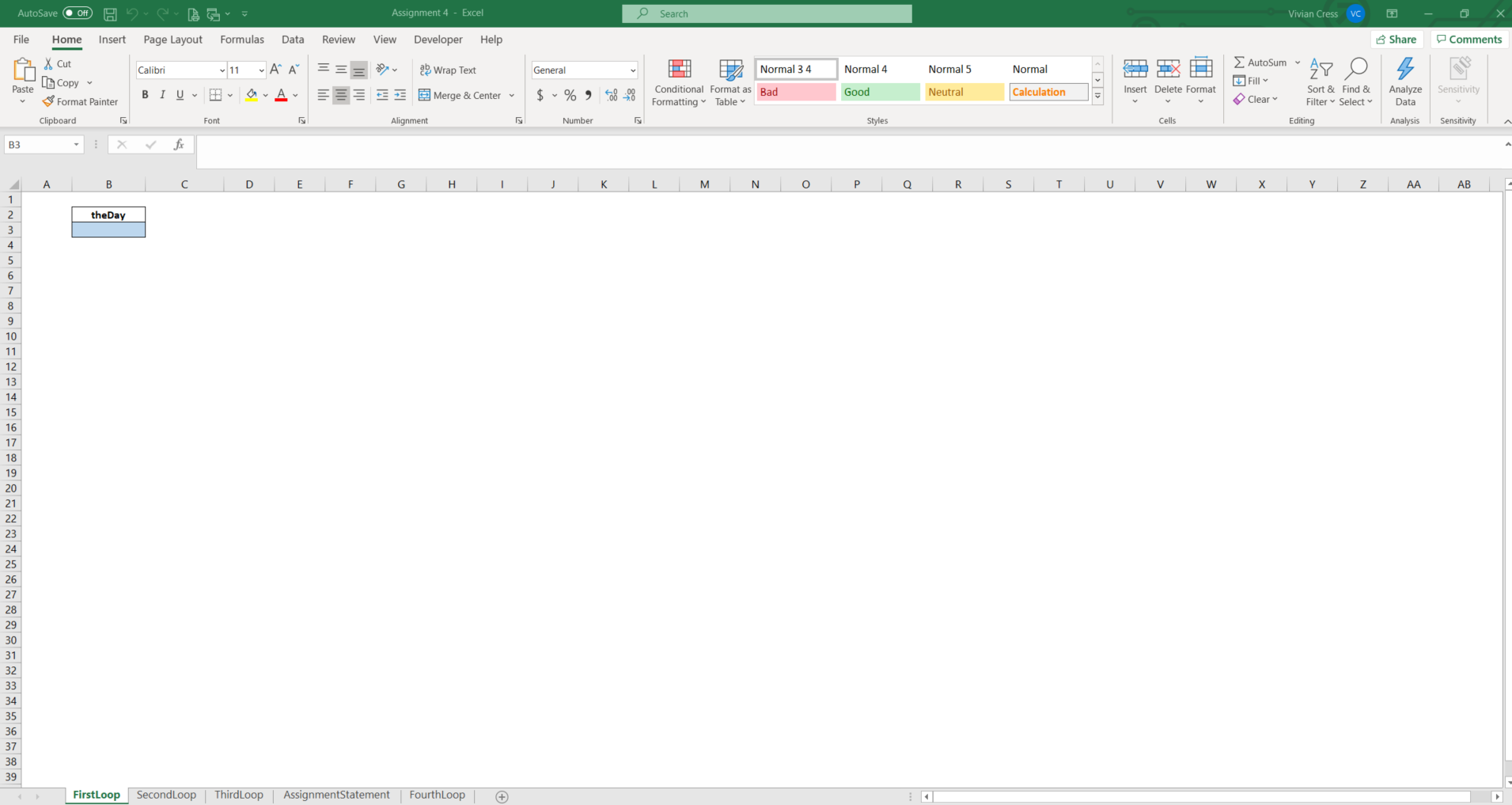
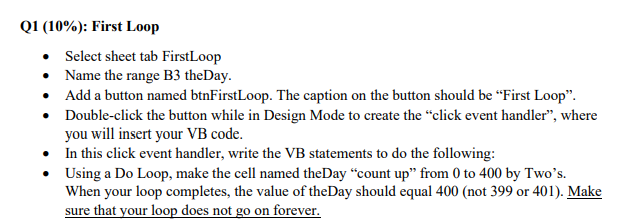
AutoSave Off Assignment 4 - Excel Search Vivian Cress VC File Home Insert Page Layout Formulas Data Review View Developer Help B Share Comments Calibri AutoSum 11 A A === a Wrap Text General IH Normal 34 Normal 4 Normal 5 vormal 5 Normal AY O Fill Paste X Cut [Copy Format Painter Clipboard BIU A $ %58-09 Merge & Center Conditional Format as Bad Formatting Table Good Neutral Insert Delete Format Calculation Sort & Find & Filter Select Clear Analyze Data Sensitivity Font Alignment Number Styles Cells Editing Analysis Sensitivity A B3 fx B D E F G H 1 L M N 0 P 0 R S T U V w Y Z AA AB theDay 1 2 3 4 5 6 7 8 9 10 11 13 14 15 16 17 18 19 20 21 22 23 24 25 26 27 28 29 30 31 32 33 34 35 36 37 38 39 FirstLoop Second Loop ThirdLoop AssignmentStatement FourthLoop + Q1 (10%): First Loop Select sheet tab FirstLoop Name the range B3 theDay. Add a button named btnFirstLoop. The caption on the button should be First Loop". Double-click the button while in Design Mode to create the "click event handler, where you will insert your VB code. In this click event handler, write the VB statements to do the following: Using a Do Loop, make the cell named theDay "count up" from 0 to 400 by Two's. When your loop completes, the value of the Day should equal 400 (not 399 or 401). Make sure that your loop does not go on forever. AutoSave Off Assignment 4 - Excel Search Vivian Cress VC File Home Insert Page Layout Formulas Data Review View Developer Help B Share Comments Calibri AutoSum 11 A A === a Wrap Text General IH Normal 34 Normal 4 Normal 5 vormal 5 Normal AY O Fill Paste X Cut [Copy Format Painter Clipboard BIU A $ %58-09 Merge & Center Conditional Format as Bad Formatting Table Good Neutral Insert Delete Format Calculation Sort & Find & Filter Select Clear Analyze Data Sensitivity Font Alignment Number Styles Cells Editing Analysis Sensitivity A B3 fx B D E F G H 1 L M N 0 P 0 R S T U V w Y Z AA AB theDay 1 2 3 4 5 6 7 8 9 10 11 13 14 15 16 17 18 19 20 21 22 23 24 25 26 27 28 29 30 31 32 33 34 35 36 37 38 39 FirstLoop Second Loop ThirdLoop AssignmentStatement FourthLoop + Q1 (10%): First Loop Select sheet tab FirstLoop Name the range B3 theDay. Add a button named btnFirstLoop. The caption on the button should be First Loop". Double-click the button while in Design Mode to create the "click event handler, where you will insert your VB code. In this click event handler, write the VB statements to do the following: Using a Do Loop, make the cell named theDay "count up" from 0 to 400 by Two's. When your loop completes, the value of the Day should equal 400 (not 399 or 401). Make sure that your loop does not go on forever
Step by Step Solution
There are 3 Steps involved in it

Get step-by-step solutions from verified subject matter experts
 Study Help