







Question: Please solve, and show the CSS code. The webpage below displays the iconic I NY logo. Use the position and z-index properties to make the
Please solve, and show the CSS code.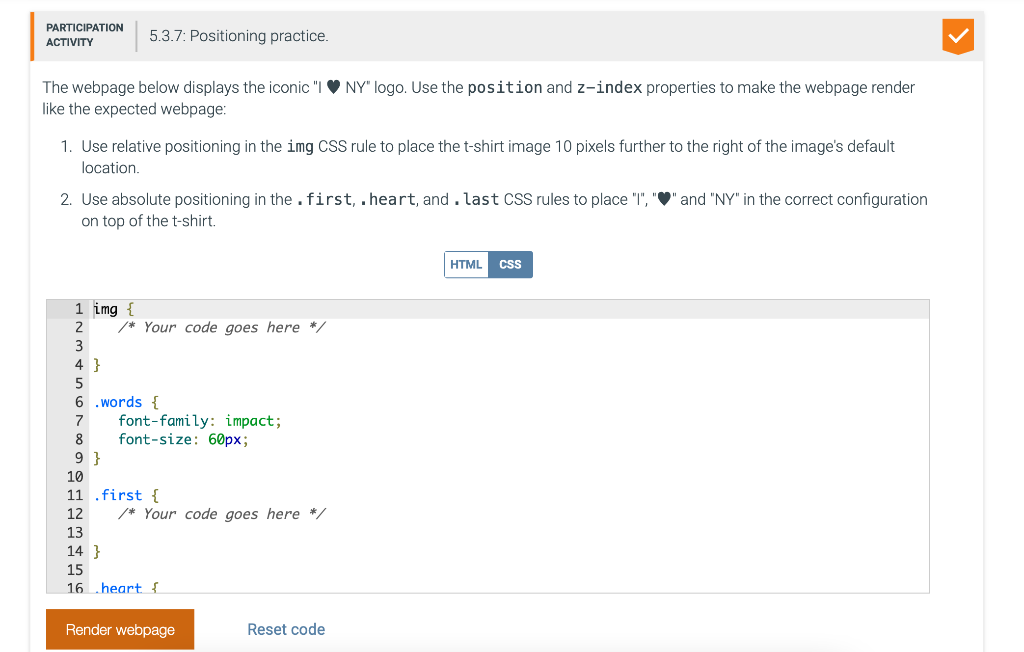
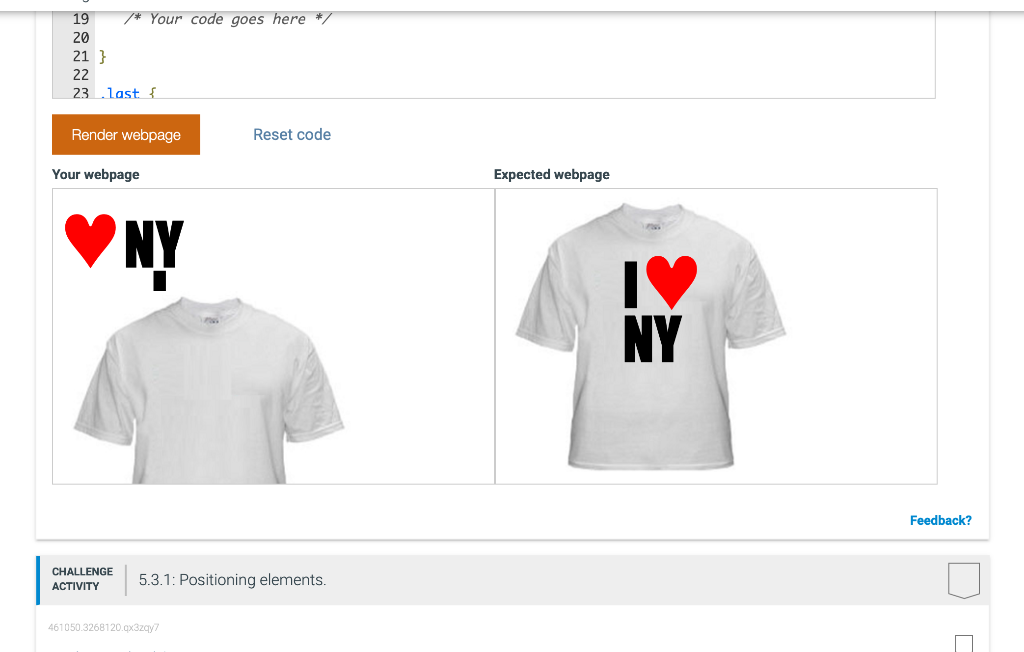
The webpage below displays the iconic "I NY" logo. Use the position and z-index properties to make the webpage render like the expected webpage: 1. Use relative positioning in the img CSS rule to place the t-shirt image 10 pixels further to the right of the image's default location. 2. Use absolute positioning in the . first, . heart, and . Last CSS rules to place "I", "P" and "NY" in the correct configuration on top of the t-shirt. 12345678910111213141516img{/Yourcodegoeshere/}.words{font-family:impact:font-size:60px}.first{Yourcodegoeshere/S.heart{ Your webpage Expected webpage
Step by Step Solution
There are 3 Steps involved in it
1 Expert Approved Answer
Step: 1 Unlock

Question Has Been Solved by an Expert!
Get step-by-step solutions from verified subject matter experts
Step: 2 Unlock
Step: 3 Unlock
 Study Help