







Question: Please show the code for the CSS. The button transition is defined in the . button class and specifies that all properties should be animated
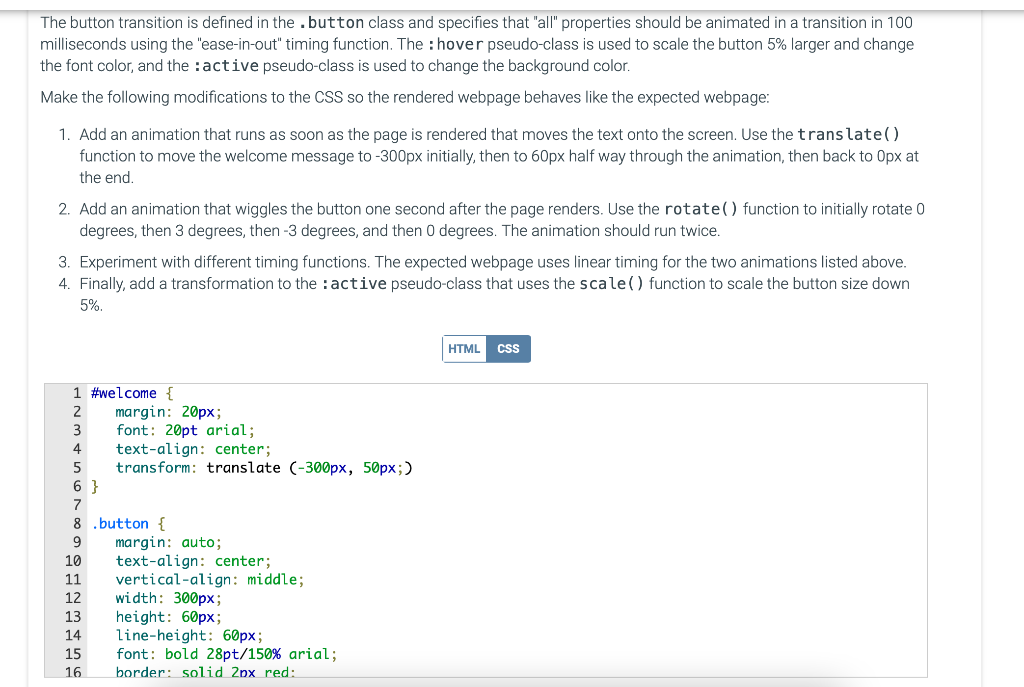
Please show the code for the CSS.
The button transition is defined in the . button class and specifies that "all" properties should be animated in a transition in 100 milliseconds using the "ease-in-out" timing function. The : hover pseudo-class is used to scale the button 5% larger and change the font color, and the : active pseudo-class is used to change the background color. Make the following modifications to the CSS so the rendered webpage behaves like the expected webpage: 1. Add an animation that runs as soon as the page is rendered that moves the text onto the screen. Use the trans late ( ) function to move the welcome message to -300px initially, then to 60px half way through the animation, then back to 0px at the end. 2. Add an animation that wiggles the button one second after the page renders. Use the rotate () function to initially rotate 0 degrees, then 3 degrees, then -3 degrees, and then 0 degrees. The animation should run twice. 3. Experiment with different timing functions. The expected webpage uses linear timing for the two animations listed above. 4. Finally, add a transformation to the : active pseudo-class that uses the scale ( ) function to scale the button size down 5%
Step by Step Solution
There are 3 Steps involved in it

Get step-by-step solutions from verified subject matter experts
 Study Help