







Question: please this is one activity , answer a) and b) if you can . thanks please solve the a) part only please use javascript a)
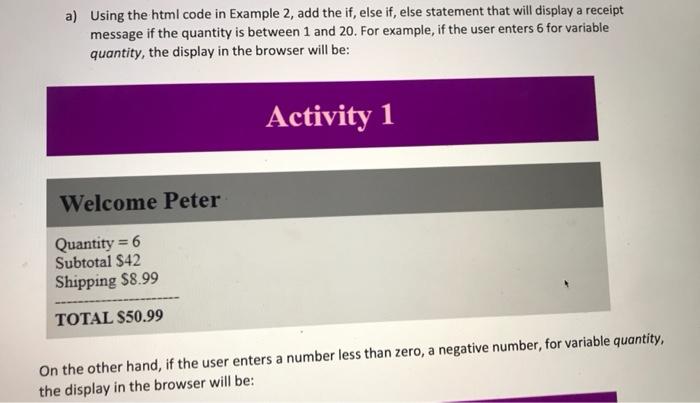
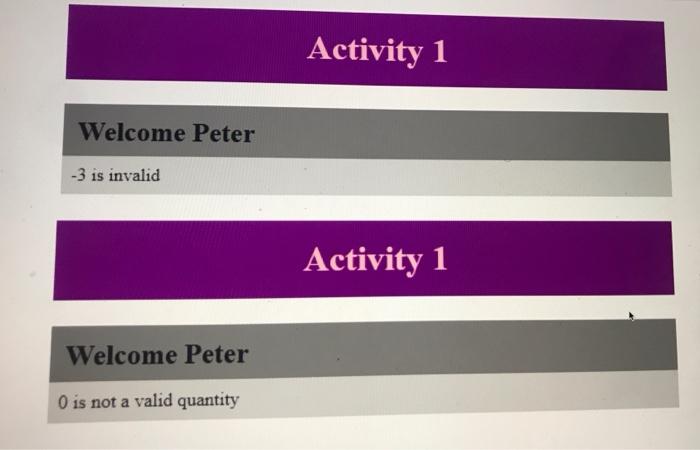
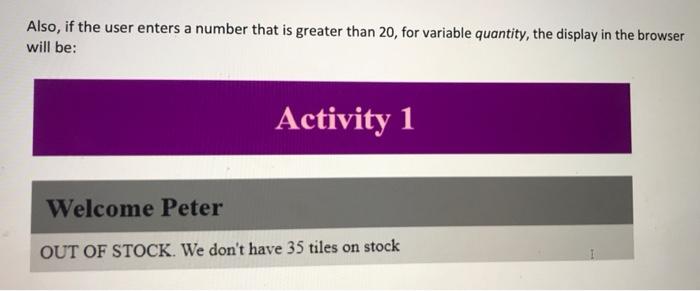
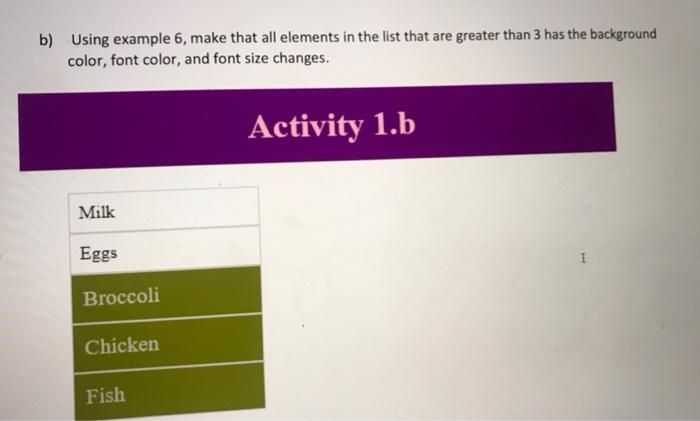
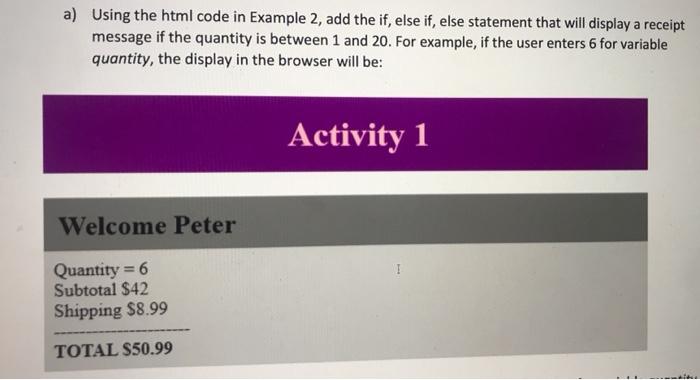
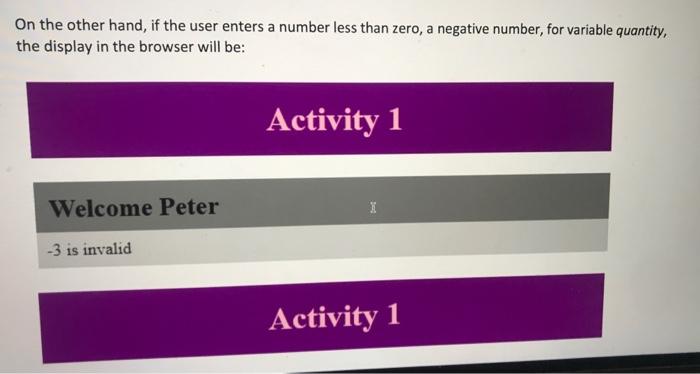
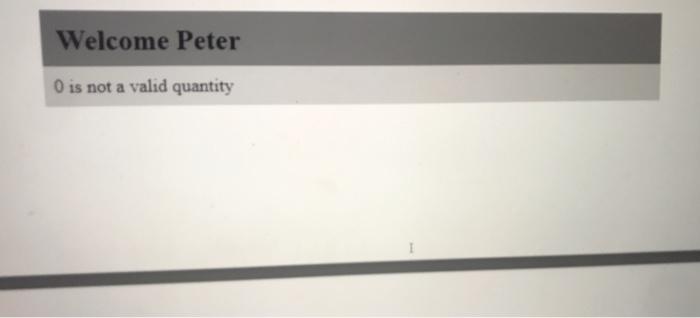
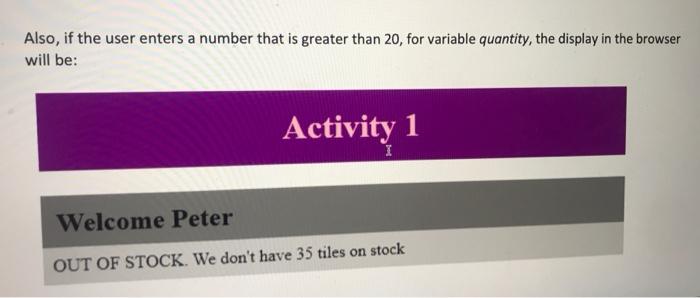
a) Using the html code in Example 2, add the if, else if, else statement that will display a receipt message if the quantity is between 1 and 20. For example, if the user enters 6 for variable quantity, the display in the browser will be: Activity 1 Welcome Peter Quantity = 6 Subtotal $42 Shipping $8.99 TOTAL $50.99 On the other hand, if the user enters a number less than zero, a negative number, for variable quantity, the display in the browser will be: Activity 1 Welcome Peter -3 is invalid Activity 1 Welcome Peter O is not a valid quantity Also, if the user enters a number that is greater than 20, for variable quantity, the display in the browser will be: Activity 1 Welcome Peter OUT OF STOCK. We don't have 35 tiles on stock b) Using example 6, make that all elements in the list that are greater than 3 has the background color, font color, and font size changes. Activity 1.b Milk Eggs Broccoli Chicken Fish a) Using the html code in Example 2, add the if, else if, else statement that will display a receipt message if the quantity is between 1 and 20. For example, if the user enters 6 for variable quantity, the display in the browser will be: Activity 1 Welcome Peter Quantity = 6 Subtotal $42 Shipping $8.99 TOTAL $50.99 On the other hand, if the user enters a number less than zero, a negative number, for variable quantity, the display in the browser will be: Activity 1 Welcome Peter I -3 is invalid Activity 1 Welcome Peter O is not a valid quantity Also, if the user enters a number that is greater than 20, for variable quantity, the display in the browser will be: Activity 1 I Welcome Peter OUT OF STOCK. We don't have 35 tiles on stock
Step by Step Solution
There are 3 Steps involved in it

Get step-by-step solutions from verified subject matter experts
 Study Help